

ERP systems sit at the center of enterprise operations, connecting critical functions such as accounting, inventory management, human resources, procurement, and supply chain management.
As those systems age, outdated architecture, fragmented data, manual workarounds, and rigid workflows can create costly inefficiencies across the business while limiting an organization’s ability to adopt newer capabilities such as AI, automation, and real-time analytics.
While ERP modernization gives enterprises an opportunity to redesign those processes around more integrated, scalable ways of working, it also presents significant operational risk.
Successful ERP modernization requires a lifecycle approach that prepares users before deployment, supports them through live workflows, identifies friction after launch, and continuously improves how employees use the system to achieve business outcomes.
What Is ERP Modernization?
ERP modernization is the coordinated renewal of an organization’s ERP technology, data, integrations, workflows, controls, and user experience. It may involve upgrading an existing platform, migrating to the cloud, replacing selected components, implementing a two-tier model, or introducing a new ERP.
For large enterprises, modernization is often a multi-year portfolio of decisions about which systems to retain, migrate, integrate, replace, or retire. Its purpose is to create a secure, connected, and adaptable foundation for the organization’s future operating model.
How Does ERP Modernization Drive Value
ERP modernization creates value when new capabilities translate into measurable improvements in how the business operates. Its most important benefits include:
- Lower operational costs: Reduce manual work, system maintenance overhead, duplicate processes, and inefficiencies created by legacy infrastructure.
- Faster, more efficient business processes: Automate repetitive tasks, streamline cross-functional workflows, and shorten cycle times across finance, procurement, supply chain, manufacturing, and HR.
- Better data quality and decision-making: Consolidate fragmented data, improve reporting accuracy, and give teams more reliable real-time visibility into business performance.
- Greater scalability and technology readiness: Create a more flexible ERP foundation that can support growth, integrations, cloud services, automation, AI, and advanced analytics.
- Higher employee productivity and process consistency: Give users clearer, more standardized workflows that reduce errors, workarounds, and friction in day-to-day execution.
When Does an ERP Need Modernization?
There are often telltale signs indicating that the existing ERP infrastructure requires modernization. Here are common signals that its time to invest in an ERP transformation project:
Maintaining and Changing the ERP Has Become Costly and Risky
An ERP needs modernization when routine maintenance, security updates, integrations, or regulatory changes require specialist skills, extensive custom code, and lengthy testing. Rising support costs, fragile integrations, and approaching end-of-support deadlines indicate that the environment is becoming harder to operate safely and change without disruption.
Critical Workflows Depend on Manual Workarounds
Modernization should be considered when employees depend on spreadsheets, email approvals, offline trackers, or duplicate data entry to complete core processes. These workarounds indicate that the ERP no longer supports how work needs to be performed, increasing processing time, user errors, workflow variation, and reliance on individual knowledge.
Leaders Cannot Access Trusted Information Quickly
The ERP is no longer meeting business needs when leaders cannot obtain reliable, real-time information without combining reports and reconciling conflicting data. This increases decision latency, delaying the organization’s ability to identify problems, understand their impact, and respond.
The ERP Cannot Support Growth and Change
Modernization becomes necessary when adding a new entity, location, channel, pricing model, or regulatory requirement demands extensive custom development, workarounds, and manual reconciliation. This indicates that the ERP can no longer support business change at the speed or scale the organization requires.
Users Struggle to Complete Critical Workflows
Modernization should be considered when employees routinely make errors, abandon tasks, or depend on support to complete ERP workflows. Long completion times, rejected transactions, and recurring support tickets indicate that the interface or configured processes are reducing productivity and limiting effective system use.
Common ERP Modernization Traps
These five ERP transformation traps can leave organizations with a technically successful deployment but inefficient workflows, unreliable data, low user proficiency, and limited business value.
Legacy Processes Are Rebuilt in the New ERP
ERP modernization loses value when teams recreate existing workflows, customizations, approval paths, and local workarounds in the new platform. This carries process complexity and technical debt forward, allowing automation and AI to accelerate the elimination of inefficient work. Modernization should give process owners the opportunity to standardize workflows, remove unnecessary steps, clarify ownership, and retire customizations that no longer serve business requirements.
Data, Integrations, and Workflows Break in Production
Programs underperform when modules, integrations, and data are tested separately instead of as complete business workflows. Gaps across applications, roles, approvals, controls, and exception paths lead to failed transactions, reporting errors, and operational disruption post-go-live. Rushed data cleansing can also preserve inconsistencies across locations and prevent process standardization.
Training Completion Is Mistaken for User Readiness
Completing ERP training does not demonstrate that employees can execute redesigned processes correctly. Users need role-based instruction and hands-on practice with realistic ERP scenarios, and opportunities to demonstrate user readiness and real proficiency across critical workflows and exception cases before go-live.
Post-Go-Live Change Ownership and Optimization Are Missing
Programs underperform when implementation teams disband without transferring responsibility for workflow performance, user guidance, support, and continuous improvement. The Panorama ERP study found that post-implementation guidance was the least common form of external support sought. Without accountable owners and a defined review cadence, recurring friction is managed through support tickets instead of being resolved at its source.
Technical Delivery Is Used as the Measure of ERP Success
Programs underperform when migration completion, system availability, training attendance, and ticket closure become the primary measures of success. These metrics do not show whether the ERP improves cycle time, accuracy, compliance, decision speed, or transaction cost. Among organizations that conducted an ROI analysis before implementation and had been live for at least a year, 83% reported meeting their ROI expectations, reinforcing the importance of defining measurable outcomes before implementation.
How to Execute an ERP Modernization Roadmap
Here are nine steps to building and executing an ERP modernization roadmap, from building a business case to achieving transformation value realization:
1. Build the Business Case Around Workflow Outcomes
Identify the workflows creating the greatest cost, delay, risk, or customer impact. Priorities may include procure-to-pay, order-to-cash, record-to-report, inventory management, and production planning.
For each priority workflow:
- Baseline cycle time, errors, rework, support demand, compliance exceptions, and transaction cost.
- Calculate the cost of manual work, legacy maintenance, customizations, and delayed decisions.
- Set a measurable improvement target and timeframe.
- Assign a process owner and confirm the system that will provide performance data.
Output: A value scorecard connecting each investment to its baseline, target, data source, owner, and review date.
2. Map the Current ERP Landscape and How Work Really Gets Done
Inventory the ERP modules, customizations, integrations, reports, data sources, user roles, and surrounding applications. Classify customizations as essential, requiring redesign, or ready for retirement.
Use transaction logs, process mining, support tickets, and user interviews to compare actual workflow execution with configured processes and SOPs. Capture:
- Tasks completed through spreadsheets, email, or other applications
- Duplicate entry and unofficial approval paths
- Regional variations and undocumented business rules
- Frequent errors, exceptions, and knowledge dependencies
Output: A current-state process map, application dependency map, and prioritized register of technical debt, process friction, and modernization risk.
3. Design the Target Operating Model and Future-State Workflows
Design how each priority workflow should operate before configuring the ERP. Define its responsible roles, required data, handoffs, decisions, controls, exceptions, service levels, and performance measures.
Use this process to:
- Remove unnecessary steps and approvals.
- Automate stable, rules-based activities.
- Clarify ownership and exception handling.
- Establish global standards and justified local variations.
- Retain, redesign, or retire legacy business rules and customizations.
- Translate policies into permissions, validations, and approval requirements.
Validate the proposed workflows with process owners, control owners, and the employees who perform the work.
Output: Approved future-state workflow specifications and a role-impact assessment.
4. Select the Modernization Approach and Delivery Sequence
Choose the least disruptive approach that can resolve the identified business and technology constraints:
- Upgrade the existing ERP when the platform still fits but its version or infrastructure needs renewal.
- Migrate to the cloud when scalability, continuous updates, or reduced infrastructure management are priorities.
- Modernize selectively when constraints are concentrated in specific modules, integrations, or workflows.
- Adopt a two-tier or hybrid model when subsidiaries or regions need flexibility within a governed enterprise architecture.
- Reimplement or replace the ERP when technical debt, customization, and process misalignment are too extensive to address incrementally.
Treat cloud as a deployment option, not the modernization objective. Evaluate each approach against workflow fit, data and integration requirements, regulatory constraints, cost, business risk, internal capacity, and time to value.
Sequence delivery around complete workflows and system dependencies. Use phased waves when an enterprise-wide cutover would create unacceptable operational risk.
Output: A target architecture, modernization path, wave plan, dependency map, and legacy-system decommissioning plan.
5. Prepare Data, Integrations, Reporting, and Controls
Prepare the information and system dependencies required for future-state workflows to operate reliably:
- Data: Assign owners and define source records, quality thresholds, retention requirements, target mappings, and reconciliation rules.
- Integrations: Document data flows, dependencies, service levels, monitoring responsibilities, and recovery procedures.
- Reporting and controls: Retain reports tied to business decisions or regulatory requirements. Align access, approvals, audit trails, and segregation-of-duties controls with the redesigned workflows.
Run migration rehearsals using production-like volumes. Progress only when data quality, integration stability, reporting accuracy, and control execution meet agreed thresholds.
Output: An approved data, integration, reporting, and control readiness assessment.
6. Establish Governance and Manage Role-Level Change
Define who can approve process variations, customizations, scope changes, data decisions, and readiness exceptions. Give the executive sponsor, ERP team, application owners, process owners, implementation partners, and regional teams clear decision rights.
For each affected role:
- Identify changes to tasks, responsibilities, approvals, and system access.
- Update the relevant SOPs, job aids, and support resources.
- Define the training, hands-on practice, in-workflow guidance, and post-launch support required for each role.
- Plan for change communications.
Use readiness gates covering technology, data, workflows, controls, users, and support operations.
Output: A governance model, RACI, decision log, role-impact assessment, and change enablement plan.
7. Validate End-to-End Workflows and Prove User Readiness
Test complete business scenarios in a production-like environment. Cover standard transactions as well as approvals, exceptions, integration failures, access restrictions, and control failures.
Users from every affected role should demonstrate that they can:
- Complete critical workflows without assistance
- Enter accurate and complete data
- Follow required approvals and controls
- Resolve common exceptions within an acceptable time
- Find relevant help when needed
Classify each failure as a system, data, process, control, or readiness issue. Assign an owner and require retesting after resolution. Cutover approval should depend on successful workflow testing and demonstrated user proficiency.
Output: A signed workflow and user-readiness report.
8. Execute Cutover and Run Outcome-Based Hypercare
Create a cutover runbook covering system freezes, final migration, reconciliation, user access, open transactions, integration activation, contingency plans, and temporary controls for high-risk processes.
During hypercare:
- Route technical, data, process, and user issues to the correct owners.
- Monitor failed transactions, stuck workflows, errors, support demand, and processing delays.
- Provide contextual guidance for unfamiliar or high-risk tasks.
- Review priority issues daily and publish their ownership and status.
Exit hypercare when system stability, transaction performance, support demand, and user proficiency meet agreed thresholds, rather than on a predetermined date.
Output: An approved cutover runbook, hypercare dashboard, and ownership handover.
9. Establish a Post-Go-Live Value Realization Cadence
Keep an accountable owner for every critical workflow and review performance after 30, 60, and 90 days. Continue with quarterly value reviews.
Compare results with the pre-modernization baseline across roles, locations, business units, and rollout waves. When a workflow misses its target:
- Diagnose whether the cause is technical, process-related, data-related, or behavioural.
- Select the appropriate change to configuration, guidance, documentation, or training.
- Assign an owner, implementation date, and expected outcome.
- Measure performance again after the intervention.
Output: A value realization scorecard and prioritized ERP optimization backlog.
How to Measure ERP Modernization Success
ERP modernization success should be measured against the baseline established before implementation. Leaders need a combination of technical, behavioural, operational, and financial metrics to determine whether the new ERP is changing how the business performs.
Program and Platform Health
Track whether modernization was delivered safely and whether the new environment is stable. Relevant measures include budget and schedule variance, migration defects, system availability, integration failure rate, legacy systems decommissioned, and customizations retired.
User Readiness and Adoption
Measure whether users can perform the standard, decision-based, and exception workflows required by their roles. Track time-to-proficiency, unaided workflow completion, assessment accuracy, required feature usage, and adoption across roles, locations, and business units.
Workflow, Data, and Decision Performance
Determine whether critical ERP workflows are becoming faster, more accurate, and less dependent on manual intervention. Measure cycle time, completion, throughput, approval delays, transaction errors, first-pass completion, rework, exception resolution, data quality, and decision latency.
Compliance and Support
Assess whether employees are following approved processes and completing work independently. Track workflow adherence, policy exceptions, access violations, audit findings, ERP tickets per active user, hypercare demand, and self-service resolution.
Financial and Operational Value
Connect ERP performance to the modernization business case. Measure cost per transaction, manual effort removed, operating cost reduction, capacity released, productivity improvement, and realized ROI. Also track the time and cost required to introduce a new entity, process, integration, or regulatory change.
These measures should be evaluated as a connected chain. Platform performance affects user execution, user execution affects workflow outcomes, and workflow outcomes determine financial and operational value. Adoption metrics are useful leading indicators, but they demonstrate value only when accompanied by measurable improvements in speed, accuracy, compliance, cost, or organizational capacity.
How Whatfix Accelerates ERP Modernization and Value Realization
ERP platforms and implementation partners establish the new technical core. Whatfix provides the enablement and analytics layer around it, helping modernization teams prepare users before cutover, guide workflow execution in production, and identify adoption and performance gaps after go-live.
Validate Workflows and Prove Readiness Before Cutover
Whatfix Mirror creates interactive replicas of ERP workflows where employees can practise without entering the live system or affecting production data. Transformation teams can:
- Deliver role-based practice for critical workflows and exception scenarios.
- Add guided experiences to reinforce the correct process.
- Assess task completion, accuracy, and proficiency.
- Identify workflow and training gaps before production access.
This gives program leaders stronger readiness evidence than course attendance alone and reduces the risk of discovering user confusion during hypercare.

Guide and Govern ERP Workflows in Production
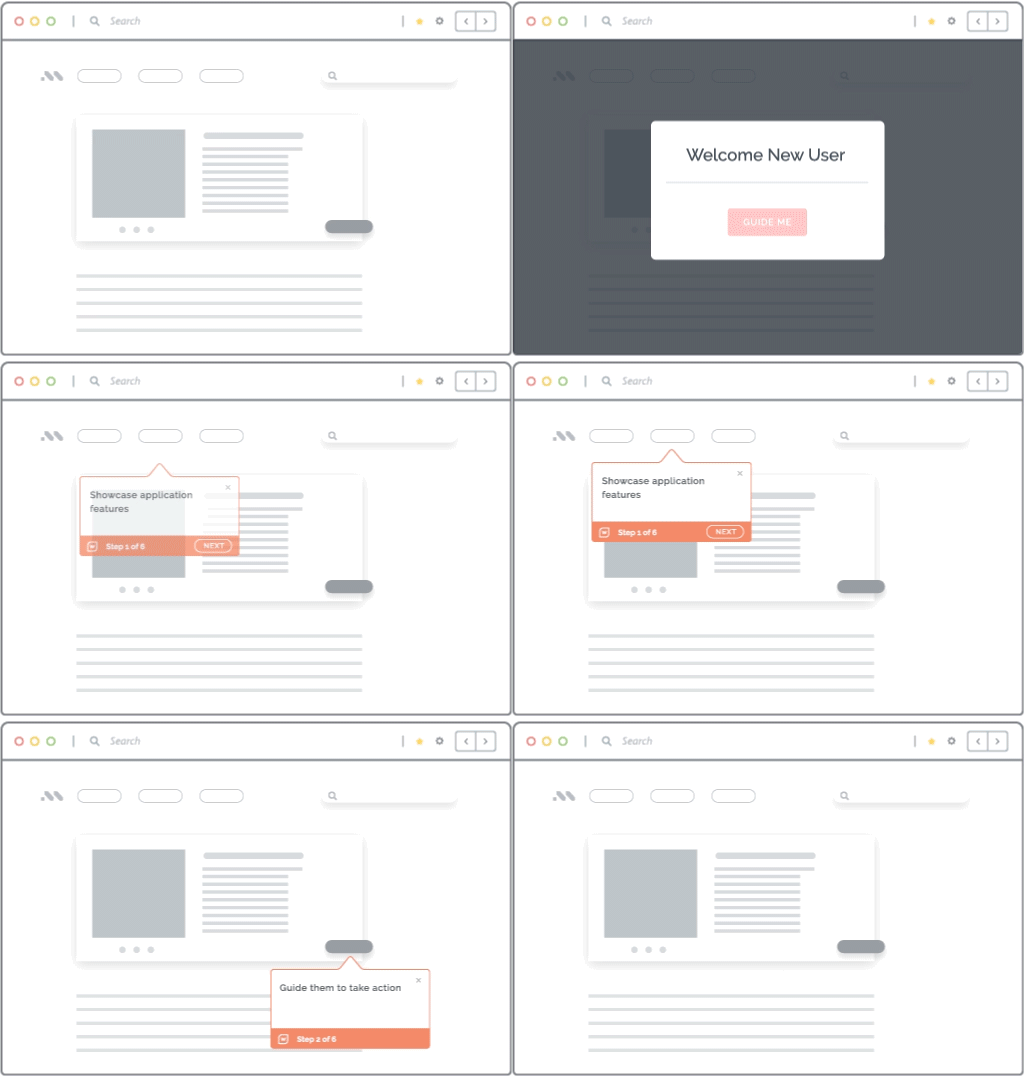
Whatfix DAP overlays the ERP with contextual guidance that supports users while they work. Flows, Task Lists, Smart Tips, and Field Validation can guide processes such as creating requisitions, approving invoices, completing journal entries, and updating master data.
Guidance can reinforce required steps, explain unfamiliar fields, prevent avoidable errors, and help users follow approved workflow paths.
Contain Support Demand and Reinforce Ongoing Change
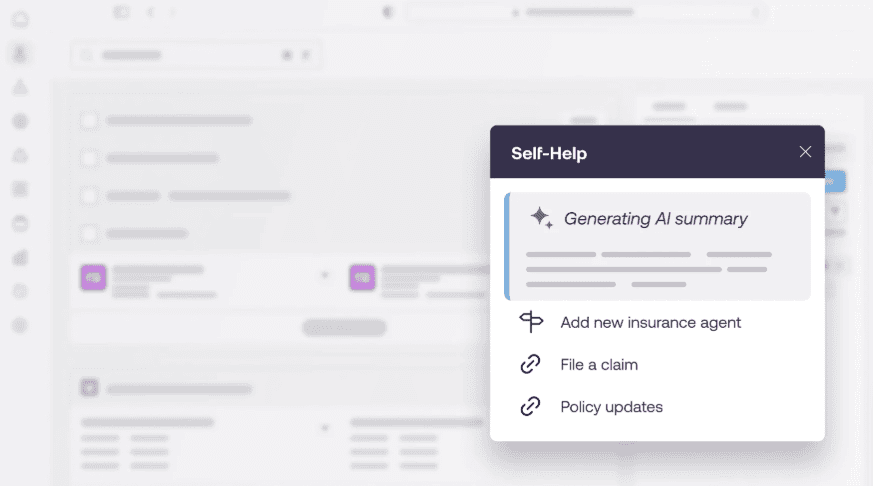
Self Help and Guidance Agent surface relevant answers inside the ERP, allowing users to resolve common questions without searching through documents. Pop-Ups, Beacons, and contextual content communicate policy, process, and application changes where affected users encounter them.
No-code authoring and enterprise content lifecycle management help teams keep this support current across releases. Approvals, QA, staging, testing, localization, version control, and rollback capabilities provide the governance required to manage guidance across business units and regions.
Identify Friction and Improve Workflow Performance
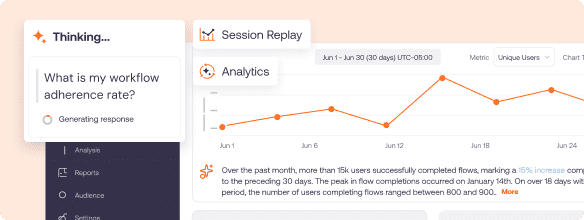
Whatfix Product Analytics helps modernization teams understand how users navigate the ERP and where critical workflows break down. Funnels, journeys, cohorts, session replay, and AI Insights can reveal:
- Workflow abandonment and incomplete tasks
- Steps creating delays or repeated errors
- Differences across roles, locations, and rollout waves
- Continued use of outdated workflow paths
- Opportunities to improve configuration, guidance, or training
Teams can use these insights alongside ERP, service desk, and operational data to connect user behaviour with outcomes such as cycle time, accuracy, rework, compliance, and support demand.
Customer story: FOX Rehabilitation Supports 4,000+ Clinicians Through Core System Modernization
FOX Rehabilitation used Whatfix DAP and Mirror to prepare more than 4,000 clinicians for its move from a customized desktop EHR to a modern web application. FOX created 39 hands-on simulations for critical workflows before go-live, then provided contextual guidance and AI-powered Self Help in production. During the four-month transition, Self Help handled an average of 1,100 clinician queries per day and deflected 25% of routine questions, helping FOX reclaim more than 7,300 hours.
Request a Whatfix demo to see how you can prepare users, support workflow execution, and accelerate value realization from your ERP modernization.