


Product Lifecycle Management (PLM) systems like Siemens Teamcenter, PTC Windchill, and Dassault Systèmes ENOVIA are essential for industries where product complexity, compliance, and time-to-market shape success. These platforms help cross-functional teams collaborate on development, manage engineering changes, and streamline the full product lifecycle—from concept to retirement.
According to CIMdata, over 90% of industrial companies with revenues above $100M have adopted PLM to support digital transformation, standardize processes, and accelerate time-to-market. And the return is clear: Aberdeen Group found that best-in-class PLM users saw a 19% increase in product revenue, 18% lower development costs, and a 15% faster time-to-market.
But PLM success isn’t just about software capabilities or uptime, it depends on how well users adopt the system in their day-to-day workflows. To close this gap between PLM implementation and value realization, application owners must take a user-centric approach to adoption. That means:
- Delivering hands-on, simulation user training that mirrors real-world product workflows.
- Embedding just-in-time guidance and contextual workflow support directly within the PLM interface with a digital adoption platform (DAP).
- Leveraging workflow and behavioral analytics to track adoption, identify friction points, and optimize user experience.
This article explores what effective PLM adoption looks like, the signs of poor user engagement, and how to track adoption meaningfully. You’ll also see how Whatfix enables PLM application owners to embed in-app guidance, deliver simulation-based training, and use analytics to drive adoption, ultimately accelerating ROI.
The Importance of PLM User Adoption
The value of a PLM platform isn’t defined by its technical architecture; it’s defined by how consistently and correctly users engage with it.
When organizations achieve high levels of PLM system adoption, they benefit from faster design cycles, fewer change order delays, better cross-departmental collaboration, and a stronger connection between engineering and downstream functions like procurement, quality, and manufacturing.
But when users struggle with system complexity, revert to offline tools, or fail to follow standardized workflows, these benefits erode quickly, leading to bottlenecks, costly rework, and product data silos.
To truly unlock the business value of PLM, organizations need a proactive user adoption strategy that supports end users at every stage of the product development lifecycle. Here’s why PLM adoption matters:
- Accelerates time-to-market: Product development moves faster and with fewer delays when users can quickly navigate the system and execute core processes, like managing BOMs, initiating change requests, or collaborating on CAD files.
- Reduces rework and costly errors: In-app guidance helps users follow proper version control procedures, adhere to approval workflows, and avoid duplication or data loss.
- Improves product data accuracy: Consistent use of PLM ensures that engineering, quality, and manufacturing teams all reference the duplicate up-to-date product records, reducing confusion and miscommunication.
- Drives collaboration across functions: When adoption is high, cross-functional teams—from R&D to supply chain—can contribute to and access critical product data within a single system, eliminating email threads and disconnected spreadsheets.
- Supports regulatory compliance: User adherence to validated processes and documentation standards is critical in highly regulated industries. Proper adoption helps organizations maintain traceability, meet audit requirements, and avoid noncompliance.
- Enables continuous process optimization: Monitoring how users engage with PLM reveals friction points, drop-offs, workarounds, and insights that product owners can use to improve workflows, user support, and training.
- Protects against shelfware: Without end-user engagement, even the most advanced PLM system risks becoming shelfware—an expensive investment with limited real-world impact.
By focusing on PLM user adoption from the outset, organizations ensure process consistency, unlock the strategic value of their product data, and accelerate innovation across the product lifecycle.
Signs You Have Poor PLM User Adoption
You’ve rolled out your PLM system across engineering, quality, and manufacturing. Licenses are active, workflows are configured, and teams can access the platform. But something’s off. Product data lives in multiple places, change requests are delayed, and teams rely on legacy tools outside the system.
These aren’t just growing pains—they’re clear signs that your PLM user adoption strategy isn’t resonating. Here are some of the most common indicators that your organization may be struggling with poor PLM adoption:
- Low or inconsistent system usage: If only a subset of teams actively use PLM, while others default to shared drives, spreadsheets, or email threads, that’s a red flag. Adoption needs to be organization-wide to maintain product data continuity.
- Workarounds and parallel systems: When engineers or suppliers bypass PLM for tasks like document management, version control, or change tracking, it’s often a sign that workflows are unintuitive or that users haven’t been trained effectively.
- Incomplete or inaccurate product data: Missing specifications, outdated BOMs, and incorrect part revisions are symptoms of inconsistent process adherence and low user engagement—issues that can cause costly delays.
- High volume of support tickets or confusion around workflows: If your help desk or IT team is fielding recurring questions like “Where do I find the latest drawing?” or “How do I initiate a change request?”, users likely lack confidence or clarity in the system.
- Delayed or failed change requests (ECOs/ECNs): When engineering change orders pile up or get lost in limbo, it’s often due to poor user engagement, unclear ownership, or skipped workflow steps within the PLM system.
- Process deviation and compliance risk: In regulated industries, poor user adoption means users may not follow documented processes, leading to audit gaps, nonconformance issues, and heightened risk exposure.
- Shadow data reporting and manual validation: If managers or stakeholders don’t trust the data coming out of the PLM system and feel the need to validate reports or rely on offline trackers manually, adoption isn’t sticking.
- Plateaued ROI metrics: Lack of measurable impact, like no improvement in time-to-market, development cost, or quality metrics, can often be traced back to low or inconsistent usage across key PLM workflows.
Identifying these signs early allows PLM and IT leaders to course-correct before process breakdowns become systemic. By investing in in-app guidance, contextual training, and real-time usage insights, organizations can shift from adoption resistance to engagement and turn PLM into an innovation and operational excellence engine.
How to Track PLM Usage
Measuring the success of a PLM implementation goes far beyond system uptime or deployment timelines. It requires a thoughtful evaluation of how effectively engineers, designers, compliance officers, sourcing teams, and manufacturers use the platform across the product development lifecycle.
At a high level, PLM performance is often tracked using qualitative and quantitative KPIs. These include improvements in time-to-market, reductions in design and change order errors, enhanced cross-functional collaboration, and increased engineering productivity. For example, Aberdeen Group found that best-in-class PLM users saw a 16% reduction in ECO cycle time and a 19% improvement in engineering efficiency compared to their peers.
However, these metrics can take months to gather statistically reliable data, and they often fail to provide real-time visibility into what’s happening on the platform daily. To make informed decisions faster, PLM application owners must track user-level behavior, feature engagement, and workflow adherence with much greater granularity.
Avoid oversimplifying PLM usage
A common mistake organizations make is to oversimplify usage tracking—equating success with license logins or total active users. But these surface-level metrics miss the nuance of real-world PLM adoption. Instead, a more inclusive approach is required, with focus areas such as:
- Usage of core vs. advanced capabilities: Track which features launched at go-live are actively used and whether new features (e.g., CAD integrations, change impact analysis, supplier collaboration portals) gain adoption post-rollout.
- Workflow engagement: Monitor how consistently users follow structured workflows such as engineering change requests (ECR/ECO), document release processes, or product data updates.
- Process deviations and incorrect usage: Identify where users are skipping steps, inputting incomplete data, or working outside the system in spreadsheets or shared drives.
- User segmentation by role, department, or geography: PLM adoption can vary significantly across departments (engineering vs. quality vs. operations) or between global locations. Benchmarked usage by segment helps surface targeted opportunities for improvement.
- Usage trends over time: Adoption should not be viewed as static. Monitoring how usage evolves post-implementation reveals long-term engagement patterns, risk of abandonment, or signs of digital fatigue.
Because PLM systems serve diverse industries—from apparel and consumer goods to aerospace, automotive, and electronics—the definition of “successful adoption” will differ based on product complexity, regulatory environment, company size, and organizational structure. A one-size-fits-all benchmark doesn’t apply.
What level of PLM adoption should application owners target?
While many organizations strive for a 100% adoption rate, that’s rarely a realistic or sustainable target. PLM usage is dynamic. As teams shift, roles evolve, and the system expands with new features or integrations, adoption levels will naturally fluctuate. That’s why application owners should view PLM adoption as an agile, living metric, not a fixed target.
A more effective tactic is to invest in contextual benchmarking. By comparing internal usage data with peers in the same industry or organizational size bracket, companies can better understand what “good” looks like and identify opportunities to close performance gaps. Companies that benchmark their PLM practices are 30% more likely to identify and resolve adoption barriers early.
Instead of obsessing over arbitrary thresholds, PLM leaders should focus on building a culture of continuous enablement by:
- Providing role-based training tailored to real-world tasks.
- Delivering just-in-time, contextual help embedded directly in the PLM interface.
- Monitoring usage behavior and proactively addressing friction points with digital interventions.
This data-informed, user-centered approach enables organizations to increase engagement over time, ensuring that PLM isn’t just another IT system but a mission-critical enabler of product innovation and operational excellence.
How to Accelerate PLM User Adoption and Maximize ROI
Investing in a PLM platform is a long-term strategic decision. Still, the actual return on that investment is only realized when end users across engineering, quality, manufacturing, and supply chain teams adopt the system fully and consistently. PLM software isn’t just a repository of product data; it’s a process enabler that connects cross-functional teams, governs change control, and drives faster, more compliant innovation.
However, PLM adoption doesn’t happen automatically after go-live. The complexity of the interface, role-specific workflows, and high documentation burden often cause friction that stalls productivity. To bridge the gap between system deployment and business value, PLM leaders must focus on continuous user enablement across the application lifecycle.
Here are six proven strategies to drive faster adoption and maximize the ROI of your PLM investment, each powered by Whatfix:
1. User acceptance testing and workflow validation before deployment
Many PLM teams move directly from configuration to go-live without validating workflows against real user behavior. However, adoption can stall before it even starts if task flows are unintuitive, approval steps are unclear, or terminology doesn’t match how teams work.
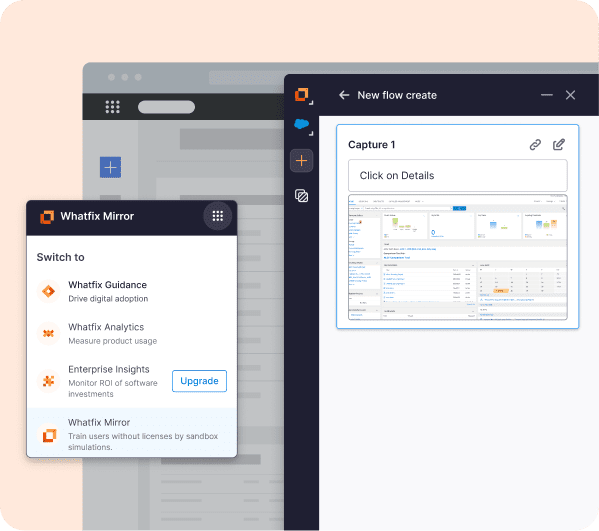
With Whatfix Mirror, teams can simulate their PLM environment, observe test-user behavior, and gather real-time feedback in a simulated, replicated application. These replica sandbox environments allow product teams to spot usability issues early, streamline task flows, and tailor experiences before launch, while also providing a safe space for hands-on training and experimentation.
2. Hands-on simulation training and role-based onboarding
New users introduced to a complex PLM environment with static training manuals or traditional LMS courses are often overwhelmed and unproductive. Engineering, quality, and manufacturing teams have different needs, and end-user training must reflect that.
As previously mentioned, Whatfix Mirror provides safe sandboxes for application owners to provide hands-on user training in a simulated application environment, meaning no risk of live software usage. This allows end-users the freedom to become confident users and experiment with different capabilities, without impacting PLM-related workflows, projects, and metrics.
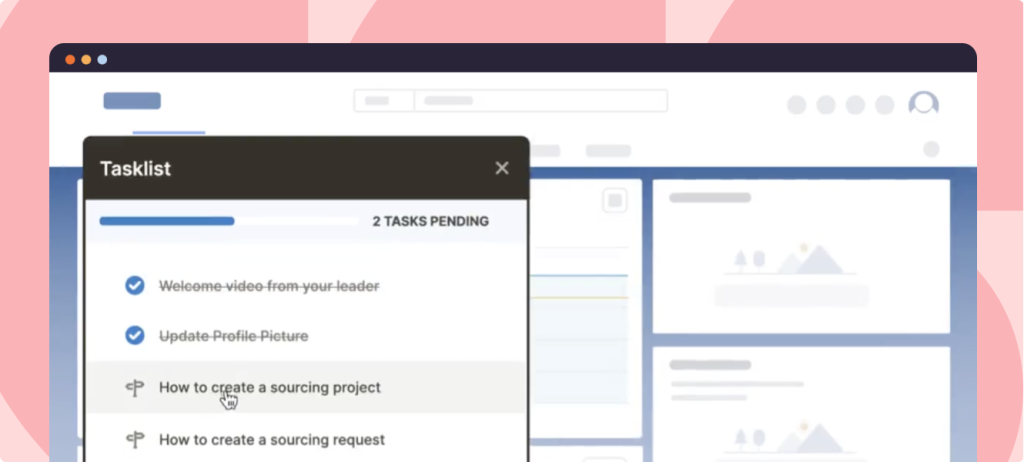
Whatfix Digital Adoption Platform enables in-app onboarding experiences tailored to each user’s role. With Task Lists, Flows, and Smart Tips, employees are guided through live PLM tasks like initiating an ECO, revising a CAD drawing, or submitting supplier documentation. This reduces ramp-up time and empowers users to learn by doing, without relying on IT or power users for support.
3. Embedded user support in the flow of work
Even experienced users encounter friction, especially with infrequent tasks like document release or change approval. Without embedded performance support, they turn to colleagues, submit IT tickets, or abandon the task altogether.
Whatfix Self Help integrates with knowledge repositories, including SOPs, Google Drive, third-party resources, LMS courses, and more, providing an intelligent, searchable user help center directly within the application UI.

This enables users to access contextual support, such as in-app walkthroughs, process documentation, videos, and FAQs, directly within the PLM interface. This real-time in-app guidance keeps work moving and reduces interruptions, especially in complex engineering workflows.
4. Change communication and process governance
PLM systems evolve frequently. Engineering change workflows, compliance requirements, and supplier collaboration protocols all shift over time. But users don’t always get the memo—or worse, they ignore it if it’s buried in email.
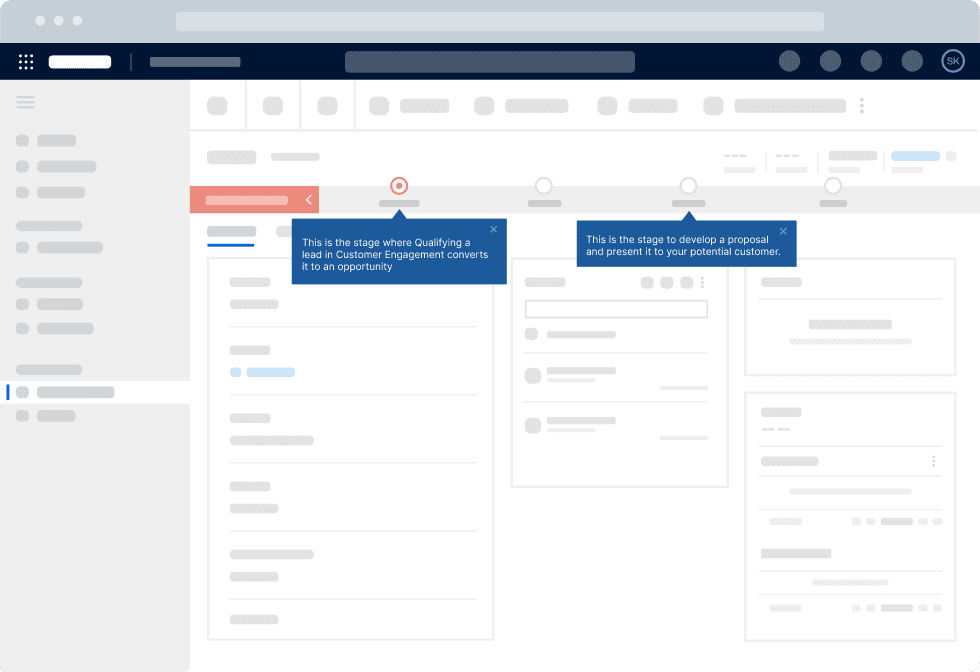
With Whatfix Pop-Ups and Smart Tips, admins and process owners can deliver targeted in-app communications about changes to workflows, policies, or system functionality. You can also embed field validations to enforce data quality and prevent users from skipping required steps. Combine this with Whatfix Product Analytics to monitor new process adoption and identify teams needing additional support.
5. Adoption of advanced capabilities and new features
Most users only scratch the surface of what PLM platforms can do. Capabilities like CAD integrations, supplier portals, or compliance traceability often go unused, not because they lack value, but because users aren’t aware of them or don’t know how to access them.
Whatfix enables proactive nudges and interactive walkthroughs to guide users to underutilized features and advanced functionality. Analytics helps you pinpoint where adoption lags and deliver targeted enablement that increases platform usage without launching a separate change campaign.
6. Continuous workflow optimization and PLM usage analytics
Post-go-live, many PLM owners struggle with visibility. Are users completing change workflows correctly? Are engineers skipping required documentation steps? Is supplier onboarding consistent?
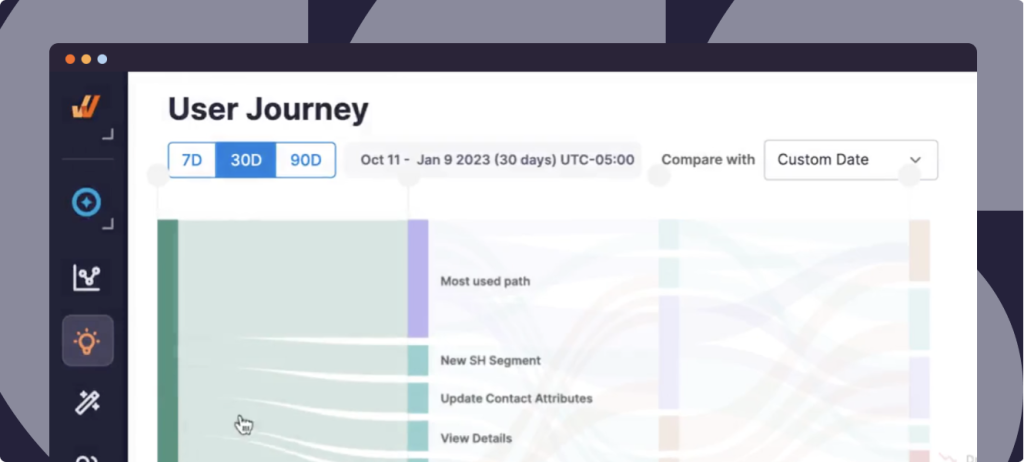
Whatfix Product Analytics gives real-time insight into how users interact with your PLM system. You can track drop-offs, process deviations, and time-on-task, then deploy new Flows or UI updates to remove friction. These optimizations can be launched instantly, without dev cycles or retraining, helping to improve user journeys, reduce cycle times, and take a data-driven approach to enhancing PLM ROI based on business outcome metrics.
PLM Systems Click With Whatfix
A modern PLM system has the potential to transform product development, from accelerating innovation cycles to improving cross-functional collaboration, ensuring compliance, and unlocking enterprise-wide visibility into product data. But the success of a PLM initiative doesn’t hinge on software features alone; it hinges on people.
The entire product lifecycle suffers when users are confused by complex workflows, default to offline tools, or miss key process steps. Errors increase, time-to-market slows, compliance risk rises, and ROI stalls.
The key to overcoming this gap is simple but powerful: focus on the user experience. That means giving employees contextual training through simulated environments, supporting them in real time with embedded guidance, and continuously optimizing adoption through usage analytics.
With Whatfix, PLM and IT leaders can eliminate workflow friction, accelerate onboarding, standardize process compliance, and turn product data into a competitive advantage. To learn more about Whatfix, schedule a free demo with us today!