According to Gartner, 70% of recently implemented enterprise software initiatives fail to achieve their original business goals. Why?
Most often, they fail because stakeholders confuse launch activity and milestones with operational readiness. A new system goes live and critical workflow change, leading to a spike in support volume and user errors. Teams discover that while their employees may have been informed of a change, they were never truly prepared to execute it inside the application, often with users falling back on legacy processes.
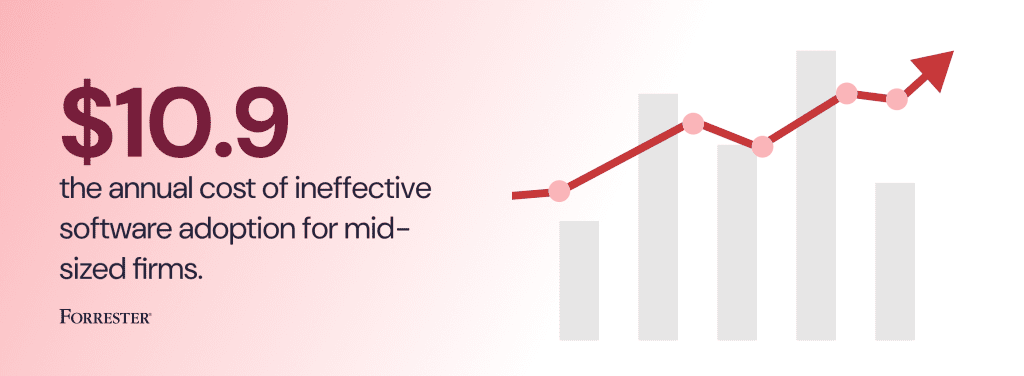
That user enablement gap within software change management rollouts is where value is lost. It slows time-to-proficiency, increases ticket volume, adds rework due to more user errors, and weakens process adherence across the workflows that matter most. According to a 2026 Forrester report, ineffective software adoption costs mid-sized firms an average of $10.9M annually.
For enterprise application owners, that is the problem worth solving. A rollout plan should be more than launch announcements and training milestones. It should be the operating playbook that helps users move from awareness to confident on the production environment.
That is especially true in complex environments where change never arrives as a one-time event. Enterprise teams are managing ERP rollouts, CRM redesigns, HCM policy updates, new validations, approval logic changes, release-driven workflow shifts, and system consolidation, often across regions, roles, and business units at the same time. The real question is never whether the change was launched. It is whether the changed workflow actually works in the hands of users once the system is live.
This article is written for enterprise IT teams and application owners tasked with building an enterprise software rollout plan that holds up under live operating conditions. It covers ownership, pre-go-live readiness, launch execution, hypercare, post-launch reinforcement, and the metrics that indicate whether a rollout is stabilizing or quietly creating downstream risk.
What Is an Enterprise Software Rollout Plan?
An enterprise software rollout plan is the structured operating plan for introducing a new application, major release, workflow redesign, or policy-driven process change into production. It coordinates the people, workflows, support model, and success measures required to move from project completion to stable execution.
An effective rollout plan for an enterprise software implementation must ready the organization for live execution. At a minimum, it should include:
| Rollout plan component | What it should define |
| Business objective | The outcome the rollout is expected to improve, i.e. faster cycle times, stronger compliance, higher adoption, fewer support tickets |
| Priority workflows | The critical workflows that must work at launch |
| Affected user groups | The roles, regions, business units, and external users impacted by the change |
| Risk profile | Which workflows carry the highest operational, financial, or compliance risk |
| Readiness criteria | The conditions that must be met before go-live |
| Support model | How users will get help during launch and hypercare |
| Reinforcement plan | How the organization will support users after go-live |
| KPI scorecard | The metrics that will be used to measure rollout success |
| Ownership model | The named owners for workflow performance, support, and escalation |
Who Owns an Enterprise Software Rollout Plan?
Large enterprise rollouts involve many stakeholders, often too little defined roles and responsibilities. IT may own performance, the project team may own delivery, L&D may own training, and the service desk may own support. Overall rollout success requires a more unified approach that ties these stakeholders together and has a named owner who clearly owns digital adoption and workflow performance.
Complex, high-impact rollouts require one named owner, and is often the Enterprise Application Owner or Transformation Program Lead.
That person should be accountable for what happens after go-live, not simply rollout project delivery milestones. Their job is to protect workflow continuity, reduce time-to-proficiency, reduce support strain, continuously optimize application value realization, and ensure new software investments drive real business outcomes.
Table: Key Roles & Responsibilities for Software Rollout
| Role | Key responsibilities | Required approvals | Measured on |
| Application Owner | Own rollout outcomes after launch | workflow priorities, readiness criteria, post-launch remediation priorities, KPI reporting | time-to-proficiency, workflow continuity, adoption outcomes, support strain |
| Transformation / Change Lead | Coordinate rollout readiness, reinforcement, and execution across teams | change plan, go-live readiness, launch coordination, reinforcement plan | rollout readiness, launch stability, adoption momentum |
| PMO / Project Lead | Manage delivery milestones, dependencies, and launch coordination | project timeline, launch milestones, escalation routing | on-time delivery, dependency resolution, launch execution discipline |
| L&D / Enablement | Build role-based training and supporting materials | learning plan, job aids, readiness materials | training coverage, readiness support, role-based enablement quality |
| Service Desk Lead | Own user support model and escalation management | escalation model, support workflows, issue routing | ticket containment, resolution time, repeat issue reduction |
| Process Owner / SME | Validate whether the workflow actually works in practice | workflow definition, step logic, exception handling, approved path | process adherence, workflow completion, fewer execution errors |
| Security / Compliance | Review controls for high-risk workflows | regulated steps, policy controls, compliance-sensitive workflow changes | control integrity, audit readiness, exception reduction |
| Business Sponsor | Align rollout to business goals and leadership expectations | business outcomes, stakeholder alignment, executive escalation support | value realization, business adoption, leadership confidence |
Key Phases of a Software Implementation Rollout Plan
Every organization has different requirements depending on company characteristics and internal needs. However, new technology implementations should still follow a consistent playbook that includes several phases that all companies should consider when rolling out new enterprise systems.
1. Define business outcomes and priority workflows
A mistake many teams make is planning the rollout around communications instead of operational outcomes. This is backward. The software rollout plan should begin with the intended business result expected from the implementation and the workflows that must function correctly to achieve it.
For an ERP transformation, that might mean requisition-to-purchase-order workflows, invoice approvals, or month-end close processes. For a CRM release, it might be opportunity creation, quote generation, or territory assignment. For HCM, it could be policy acknowledgments, manager approvals, or onboarding workflows.
This step sounds basic, but it forces the rollout team to focus on what matters most. It refocuses the goal away from general rollout awareness and instead on the correct execution of the tasks that drive performance.
Teams should leave this phase with a clear list of the highest-priority workflows, the users affected by each one, and the business consequences if those workflows fail after launch.
2. Segment users by role, region, and workflow risk
Enterprise rollouts fail when every user gets treated the same. A global change rollout may look uniform from the project team’s perspective, but the experience is anything but for the people doing the work.
Different roles touch different steps. Regions follow different policies. High-risk workflows often require more support, clearer validation, and tighter governance than lower-risk tasks.
Segmented rollout support improves relevance, reduces noise, and makes intervention more precise from day one. Your rollout plan should define exactly affected, how deeply they are affected, and what kind of support each cohort will need. For example:
- a frontline user entering data in a high-volume process may require step-by-step workflow guidance.
- a manager approving exceptions may need targeted reinforcement around policy changes.
- regional teams may need localization, different compliance messaging, or separate support routing.
- external users such as vendors, contractors, or partners may need their own readiness path entirely.
3. Build pre-go-live readiness into the rollout plan
Most rollout teams spend too much time preparing for launch day and too little time validating whether users can actually complete the changed workflow before the system goes live. This includes creating application sandbox environments for pressure-testing workflows through user acceptance testing and conducting hands-on training to prepare users for launch.
Pre-production readiness should be more demanding than documentation review or training attendance. It should test whether users can execute the workflow, whether support content is usable, whether high-risk steps are clear, and whether the organization is prepared to absorb the change without overwhelming support teams.
A strong readiness plan usually includes workflow rehearsal, role-based validation, issue escalation paths, support-content review, and sign-off for high-risk or regulated workflows. It should also identify where users are most likely to get stuck and how the application owner will resolve that friction, from short-term fixes like a proactive guided walkthroughs or a workflow optimization that removes the friction point.
4. Create a go-live plan for execution, not just communication
Launch communication is essential. It empowers change agents (such as team managers) to know when to reinforce a new update. It provides a heads-up to IT support that a change is coming and a ticket spike may occur.
However, a software launch plan must go beyond simple communication and define how users will execute tasks once inside the system. That includes the documentation and support users receive to complete tasks, the guidance available at critical moments, the appropriate escalation paths for issues, and how app owners will monitor live usage on launch day.
Successful software rollout plans assume that friction will appear immediately. It’s inevitable.
Instead of pretending it won’t happen, IT teams and application owners must proactively identify the workflows most likely to generate questions, the exact moments in the process where friction occurs, and how to deploy workflow support where users will need it.
It also includes active monitoring of user behavior and workflow events to spot process drift and signs of unidentified friction, helping identify areas for task and process optimization for a V1.2 launch.
5. Treat IT support as a stabilization system
End-user support for internal teams is typically handled poorly, often resulting in an improvised sprint where IT teams and subject matter experts answer the same questions repeatedly and hope that the volume will settle down on its own. Hypercare should reduce application and workflow instability week by week. If support demand stays flat and the same issues keep repeating, the rollout is not stabilizing. It is stalling.
A post go-live hypercare model should treat these service desk tickets and queries as a signal into the success of key workflow success and should provide insights into questions like:
- which workflows are generating the most confusion?
- which user groups are struggling more than others?
- where is the exact step in a workflow that causes errors, delays, or workarounds?
- which questions keep surfacing in tickets, side channels, or SME escalations?
Those patterns should shape intervention, closing the feedback loop. That may include temporary and long-term solutions like:
- creating new documentation or updating existing ones.
- refining and launching new in-app guidance that is deployed at the exact friction points to the right users.
- embedding support content and documentation directly within the application workflow.
- tightening the scaling rules so recurring issues move toward root-cause resolution rather than continuous case-by-case support.
6. Reinforce, measure, and optimize after rollout
Many rollout efforts declare success too early. The system goes live, the project closes, and the team moves on while users are still building workarounds, relying on informal support, or taking far longer than expected to complete critical workflows.
That is the common mistake of treating general user activity as a proxy for digital adoption.
The final phase of the rollout plan should focus on post-launch reinforcement, user enablement, and process optimization. That includes:
- reviewing workflow performance to benchmark cycle times.
- identifying new and existing process bottlenecks.
- converting recurring support patterns and bottlenecks into permanent in-app guidance or self-service support.
- tightening the change rollout strategy for future releases.
The best teams keep working through week one, month one, and quarter one. They do not assume that adoption happens automatically once the launch calendar is complete. They watch behavior, learn from support signals, and keep improving the workflow until the change becomes part of normal execution.
That is how rollout planning turns into operational excellence.
Enterprise Software Rollout Metrics That Matter
A rollout plan needs a scorecard that quantifies software implementation success in terms of business outcomes that matter, rather than relying on rollout launch dates, training completions, and subjective launch sentiment – which fail to justify multi-million-dollar technology investments expected to drive organizational growth and business success.
Application owners need to identify, benchmark, actively track metrics that connect rollout execution to business performance, taking a continuously, agile approach post-rollout for workflow optimization and system value realization.
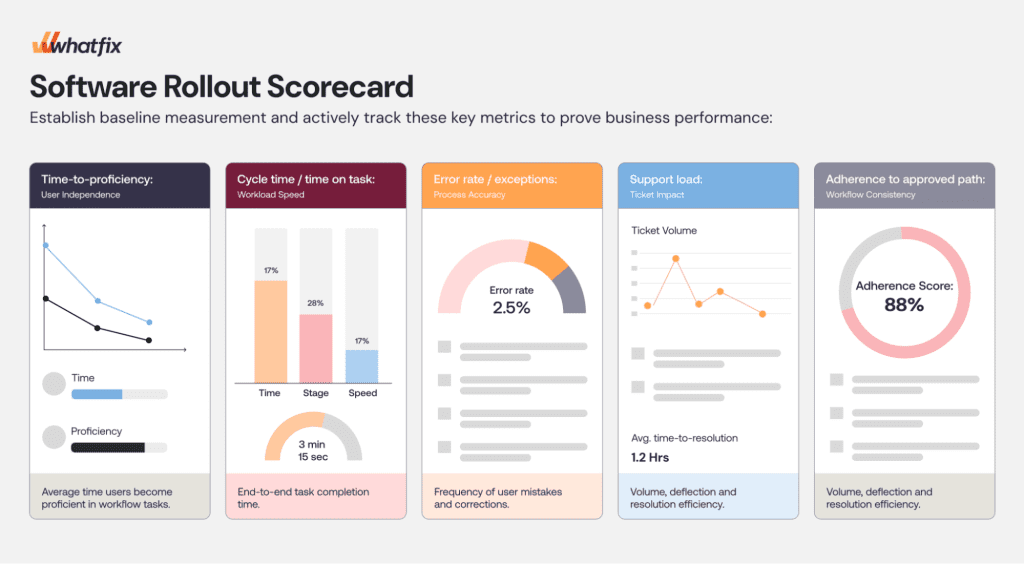
While this is unique to every organization and the purpose of a new software investment, there are key metrics every application owner must track when reporting the success of a new software rollout.
The enterprise software rollout metrics that matter includes:
| Rollout Metric | Why It Matters for Adoption |
| Time-to-proficiency | Shows how long it takes users to reach competent, independent execution in the changed process. That matters more than course completion or content views because it reflects the moment when the business begins to absorb the change without constant support. |
| Workflow completion rate | Indicates whether users are finishing the target process successfully |
| Error or rework rate | Reveals quality issues caused by confusion, missed steps, or poor workflow design |
| Tickets per active user | Measures support burden during and after rollout |
| Self-service resolution rate | Shows whether users can resolve issues without assisted support |
| Process adherence | Tracks whether high-risk workflows are being completed the approved way |
| Step-level drop-off rate | Helps identify where friction is concentrated inside the workflow |
To fully understand success, these metrics must be segmented. Often, very large organizations have weak adoption inside specific regions, business units, or roles. A rollout that appears stable from a macro-level may be significantly underperforming if critical teams completing tasks with the highest process risk are failing to adopt new systems and correctly complete workflows.
How Whatfix Supports Enterprise Software Rollouts
A rollout plan is only as strong as the support system behind it. Whatfix enables application owners to successfully roll out and manage mission-critical software with outcomes that hold up to boardroom scrutiny.
Our recent State of Digital Transformation Report showcased this. It interviewed 300 US-based leaders who were key stakeholders or influencers in mission-critical, core system digital transformation initiatives. Organizations that invested in digital adoption platform like Whatfix to support their enterprise software rollout experienced measurable improvements across the board in comparison to their DAP-less peers, including:
- 37.% lift in user proficiency at the three-month milestone.
- 64% faster time-to-value for its enterprise rollouts.
- 67% lift in exceeding business goals and expectations at the six-month milestone.
Whatfix provides a unified platform for pre-production readiness to improve proficiency and contain support tickets at launch, guidance and support in the flow of work to eliminate errors and improve workflow efficiency, and product analytics to track adoption and optimize workflows. Let’s take a more in-depth look across each area:
Pre-Production Training and Readiness with Whatfix Mirror
Before a system goes live, teams need a way to prepare users without exposing production environments to mistakes, confusion, or incomplete process knowledge. Whatfix Mirror gives enterprises a safe training and rehearsal environment where employees can practice critical workflows before launch, build confidence, and become familiar with new interfaces and process steps ahead of time.
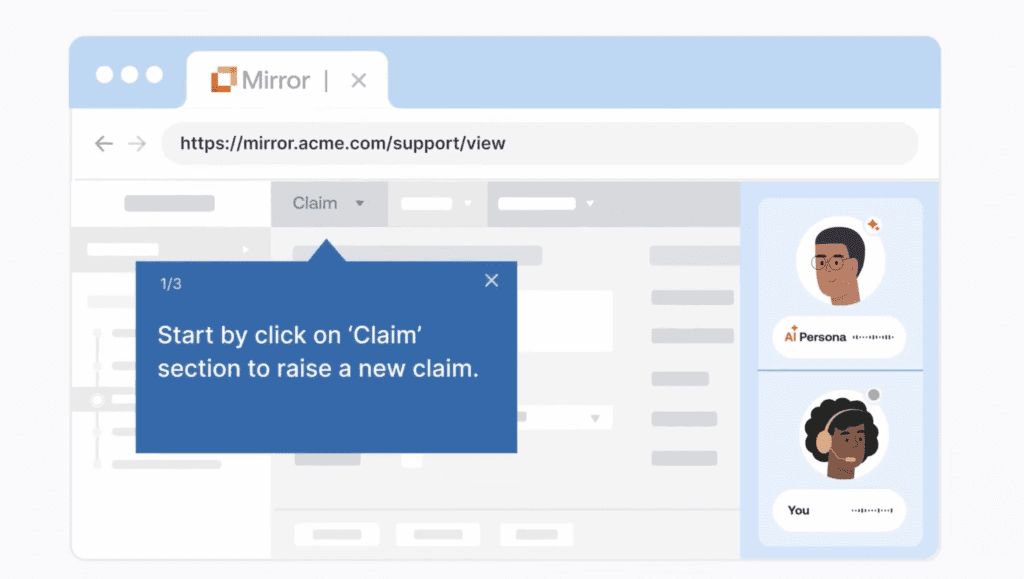
That matters most when the rollout involves high-impact workflows, i.e. procurement approvals, contract processes, CRM updates, HCM tasks, or ERP transactions where mistakes create delays, compliance risk, or downstream rework. Instead of relying on slide-based training or one-time demos, application owners can use Mirror to create hands-on readiness experiences that help users learn by doing before the pressure of live execution begins.
In-Context Workflow Guidance and Support with Whatfix DAP
Once the rollout is live, the most important moment is not the training session. It is the point where a user has to complete the changed task inside the application. Whatfix DAP helps enterprises support that moment with in-app guidance embedded directly into the flow of work.
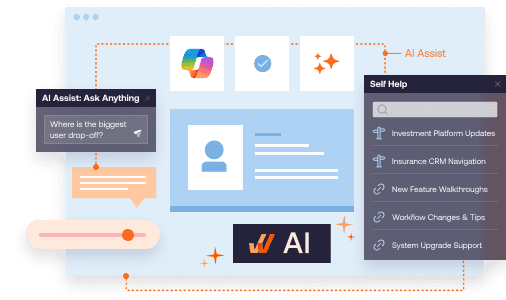
With Flows, Smart Tips, Pop-Ups, Task Lists, and Self Help, application owners can guide users through new workflows, clarify required fields, reinforce policy changes, and provide support without forcing employees to leave the application to search for answers. That reduces confusion, improves workflow completion, shortens time-to-proficiency, and helps contain the ticket spikes that often follow go-live.
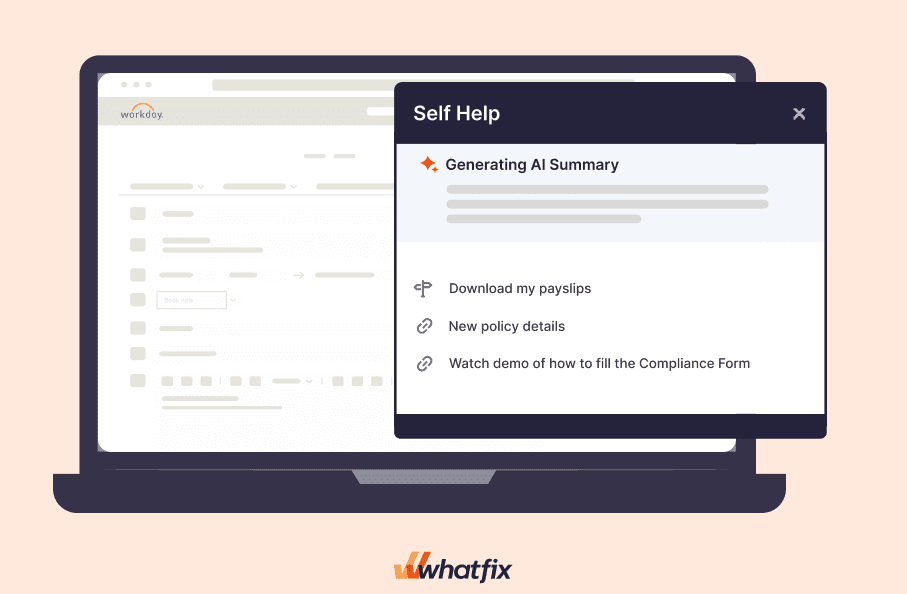
For enterprise software rollouts, that kind of embedded support is far more useful than generic post-launch enablement. It helps users succeed in the moment that actually determines adoption.
Continuous Optimization After Go-Live
Most rollout plans lose discipline after launch. The project closes, support questions start repeating, and teams move on before the workflow has truly stabilized. Whatfix Product Analytics helps application owners with post-launch optimization by providing visibility into where users struggle, where workflows break down, and where interventions are needed.
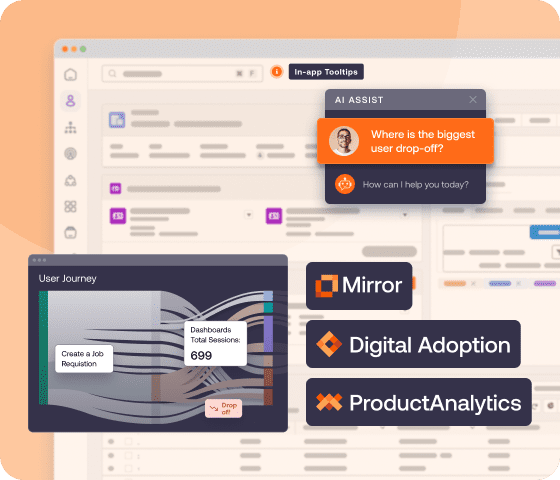
That visibility allows teams to treat rollout support as an operating discipline instead of a short-lived launch exercise. They can identify friction points, refine guidance, strengthen self-service support, and improve the workflow based on actual user behavior. Over time, that creates a tighter connection between rollout planning, user support, and process performance.
For enterprises managing frequent releases and ongoing workflow changes, that continuous optimization model is what turns a rollout from a one-time event into a manageable system.
Agentic AI to Scale Content Lifecycle Management
Large enterprises rarely struggle with knowing that users need support. They struggle to scale support across too many applications, workflows, user groups, and release cycles at once. Agentic AI helps reduce that operational burden by making it easier for rollout teams to create, update, and maintain enablement at enterprise scale.
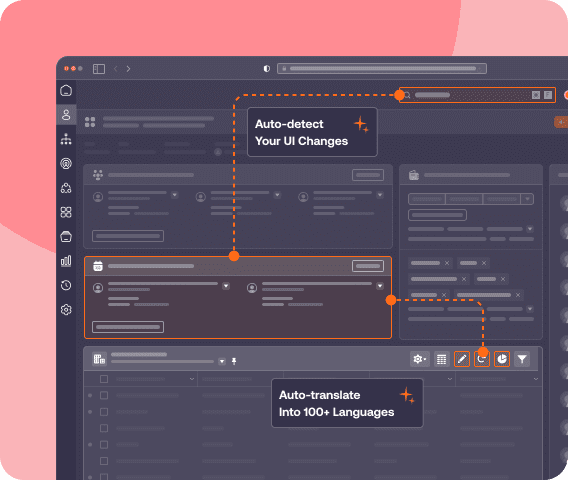
Within a software rollout program, WhatfixAI helps teams accelerate content creation, identify support gaps, surface friction patterns, and speed up the production of guidance for new or changing workflows. That gives application owners a more efficient way to keep rollout support up to date as systems evolve, especially in environments with high release velocity, where manual upkeep can become a bottleneck.
For enterprise teams, the value is straightforward: less lag between change and enablement, faster iteration after go-live, and a more scalable way to support adoption across complex software environments.
Ready to realize full digital adoption excellence? Request a Whatfix demo today!