

Frontline teams are now expected to act as product experts during high-pressure customer interactions. Sales reps need to demo the right workflow and position value accurately. Support agents need to troubleshoot issues, guide customers through processes, and resolve cases without unnecessary escalation. Service teams and partners need to adapt product knowledge to customer-specific scenarios while still following the correct workflow.
That level of readiness has become an executive concern. LinkedIn’s 2025 Workplace Learning Report found that 49% of learning and talent development professionals agree that their executives are worried that employees lack the right skills to execute the business strategy.
For frontline teams, that skill gap often surfaces during live customer interactions. A completed course or product certification may show participation, but it does not prove that someone can complete a workflow, recover from exceptions, explain what they are doing, and support a customer with confidence.
In-app product knowledge training helps teams build that level of proficiency by combining safe simulation practice, live workflow guidance, contextual help, microlearning, and analytics. Done well, it creates a readiness loop where teams practice before live work, receive guidance during execution, find answers in the moment, and improve based on real workflow data.
What Is In-App Product Knowledge Training?
In-app product knowledge training is contextual learning, workflow guidance, hands-on training, and performance support delivered inside or alongside the product or application that frontline teams use every day.
For customer-facing teams, it helps users move through four stages of product readiness:
- Learn how the product works
- Practice key workflows safely
- Execute correctly during live customer work
- Find answers without leaving the customer interaction
This makes in-app product training more closely aligned with frontline performance than a standalone course, a user documentation hub, or release notes. It brings training into the same environment where product knowledge is applied, tested, and reinforced during real workflows.
Why In-App Product Training Builds Frontline Expertise
Frontline expertise develops when teams can practice product workflows, apply guidance during live work, find answers in context, and improve based on performance data. In-app product training supports that progression because it moves learning closer to the moment where product knowledge is actually used.
Learning science supports this shift from passive exposure to applied practice. A major review in Psychological Science in the Public Interest found that practice testing and distributed practice have high utility, while passive techniques like rereading and highlighting have low utility. For frontline product training, docs and courses can introduce knowledge, but practice shows whether teams can apply it.
- It turns product knowledge into workflow practice. Reps, agents, partners, and service teams can rehearse demos, troubleshooting paths, handoffs, exception scenarios, and customer-specific workflows in the product environment. This builds applied fluency because users practice the same actions, decisions, and recovery paths they need during customer-facing work.
- It reinforces learning in the flow of work. Interactive walkthroughs, Smart Tips, Task Lists, and contextual prompts help users complete the right steps during live execution. This helps frontline teams build confidence through repeated use, especially when workflows change or new features are introduced.
- It gives teams answers at the moment of need. Embedded Self Help brings SOPs, knowledge base articles, videos, FAQs, and troubleshooting content into the application. This helps users resolve questions without switching tabs, interrupting managers, or leaving the customer interaction.
- It makes user readiness measurable. Simulation pass rates, attempts, workflow completion, guidance engagement, Self Help searches, support tickets, escalations, and QA errors give enablement leaders a clearer view of where teams are ready and where they still need support.
- It helps teams handle more complex customer moments. As AI and self-service absorb routine questions, frontline teams are left with more nuanced, exception-heavy, and high-stakes interactions. AP reporting on AI in call centers notes that human agents still handle complex issues and may need higher levels of learning and training. In-app product training prepares teams to apply product knowledge with better judgment, accuracy, and consistency during those moments.
The Frontline Product Readiness Loop: From Exposure to Expertise
Frontline product readiness improves when training follows the same path as real work. Teams need to practice safely before customer interactions, receive guidance during execution, access answers in the moment, and improve through performance data.
Stage 1: Practice before live execution
Before frontline teams support customers, they need a safe place to rehearse the workflows they will be expected to demo, explain, troubleshoot, or complete. Simulation training gives them that environment without exposing production data, customer accounts, or live transactions.
The 70-20-10 learning model suggests that most workplace learning comes from hands-on experience. For frontline product training, that means product knowledge has to move beyond course completion and interface walkthroughs. Users need realistic practice where they can make decisions, recover from mistakes, handle exceptions, and build confidence before customer-facing work.
A sales rep can rehearse a demo path before speaking with a prospect. A support agent can troubleshoot a common issue before handling live tickets. A partner can complete a customer workflow before guiding someone else through it. With repeated practice and feedback, product knowledge becomes applied skill.
Best for
- New hire onboarding
- Product launches
- Major UI or workflow changes
- High-risk customer scenarios
- Support troubleshooting
- Partner enablement
- Compliance-sensitive workflows
- Hard-to-stage exception paths
Stage 2: Guide users during live workflow execution
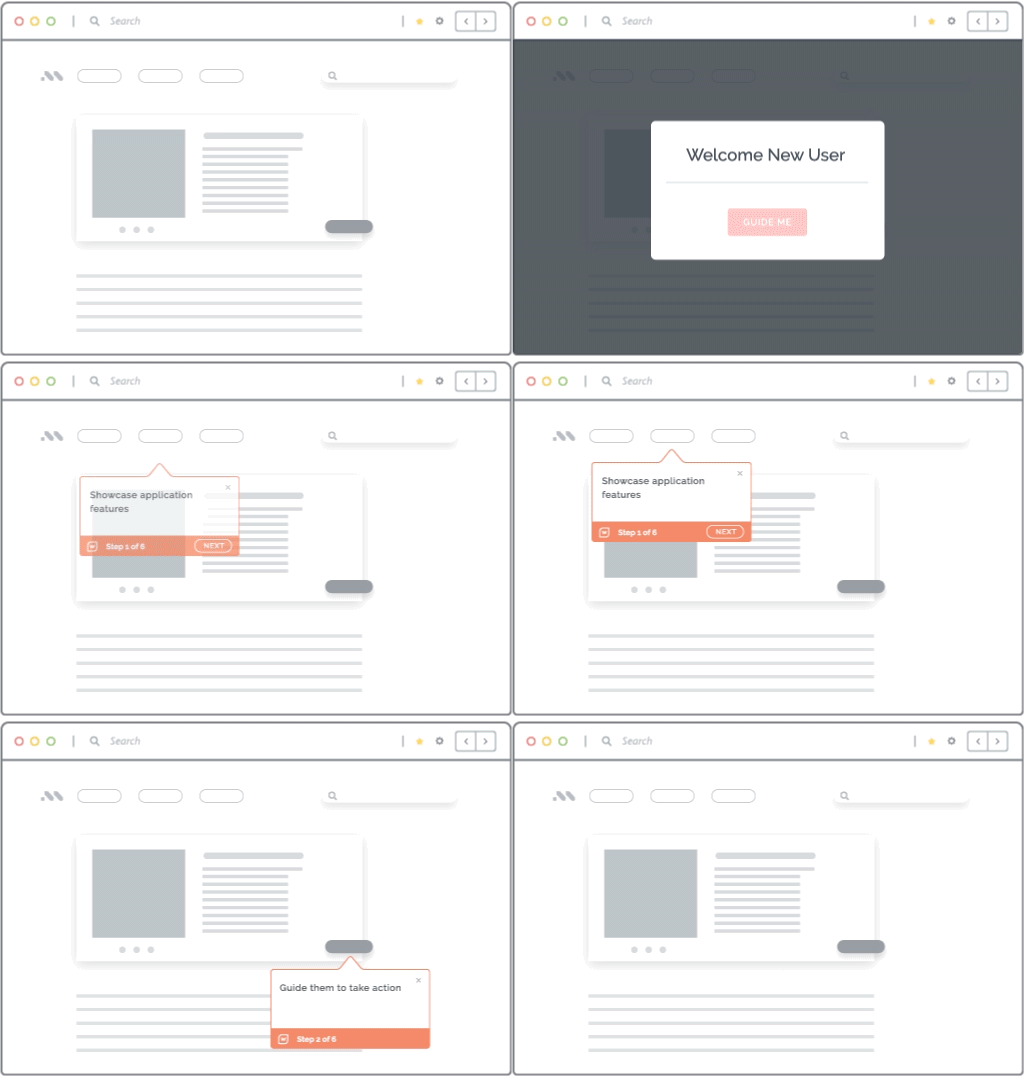
Once users move into the live application, training needs to follow them into the workflow. Interactive walkthroughs, Task Lists, Smart Tips, and in-app prompts help teams complete the right steps while they are working.
This helps frontline teams apply product knowledge during real customer-facing moments. It reduces reliance on managers, Slack channels, and separate training resources while improving consistency across complex or frequently changing workflows.
Best for:
- High-frequency workflows
- Multi-step processes
- CRM, support, ERP, claims, booking, ticketing, or service workflows
- Processes where errors create downstream rework
- New workflows that users need to adopt quickly
Stage 3: Provide answers at the moment of need
Frontline teams often need answers while customers are waiting. Embedded Self Help brings user documentation, SOPs, FAQs, videos, troubleshooting guides, and process resources into the application so users can resolve questions in context.
This helps teams stay focused on customer interactions, reduce avoidable escalations, and build confidence in moments when product accuracy matters.
Best for:
- Support teams handling live tickets
- Sales teams preparing demos or answering product questions
- Partners supporting customers
- Service teams that need policy, process, or troubleshooting guidance
Stage 4: Reinforce product knowledge continuously
Product knowledge needs reinforcement as features, workflows, policies, pricing, and support processes change. Contextual tips, short videos, release prompts, field-level explanations, and microlearning help teams absorb updates inside the workflow.
This keeps training connected to the application and helps teams apply new product knowledge where it matters most.
Best for:
- Feature updates
- Policy changes
- Field definitions
- Objection handling
- Workflow reminders
- Role-specific guidance
Stage 5: Measure readiness and improve training
Enablement teams need visibility into where users are confident, where they hesitate, and where training content needs improvement. Simulation analytics, product analytics, in-app guidance engagement, Self Help searches, surveys, and operational metrics give leaders that visibility.
These signals help teams update simulations, improve walkthroughs, close knowledge gaps, refine coaching, and connect training programs to frontline performance outcomes.
Types of In-App Training Formats for Frontline Product Readiness
Different in-app training formats support different stages of frontline readiness. The right format depends on the problem at hand.
1. Product tours for first-time orientation and key overview
Product tours help frontline teams understand the application layout, major product areas, navigation patterns, and new interfaces. They are most useful when users need a quick orientation before deeper workflow training begins.
Keep product tours short, role-specific, and focused on what users need to recognize first. They should help teams understand where key workflows start, where critical information lives, and how to navigate the product with less hesitation.
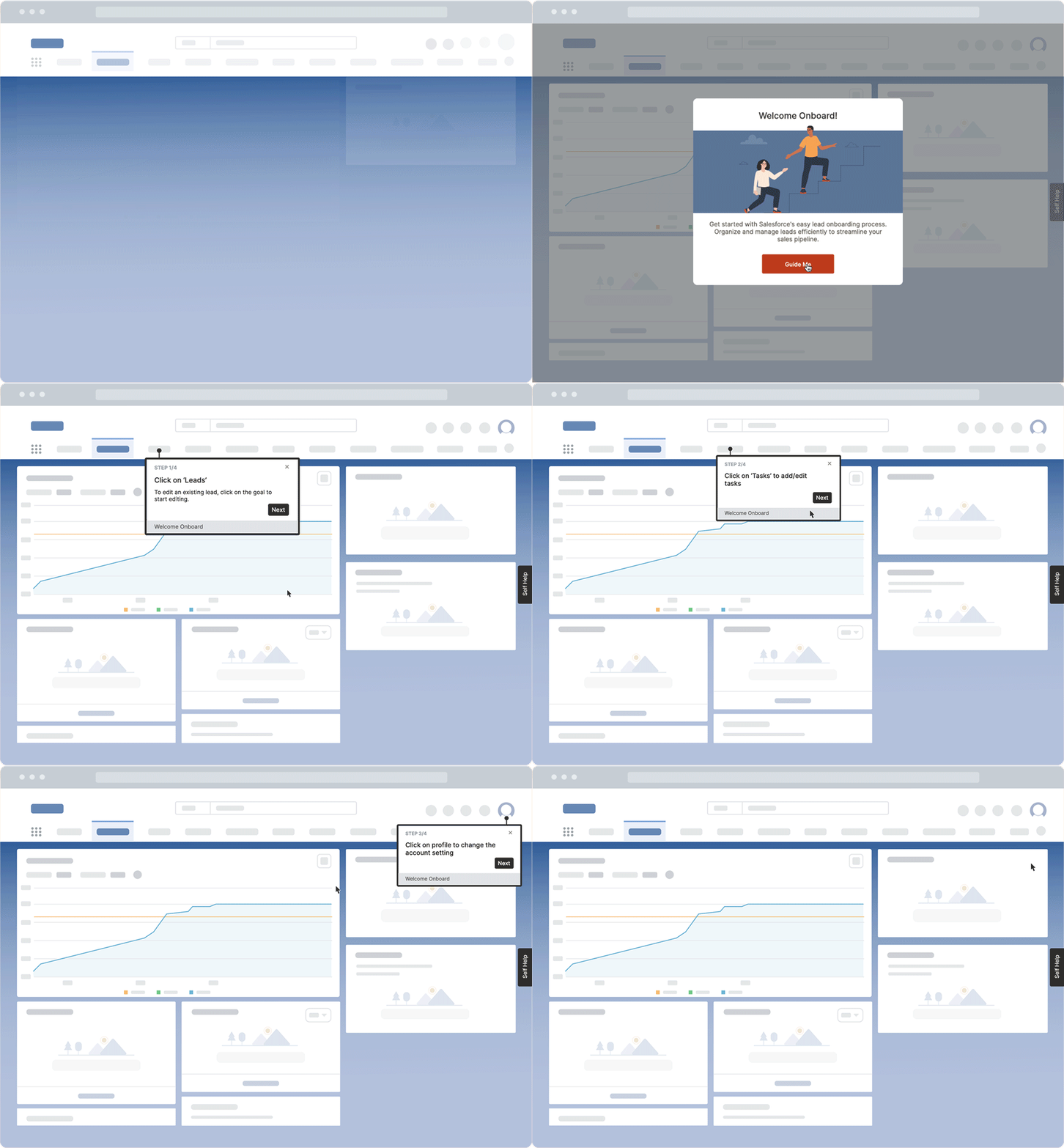
2. Interactive walkthroughs for guided workflow execution of critical tasks
Interactive walkthroughs guide users step by step through live processes inside the application. They are valuable for workflows that need accuracy, consistency, and repeatable execution across teams.
For frontline teams, walkthroughs help turn product knowledge into correct workflow behavior. They can guide agents through resolution paths, help partners complete customer setup, or support reps during product demos without pulling users away from the application. This makes them especially useful when missed steps, outdated processes, or inconsistent execution can affect the customer experience.
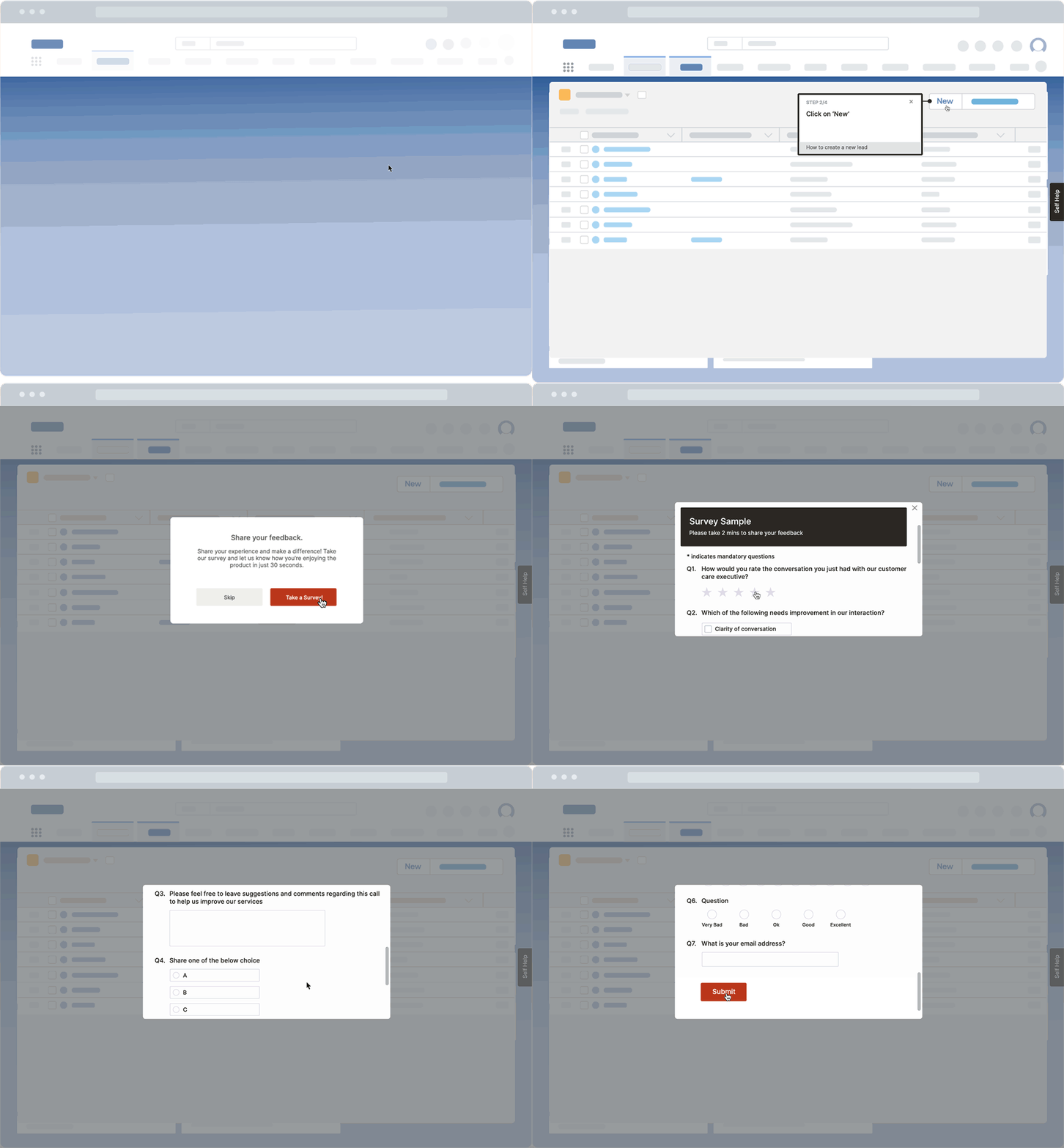
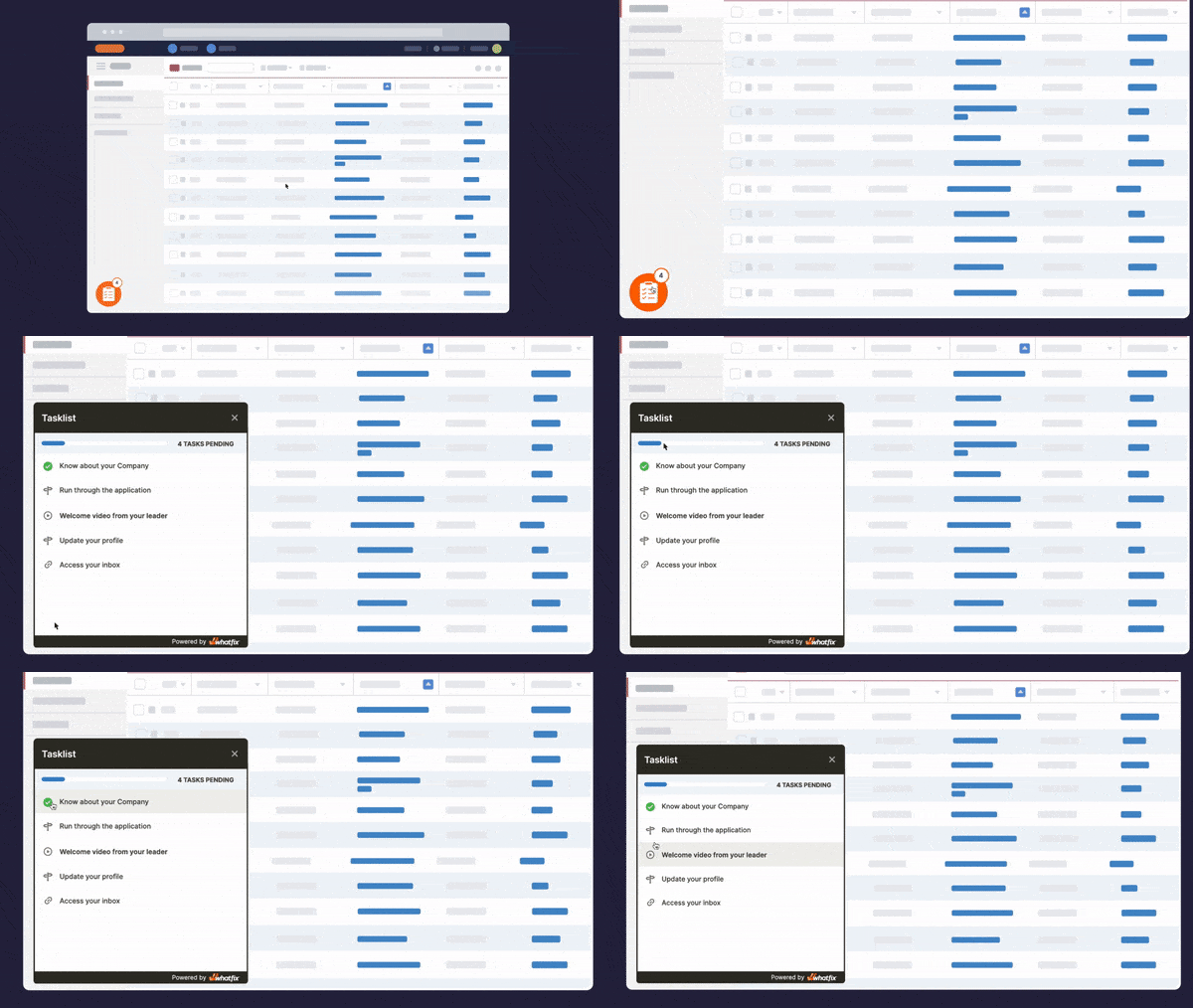
3. Task Lists for structured onboarding paths
Task Lists organize product training into structured, role-based paths. Enablement teams can use them for new hire onboarding, product launch readiness, certification programs, partner enablement, or workflow mastery tracks.
They also give managers visibility into progress. A Task List can show which activities users completed, which workflows remain pending, and where a cohort may need additional support before handling live customer interactions.
4. Simulation training for hands-on practice and readiness assessment
Simulation training gives frontline teams a safe sandbox environment to practice product workflows before they enter live work. It is one of the highest-value formats for workflows that require judgment, repetition, and confidence before users work with customers, production data, or live transactions.
Strong simulation tasks should reflect real customer-facing scenarios, including happy paths, exception paths, common mistakes, difficult questions, troubleshooting steps, recovery paths, escalation decisions, and compliance requirements.

5. Smart Tips and contextual field guidance
Smart Tips provide field-level explanations, definitions, process rules, policy reminders, and required-action prompts exactly where users need them.
They are useful for complex forms, regulated workflows, pricing steps, eligibility checks, ticket classification, customer setup, claims processing, and any workflow where small mistakes can create rework or escalations.
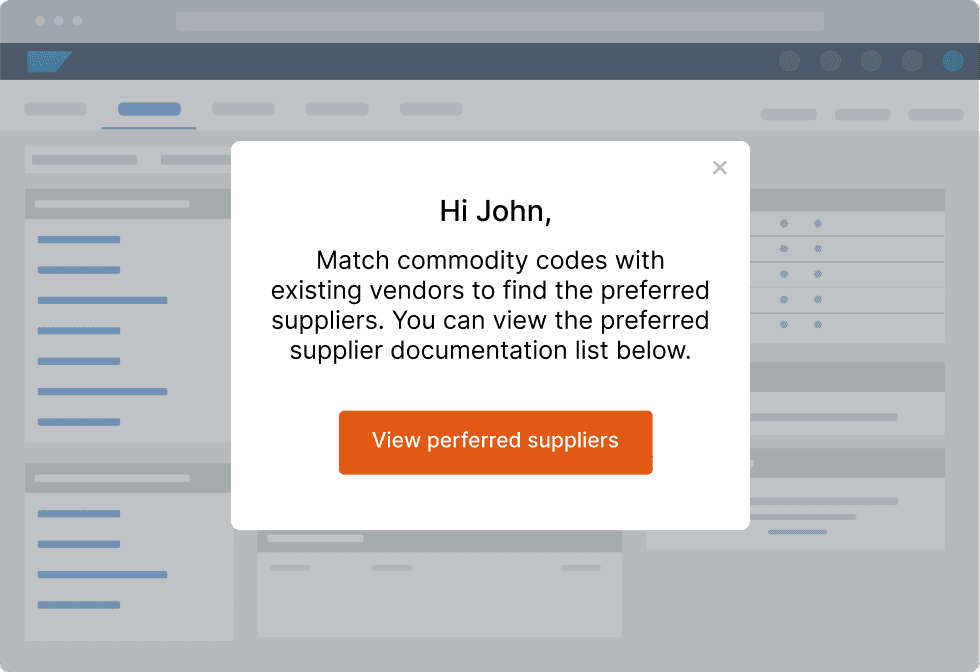
6. Pop-Ups and release prompts for urgent updates
Pop-Ups help communicate time-sensitive product changes inside the application. Use them for new feature announcements, workflow updates, policy reminders, outage notices, pricing changes, or important release communications.
For customer-facing teams, these prompts help reduce outdated product knowledge during live interactions. They make sure reps, agents, partners, and service teams see critical updates in the same environment where they need to apply them.
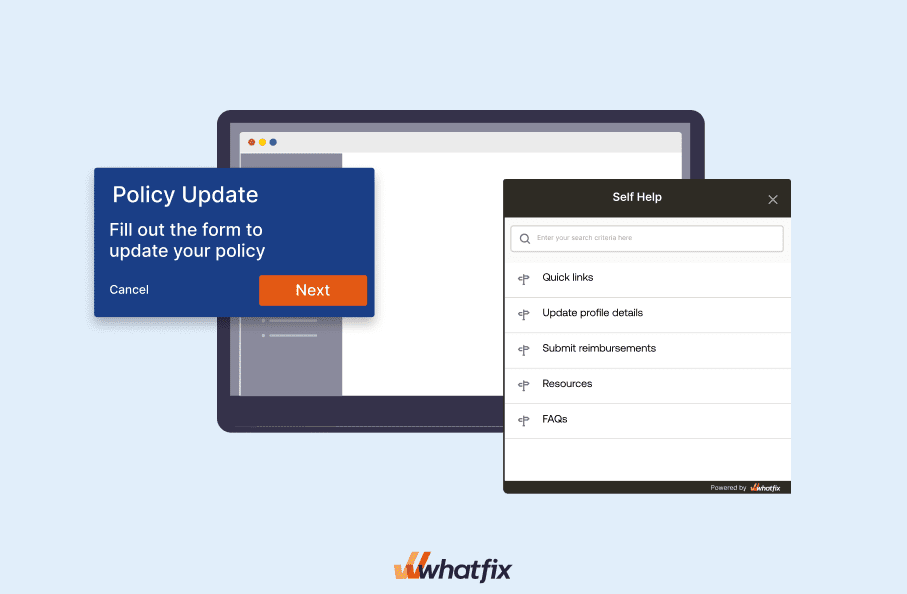
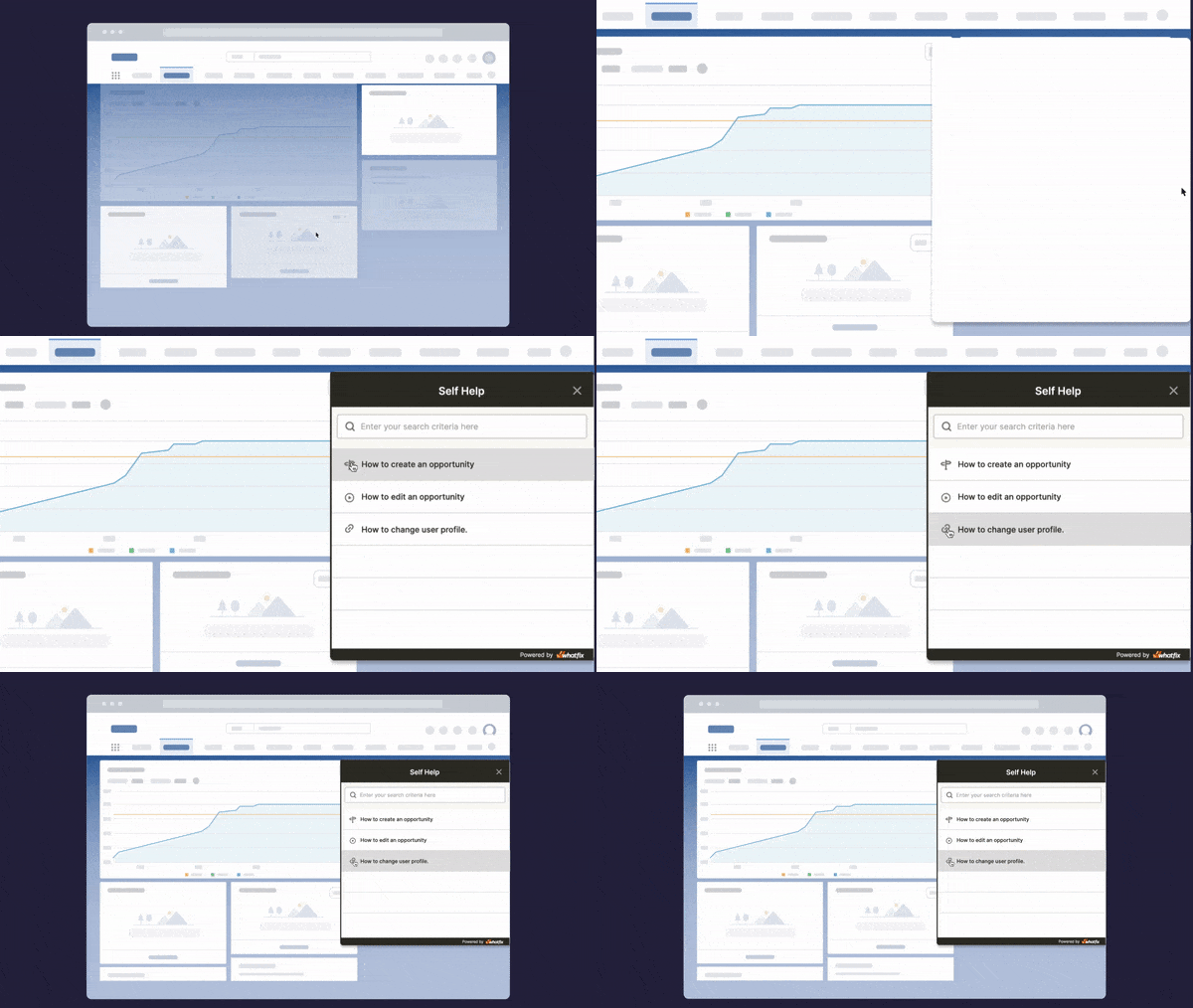
7. Self Help for in-flow product answers
Self Help brings product documentation, SOPs, knowledge base articles, FAQs, videos, troubleshooting guides, and training resources into the application. It gives users a faster way to find answers while they work.
This matters during live customer conversations. A support agent can look up a troubleshooting step, a sales rep can confirm a product detail before a demo, and a partner can find process guidance while helping a customer through a complex workflow.
How to Build an In-App Product Knowledge Training Program for Service Teams
An effective in-app product knowledge training program starts with the customer moments frontline teams are responsible for, then works backward into the workflows, skills, practice paths, guidance, and metrics needed to prove readiness.
1. Define cohorts, roles, customer interactions, and readiness risk
Start by mapping the frontline groups that need product training and the customer situations where product knowledge matters most. A support agent handling technical issues, a sales rep preparing a demo, a partner onboarding customers, and a service team resolving account-specific requests may all need different levels of product fluency.
Identify where readiness risk is highest by asking
- Which teams need product training
- What customers expect from each team
- What product knowledge each role needs
- Which workflows they must complete or explain
- Where users currently make mistakes
- Where confidence drops during live work
- Where escalations, rework, or support tickets increase
This helps enablement teams focus training on the product moments that affect service quality, customer trust, and operational consistency.
2. Map the workflows they must master
Prioritize workflows based on business impact instead of training convenience. The most important workflows are usually the ones that affect revenue, resolution speed, compliance, customer experience, or downstream rework.
Focus first on workflows that are
- High frequency
- Revenue impacting
- Support heavy
- High risk
- Compliance sensitive
- New or recently changed
- Tied to escalations, QA errors, or rework
For each workflow, document the happy path, common mistakes, exception paths, required decisions, escalation points, and customer-facing explanation needed. This gives the training team a sharper blueprint for simulations, guidance, Self Help content, and coaching.
3. Define what proficiency means for each cohort and workflow
Readiness must be defined as observable performance. A completed course shows activity, while proficiency shows whether a frontline user can apply product knowledge correctly during real work.
Strong user readiness criteria include whether the user can
- Complete the workflow without support
- Follow required steps in the right order
- Avoid common errors
- Handle exception paths correctly
- Explain the process clearly to a customer
- Know when to escalate
- Meet time, quality, or compliance standards
These criteria turn product training into a measurable readiness program. They also help managers understand who is ready for live customer interactions and who needs more practice, coaching, or contextual support.
4. Match each to the right in-app training format
Different product training needs require different formats. Orientation, practice, live execution, field-level support, and moment-of-need answers must work together instead of being treated as separate enablement assets.
| Training need | Best in-app training format |
| First-time product orientation | Product tour |
| Role-based onboarding path | Task List |
| Live workflow execution | Interactive walkthrough |
| High-risk practice before live work | Simulation training |
| Field-level reinforcement | Smart Tips |
| New feature or process update | Pop-Up or release prompt |
| Moment-of-need answers | Self Help |
| Complex concept explanation | Embedded video or microlearning |
| Sales or partner demo practice | Guided demo environment |
This decision model helps teams avoid overloading users with generic content. Each format should have a clear job in the readiness loop.
5. Build simulation tasks for critical workflows
For critical workflows, create simulation-based practice before users enter live work. Each simulation must give users a realistic task, success criteria, mistakes to avoid, and feedback after the attempt.
Build scenarios that reflect real frontline situations, such as
- A customer asks a difficult product question
- A user enters incomplete information
- A workflow changes after a release
- A required field is skipped
- A policy exception appears
- A support case needs escalation
- A user must recover from an error
Track completion, pass rate, attempts, time-to-complete, error patterns, and remediation needs. These signals help enablement leaders see whether users are ready for production workflows or need more practice before supporting customers.
6. Reinforce execution in the live application
After users complete practice, support them inside the live application with walkthroughs, Smart Tips, Self Help, and targeted reminders. This keeps training connected to the actual workflow environment where users apply product knowledge.
Live guidance reduces dependency on managers, trainers, Slack channels, and ticket queues. It also helps teams follow the approved process during customer interactions, especially when workflows are new, complex, or frequently changing.
7. Use analytics to find readiness gaps
Track both training data and operational data.
| Metric | What it tells the owner |
| Time-to-proficiency | How quickly users can complete key workflows confidently |
| Simulation completion rate | Whether assigned practice is being completed |
| Simulation pass rate | Whether users are ready before live execution |
| Attempts per simulation | Where workflows are confusing or difficult |
| Workflow completion rate | Whether users can finish required processes |
| Error or rework rate | Where training needs reinforcement |
| Self Help searches | What users need help with during live work |
| Failed or repeated searches | Where knowledge content is missing or unclear |
| Support tickets per active user | Whether in-app help is reducing dependency |
| Escalation rate | Whether teams can resolve more issues independently |
| First-contact resolution | Whether product knowledge is improving service outcomes |
| Confidence feedback | Where users feel unprepared |
The goal is to connect product training to frontline performance, rather than measuring training activity alone.
8. Improve content continuously
Use analytics to update simulations, walkthroughs, Self Help content, and role-based training paths. The highest-value training roadmap comes from real workflow friction, failed searches, recurring mistakes, support patterns, and customer-facing performance gaps.
This turns in-app product training into a continuous improvement system. Enablement teams can see which workflows need more practice, which guidance needs refinement, which knowledge content is missing, and which teams need targeted coaching.
Example: How Travelport Builds Product Readiness for Travelport+
Travelport needed to prepare multiple user groups for Travelport+, including travel agencies, travel management companies, internal support teams, and learning teams. The rollout required more than documentation because teams needed hands-on experience with evolving workflows and enough confidence to support users after launch.
With Whatfix, Travelport embedded guidance directly into Travelport+ through Flows, Smart Tips, Pop-Ups, Task Lists, and Self Help. Whatfix Mirror added simulation training so users could practice complex and hard-to-stage workflows before live execution. Analytics helped Travelport identify friction points and improve the user experience after launch.
Travelport shows how product readiness improves when practice, guidance, support, and analytics work together inside the rollout.
How Whatfix Scales In-App Product Training and Frontline Readiness
Whatfix helps enablement, L&D, and customer education teams build a connected readiness system for frontline teams. Users can practice critical product workflows before live customer work, receive guidance during execution, access answers in the moment, and improve through analytics and feedback.
Prove readiness before live customer work with Whatfix Mirror
Whatfix Mirror helps teams create sandbox environments for simulated training where frontline users can practice real workflows before they work with production systems, customer data, or live transactions.
Teams can use Mirror for new hire onboarding, product launches, partner readiness, support troubleshooting, compliance workflows, and AI roleplay scenarios. Users can rehearse complex paths, practice exceptions, make mistakes safely, and build confidence before they support customers.
Mirror’s AI Assessment helps readiness owners evaluate performance during practice. Teams can review pass rates, attempts, error patterns, time-to-complete, and remediation needs to understand which users or cohorts need more support before moving into live work.
Guide frontline teams through live product workflows with Whatfix DAP
Whatfix DAP supports users during live execution with Flows, Task Lists, Smart Tips, Pop-Ups, and contextual guidance.
This helps frontline teams complete product workflows correctly while reducing errors, rework, and dependency on managers, trainers, Slack channels, or separate training resources. A support agent can follow the right resolution path, a sales rep can complete a demo workflow, and a partner can guide a customer through a process with guidance available inside the application.
Deliver answers in the flow of customer interactions with Self Help
Whatfix Self Help brings product documentation, SOPs, troubleshooting resources, FAQs, videos, and knowledge base content into the application.
This gives reps, agents, partners, and service teams a faster way to find answers while they work. They can confirm product details, review process guidance, or troubleshoot issues without leaving the customer interaction.
Self Help also gives enablement teams useful readiness signals. Search trends, repeated searches, and failed searches show where users are confused, where content is missing, and which workflows need stronger guidance or training.
Identify readiness gaps with AI Assessment and Analytics
Whatfix helps teams connect practice data with live workflow behavior. Mirror analytics show how users perform during simulated training. AI Assessment highlights where users need remediation. DAP analytics show where users engage with Flows, where they drop off, and which steps create friction.
Whatfix Product Analytics helps teams analyze user behavior, identify workflow drop-offs, review session replays, and understand how users move through critical processes. Surveys add qualitative feedback so enablement teams can see where users lack confidence or need more support.
Together, these insights help teams measure readiness through behavior, support patterns, and frontline outcomes.

Improve training continuously with WhatfixAI
WhatfixAI helps teams accelerate content creation, insight discovery, recommendations, and scenario development. This helps enablement teams keep product training aligned with release cycles, workflow changes, support trends, and frontline feedback.
The outcome is a continuous readiness loop. Teams practice critical workflows in Mirror, execute with guidance in Whatfix DAP, find answers through Self Help, identify gaps with analytics, and improve product training based on real user behavior.
See how Whatfix helps enablement and L&D teams build frontline product readiness with simulation training, in-app guidance, Self Help, and analytics. Request a demo.