


In 2025, many HR systems still fall short of their promise, not because the software is flawed, but because users never fully adopt them. According to a recent SHRM survey, nearly one in four organizations report their HR platform implementation failed to meet adoption expectations
HCM adoption refers to the degree to which employees, managers, and HR teams actively use and value your Human Capital Management software from hiring to performance, benefits, and analytics. More than just implementation, adoption is about enabling behaviors that unlock the full potential of your investment.
This guide explains why HCM adoption matters strategically in 2025 and walks HR leaders through how to measure, address, and accelerate adoption using proven frameworks and modern tools (including Whatfix’s in-app support) to drive sustainable business outcomes.
The Real Cost of Poor HCM Adoption
Deploying an HCM system like Workday, Oracle, or SAP SuccessFactors is only half the battle. Real value comes when employees, managers, and HR teams actually use it as intended. But too often, that doesn’t happen.
According to research from The Josh Bersin Company, 42% of HCM implementations either failed or underperformed within two years, and 53% missed key project milestones, not because of software limitations, but because end-users didn’t adopt the tools effectively.
When adoption fails, the consequences ripple across the business:
- Wasted HCM investment: Organizations spend millions annually on HCM platforms. But if users fall back on spreadsheets or manual workarounds, much of that spend goes unused, resulting in poor ROI and ballooning shadow systems.
- Low productivity and high friction: Employees struggle to complete critical HR tasks like time tracking, benefits updates, or performance reviews. Managers spend more time chasing data and less time leading. Support tickets pile up.
- Poor data quality and compliance risk: Incomplete profiles, outdated information, and inconsistent entries create “dirty data” that erodes trust in your people analytics. This not only impacts decision-making, it also risks non-compliance with labor laws and privacy regulations.
- Change fatigue and IT overload: Without embedded support, every system update or process change becomes a new round of live training, FAQs, and support tickets. IT and HR teams are stretched thin, responding reactively instead of focusing on strategic enablement.
The bottom line?
If your users can’t confidently navigate your HCM platform, you don’t just lose functionality; you lose time, trust, data accuracy, and ROI.
HCM Adoption & End-User Behavior Metrics to Track
After rolling out a new HCM platform, your success hinges not just on technical go-live but on how quickly and confidently your workforce starts using it.
This is the crucial early adoption window, where learning curves are steep, friction is high, and usage patterns reveal what’s working and what isn’t.
To stay ahead of user drop-off, poor data hygiene, and process gaps, HR and IT teams must track a mix of behavioral, data quality, and business performance metrics that signal adoption health and user maturity.
Here are the key categories to monitor:
Usage & Engagement Metrics
These reveal whether employees, managers, and HR teams are interacting with the HCM system regularly and how deeply they’re engaging with its core capabilities.
Key KPIs to track:
- Login frequency by role or region
- Feature adoption rates (e.g. self-assessments, goal setting, timesheet submission)
- Task/Flow completion rates
- Support ticket volume and categories
- Training module completion rates
Data Quality Metrics
Clean, complete data is essential for accurate reporting, workforce planning, and compliance. Poor adoption often leads to outdated or inconsistent records.
Key KPIs to track:
- Profile completeness (personal details, skills, certifications)
- Duplicate records and data conflicts
- Incomplete or unsubmitted forms
- Update frequency for critical data fields
- Error rates during workflows (e.g. benefits enrollment, performance review inputs)
Business Impact Metrics
Ultimately, adoption should move the needle on key HR outcomes. Tracking these metrics helps you link platform usage to real business value.
Key KPIs to track:
- Time-to-proficiency (onboarding ramp-up)
- Cost-per-hire
- Time-to-fill open roles
- Employee satisfaction with HR processes (via pulse surveys)
- Manager participation in goal setting or feedback
- Reduction in manual work or support load
Top Challenges Slowing HCM Adoption
Despite the promise of modern HCM platforms, adoption often stalls post-implementation; not due to poor technology, but because the human experience is overlooked.
Here are the five most common (and costly) barriers to effective HCM adoption for enterprise HR and People Ops teams:
- Resistance to change and digital fatigue: When HCM rollouts are paired with little context or top-down mandates, users resist especially if they’ve just been through another system change. Employees and managers are already navigating a high volume of tools and updates, and if your HCM platform adds more friction than clarity, it becomes something to avoid, not embrace.
- Lack of contextual, real-time support: Traditional training, like static PDFs or long LMS modules, fails to meet employees at the moment of need. Without in-app help or just-in-time guidance, even routine HR tasks can feel complicated.
- Infrequent tasks are easily forgotten: Many HCM workflows are completed only once or twice a year like benefits enrollment, open enrollment, or annual performance reviews. Without reinforcement or refresher guidance, employees forget the steps, leading to errors, delays, or disengagement.
- Fragmented HR tech stack and poor integration: HCM systems rarely operate in isolation. From payroll software to ATS tools to internal portals, users jump across platforms. Without tight integration and unified experiences, users get lost in toggles, logins, and conflicting data sources.
- Lack of contextual, in-the-moment guidance: Confusing UI elements, unfamiliar error messages, and scattered tooltips often leave users stuck. Without embedded, real-time help, even basic tasks like address changes or benefits updates can lead to frustration and drop-offs.
- Frequent updates and workflow changes: With quarterly or biannual platform updates, workflows evolve quickly. Keeping every end-user informed and retrained on what’s changed, especially without slowing down HR operations, is a constant uphill battle.
- Limited visibility into user friction: Traditional help desks can’t tell you where users drop off or why processes break. Without behavioral analytics, HR teams rely on anecdotal feedback instead of data to improve HCM adoption and support.
- Varied digital fluency across user groups: From seasoned HR admins to first-time employees, proficiency varies widely. Static, one-size-fits-all training often fails to meet everyone’s needs, increasing support tickets and slowing time-to-productivity.
- Global scale adds operational complexity: Global HR teams must support users across time zones, languages, and localized compliance rules, often without dedicated HCM support resources in every region.
How to Enable HCM Adoption With a Digital Adoption Platform
Driving HCM adoption isn’t just about launching the platform, it’s about enabling every employee, manager, and HR admin to confidently complete tasks, adapt to change, and get value from the system. That’s where a Digital Adoption Platform (DAP) like Whatfix becomes essential.
A DAP overlays directly on top of your HCM system, enabling real-time, contextual support, training, and behavior analytics that accelerate adoption and reduce friction.
Here are the key DAP capabilities that empower HR teams to drive sustained HCM adoption:
In-App Guided Workflows for Step-by-Step Support
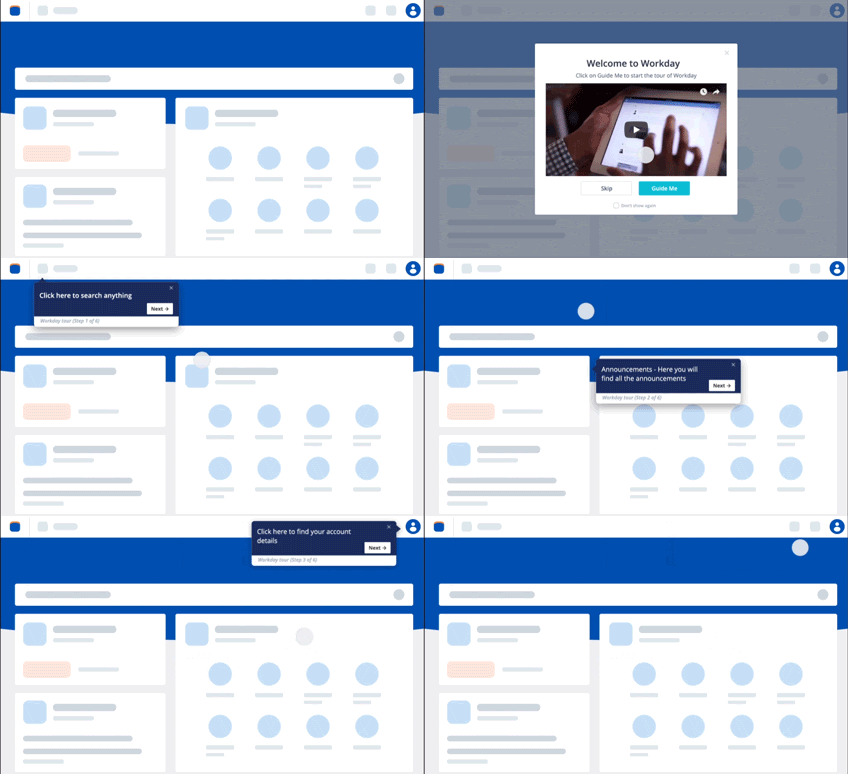
A DAP enables HR and IT teams to build interactive walkthroughs that guide users through complex HCM workflows, like setting goals, updating benefits, or completing performance reviews, without ever leaving the platform.
- Users see helpful tooltips, highlights, and prompts directly in the flow of work.
- Walkthroughs adjust based on role, location, or behavior to ensure relevance.
- Reduces the need for training documents, screen recordings, or manual coaching.
Outcome: Faster onboarding, fewer errors, and reduced support tickets.
Self-Help Widgets for On-Demand Answers
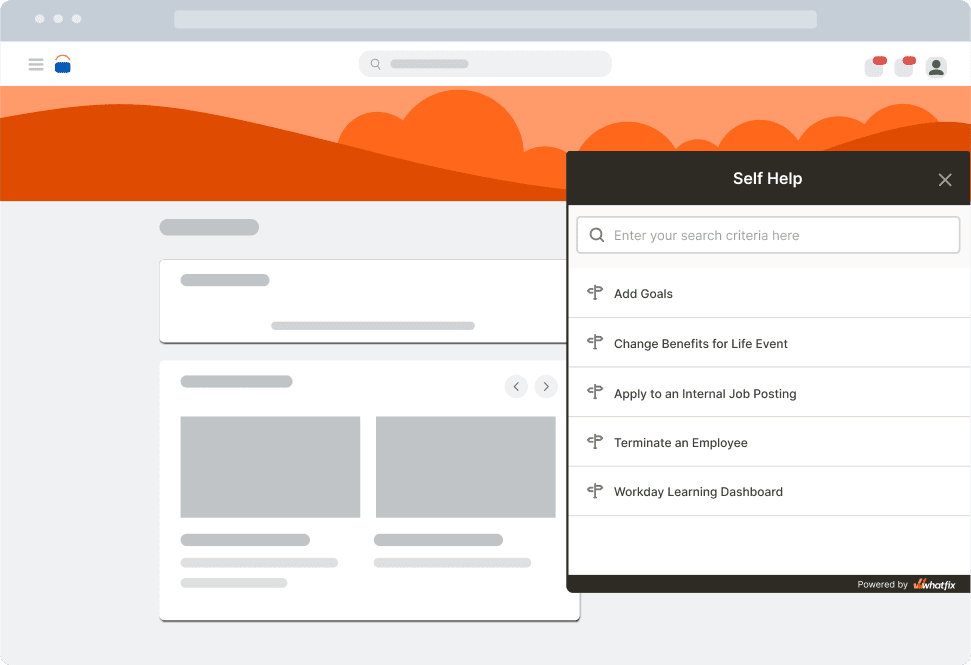
The Self Help feature embeds a searchable support hub inside your HCM application, giving users direct access to process documentation, how-to articles, videos, or internal SOPs, based on where they are in the system.
- Integrates with knowledge bases like Confluence, SharePoint, Google Drive.
- Context-aware: suggests relevant answers depending on the screen/task.
- Great for supporting infrequent or seasonal tasks like open enrollment.
Outcome: Empowers users to solve problems without raising IT tickets.
Whatfix Mirror for Simulation-Based Training
With Whatfix Mirror, HR teams can build sandbox replicas of their HCM applications ideal for onboarding, change enablement, and process testing without risking live data.
- No-code setup; no developer resources required.
- Users can safely practice workflows like creating job requisitions, updating compensation, or running reports.
- Flows, Smart Tips, and Task Lists can be embedded within sandboxed apps.
Outcome: Hands-on learning experiences that boost user confidence and reduce go-live risk.

In-App Announcements and Change Communication
Use Whatfix to create pop-ups, banners, and notifications that appear inside the HCM interface to highlight new workflows, urgent tasks, or feature rollouts.
- Target messages by user group (e.g. people managers only).
- Drive adoption during system updates, policy changes, or compliance cycles.
- Replace mass HR emails with timely, contextual messages users can’t miss.
Outcome: Ensures everyone sees what matters, right when it matters.
Behavioral Analytics to Track Usage and Improve UX
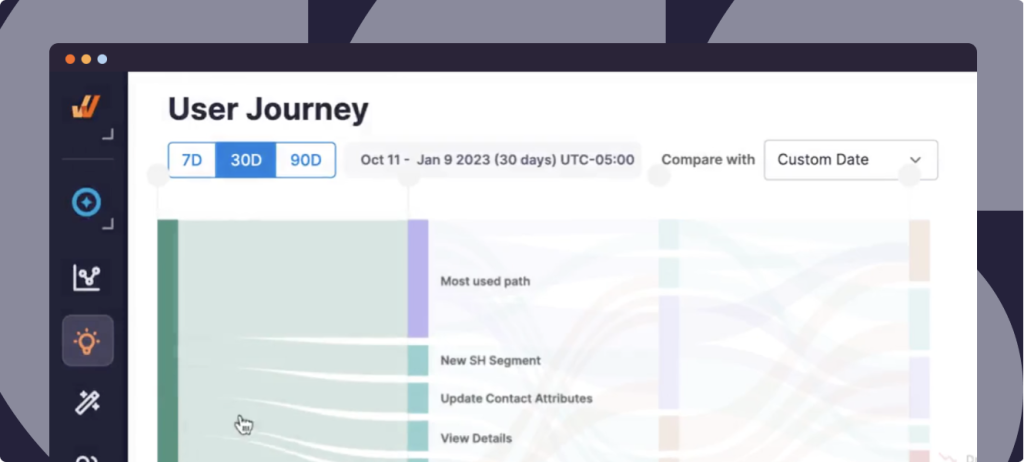
Whatfix product analytics tracks how users interact with your HCM system like where they drop off, what guidance they use, and where they get stuck.
- Identify underused features, abandoned tasks, or help content gaps.
- Segment insights by department, geography, or user type.
- Use this data to iterate on guidance, training content, and HCM workflows.
Outcome: Optimizes digital adoption continuously based on real usage patterns.
Surveys and Feedback Collection
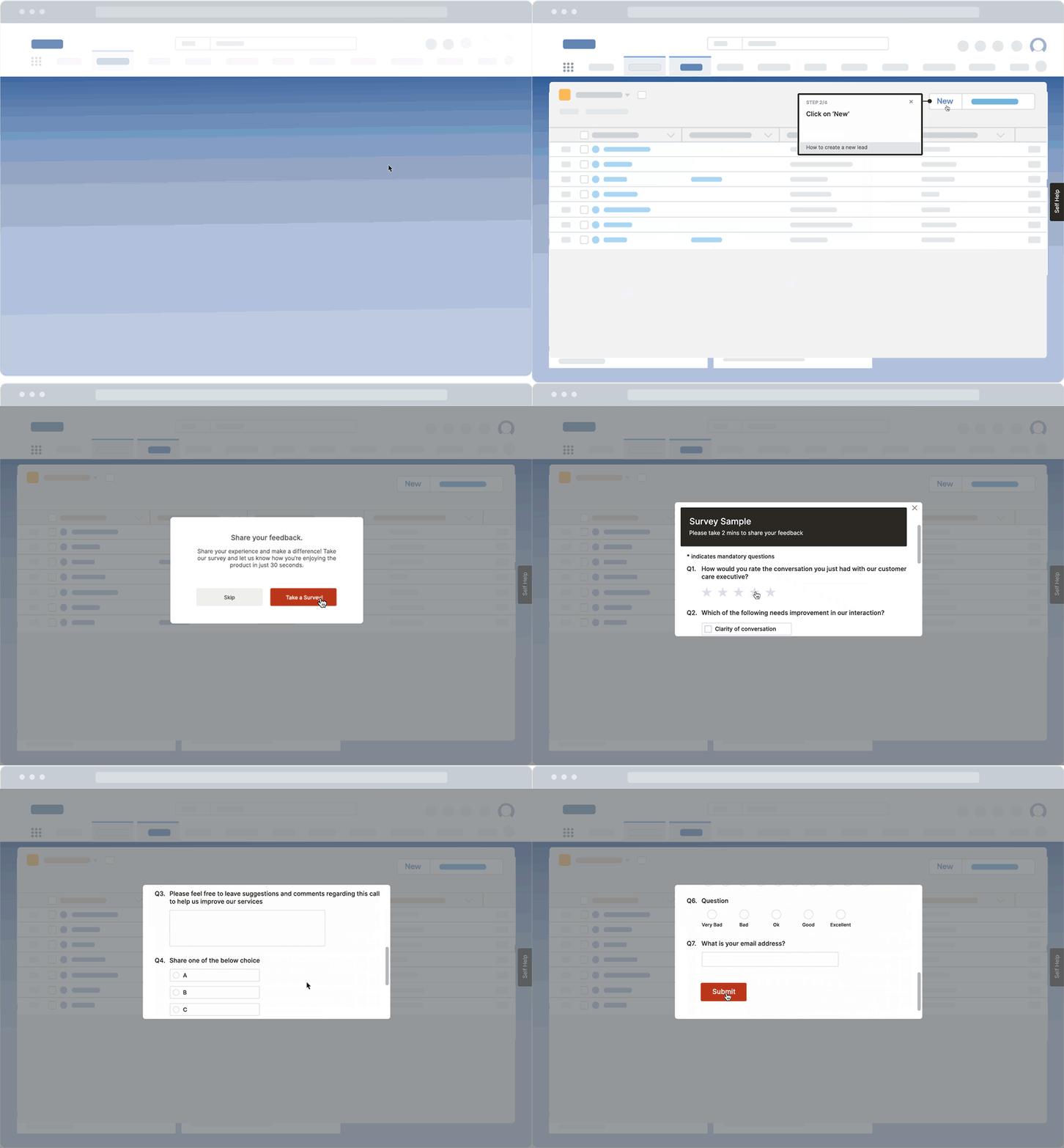
Capture feedback directly within the HCM interface using in-app surveys and micro-polls triggered at key moments (e.g. after submitting performance reviews or completing onboarding).
- Gather insights on workflow clarity, training effectiveness, and UI friction.
- Customize surveys by event, user group, or page location.
Outcome: Closes the loop between enablement and employee experience.
Practical Adoption Roadmap: From Go-Live to Sustained Usage
Use this step-by-step framework to guide your HR and People Ops teams through every phase of HCM adoption from implementation to long-term success:
- Stakeholder alignment and change messaging: Begin by aligning all key stakeholders including HR leadership, people managers, IT, and regional operations on the goals and vision for HCM transformation. Craft change messaging that resonates with each group, addressing their specific concerns and highlighting how the new system will improve their daily work. Use internal champions to reinforce this messaging during rollout and beyond.
- Role-based training and sandbox practice: One-size-fits-all training is rarely effective. Tailor training experiences to reflect the actual tasks and workflows of each role. Give employees hands-on exposure using sandbox environments before the system goes live, allowing them to safely experiment with the platform without risk. Prioritize complex and business-critical tasks like performance reviews, benefits enrollment, and compensation updates during these sessions.
- Embedded in-app support + self help: After launch, provide ongoing support within the flow of work. Instead of relying solely on static help articles or separate portals, embed tooltips, guided checklists, and contextual self-help resources directly into the HCM platform. This enables users to access training or guidance when they need it, without breaking focus or raising tickets for minor questions.
- Behavior analytics and continuous feedback: Use analytics to understand how users engage with the system. Track where users drop off, which workflows are avoided, and which tasks generate frequent support queries. Pair this with lightweight, in-app feedback tools to capture user sentiment and surface friction points that analytics alone can’t explain. This combination helps HR and IT proactively fix issues before they become blockers.
- Adoption reviews and optimization sprints: Schedule regular adoption reviews, ideally monthly or quarterly, with your HRIS, HR ops, and L&D stakeholders. Review what’s working, identify where usage is lagging, and decide which training or support assets need updates. Treat this as an ongoing sprint cycle to improve usability and maintain momentum over time, especially as processes evolve or platform updates roll out.
Software Adoption Clicks Better With Whatfix
Enabling long-term adoption of your HCM platform takes more than training videos and help desk tickets. It requires embedded, role-specific guidance, personalized learning, and real-time support that meets users in the flow of work.
With Whatfix, HR and IT teams can create contextual onboarding, provide self-help at scale, and continuously optimize the user experience with behavioral insights all without relying on engineering resources.
Ready to empower your workforce and maximize the ROI of your HCM investment?
Schedule a free demo with us to see Whatfix in action.