

For decades, SAP ECC has powered the finance, procurement, manufacturing, and supply chain processes at the heart of enterprise operations. With SAP ending mainstream maintenance in 2027, SAP-powered organizations face pressure to transition to S/4HANA, while legacy architectures and customizations increasingly limit their ability to adopt AI, automation, and real-time analytics.
While SAP S/4HANA is a modern, cloud ERP solution, the modernization transition and rollout introduce significant changes to business-critical workflows and how employees perform their jobs. Without a coordinated ERP modernization and change management strategy, enterprises risk operational disruption, rising support costs, lost productivity, and delayed returns on their SAP transformation investment.
This guide explores SAP S/4HANA modernization approaches and the user readiness, workflow governance, in-app support, and continuous optimization strategies that help enterprises maintain business continuity, accelerate adoption, and maximize value realization.
Why SAP S/4HANA Transformation Is an Enterprise Priority in 2027
SAP’s approaching maintenance deadlines, evolving business requirements, and growing demand for AI and automation are accelerating enterprise SAP S/4HANA modernization timelines. Here are the key reasons why SAP transformation is a 2027 priority for ERP application owners:
- SAP ECC maintenance deadlines: Mainstream maintenance ends in December 2027, with optional paid extended maintenance available through 2030, creating urgency for organizations still operating on ECC.
- Modernizing complex application landscapes: Simplify legacy ERP environments, standardize business processes, and improve connectivity across SAP, CRM, HCM, procurement, and other enterprise applications.
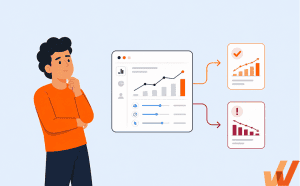
- Real-time data and decision-making: Leverage SAP S/4HANA’s embedded analytics to improve operational visibility, identify exceptions, and support faster decisions across critical business processes.
- AI and intelligent automation: Establish a modern ERP foundation for AI-assisted workflows, predictive insights, and intelligent automation as SAP expands its AI capabilities.
- Improved workflows and user experiences: Use SAP Fiori’s role-based interfaces and standardized processes to reduce manual work, improve data accuracy, and streamline employee workflows.
Different Approaches to SAP S/4HANA Modernization
Organizations typically choose between three SAP S/4HANA modernization approaches: greenfield, brownfield, and hybrid (selective data transition).
The right approach depends on existing ERP infrastructure, technical debt, business requirements, process standardization goals, and the level of operational disruption the organization can manage.
Here’s a quick overview of each modernization approach:
| Modernization Type | Approach Overview | When to Choose This Approach |
| Greenfield (New Implementation) | Build a new SAP S/4HANA environment with redesigned business processes, configurations, and workflows. Provides greater flexibility to standardize operations but requires extensive implementation, data migration, and employee retraining. | Best for enterprises with heavily customized legacy systems, significant technical debt, or a goal to fundamentally redesign and standardize business processes. |
| Brownfield (System Conversion) | Convert an existing SAP ECC environment to S/4HANA while preserving compatible configurations, historical data, and established processes. Minimizes immediate process changes but may carry forward legacy complexity and require custom-code remediation. | Best for organizations with effective existing ERP processes that want to modernize their technical infrastructure while limiting operational disruption and business process redesign. |
| Hybrid (Selective Data Transition) | Selectively migrate data, configurations, and business processes while redesigning or consolidating other parts of the ERP environment. Offers flexibility but introduces additional complexity in migration, reconciliation, and dependency management. | Best for large enterprises that need to harmonize selected processes, retain critical customizations or historical data, and modernize different business units at varying levels. |
6 Key Challenges of SAP S/4HANA Transformation
SAP modernization introduces technical, operational, and workforce readiness challenges that can cause deployment delays, disrupt critical business processes, and undermine expected returns.
Here are the key SAP modernization challenges to prepare for:
- Complex legacy architectures and dependencies: Decades of customizations, integrations, and connected enterprise applications complicate migration planning, testing, and business continuity.
- Poor data quality and incompatible customizations: Inconsistent master data, outdated configurations, and incompatible custom ABAP code create migration risks and require remediation.
- Inconsistent and undocumented business processes: Regional variations, manual workarounds, and unclear process ownership make it difficult to standardize future-state SAP workflows.
- Insufficient user readiness and change enablement: Unprepared employees struggle with new interfaces, responsibilities, and workflows, increasing execution errors, support demand, and time-to-proficiency for new users.
- Business disruption and inadequate hypercare support: Cutover issues, technical defects, and insufficient post-launch support can interrupt critical operations and delay productivity recovery.
- Limited visibility into adoption and business outcomes: Without behavioral analytics and workflow performance data, application owners struggle to identify adoption gaps, prioritize improvements, and demonstrate value realization tied to the enterprise software rollout.
How to Build an SAP S/4HANA Adoption Strategy
Successful SAP modernization requires a coordinated approach to preparing employees, validating business processes, and maintaining productivity throughout the transition’s rollout stages. Application owners must work across teams, from IT, process leaders, L&D, and change agents to establish clear ownership for user readiness, workflow governance, and post-launch optimization.
The following seven steps provide a framework for accelerating SAP S/4HANA adoption while protecting business continuity and supporting long-term SAP modernization value realization.
1. Map Critical Workflows and Assess the Impact of Change
Compare existing SAP ECC workflows with future-state S/4HANA processes to identify changes to user interfaces, task sequences, required fields, approvals, and cross-application dependencies.
Document the impact on employees by role, department, and rollout wave. Prioritize high-volume and business-critical workflows, such as invoice processing, purchase order approvals, and financial close, where errors or disruption could affect operations.
Use these findings to inform process documentation, training requirements, user acceptance testing , and change management plans.
2. Validate Future-State Workflows Through User Acceptance Testing
Involve business process owners and end users in testing configured SAP S/4HANA workflows before production deployment.
Conduct user acceptance testing with realistic business scenarios covering routine ERP workflows like transactions, approvals, exceptions, data requirements, and cross-application handoffs. Validate these workflows function as intended and support established business rules and operational requirements.
Document configuration defects, unexpected behaviors, and usability issues. Resolve critical problems before go-live and use test findings to refine processes, document processes, and provide insights for creating SAP ERP training.
3. Prepare Employees With Hands-On Training and Readiness Assessments
Develop role-based SAP training around the tasks employees must perform, rather than general application navigation or feature demonstrations.
Provide hands-on practice through application simulations or controlled training environments where employees can complete realistic transactions, approvals, and exception scenarios without affecting production data.
Assess whether users can execute critical workflows accurately and independently. Track proficiency by role and rollout cohort, identify knowledge gaps, and provide targeted retraining before employees transition to the production environment.
4. Establish Go-Live Readiness Gates to Protect Business Continuity
Align deployment plans with critical business operations, application dependencies, and employee readiness. For phased rollouts, consider financial close periods, manufacturing schedules, procurement cycles, and other operational constraints.
Assess go-live readiness before signing off on the rollout across three dimensions:
| Readiness Area | Requirements to Validate |
| Technical readiness | Data migration, integrations, permissions, security, and critical system functionality meet acceptance criteria. |
| Business process readiness | End-to-end workflows, exception paths, approvals, controls, and continuity procedures have been validated. |
| Employee readiness | Critical user groups demonstrate workflow proficiency, complete required preparation, and know where to access support. |
Assign owners to unresolved risks and establish clear escalation, cutover, and recovery procedures. Deployment decisions should account for business and employee readiness alongside technical completion.
5. Reinforce Workflow Governance With In-App Guidance
Support employees as they execute new SAP S/4HANA workflows by providing contextual guidance within the application.
Use step-by-step instructions, field-level assistance, digital SOPs, and other relevant process documentation to reinforce expected behavior, from correct data entry, required approval paths, and standardized procedures.
Work with process owners to ensure guidance reflects approved business rules and complements the application’s established controls. Update user guidance as SAP configurations, policies, and workflows evolve to maintain consistent execution across departments and deployment waves.
6. Maintain Productivity With Hypercare and Contextual Support
Establish a structured hypercare period to support employees during the transition to SAP S/4HANA and address issues that threaten business continuity, compliance risks, or customer harm.
Provide contextual self-service resources, troubleshooting guidance, and clear escalation paths for critical problems. Coordinate application specialists, service desk teams, and business process owners to resolve technical issues and support employees through unfamiliar workflows.
Monitor recurring support tickets, common user errors, and user questions to identify gaps requiring additional training, updated guidance, or technical remediation. Gradually transition to normal support once operational performance meets agreed stabilization criteria.
7. Continuously Measure Adoption and Optimize SAP Workflows
Monitor employee behavior and analyze workflow performance after go-live to identify adoption gaps, execution problems, and opportunities for improvement.
Track role-based adoption, feature utilization, workflow completion, validation errors, support demand, and relevant operational KPIs such as transaction accuracy and processing times.
Use behavioral analytics and employee feedback to investigate friction, then prioritize targeted training, in-app guidance, process redesign, or technical improvements.
Establish recurring ERP adoption business reviews with application owners and process leaders to evaluate results, refine interventions, and apply lessons to future deployment waves, SAP releases, and ongoing modernization initiatives.
Together, these practices help enterprises move from technical deployment to sustained SAP adoption, protecting business continuity while continuously improving workflow performance and value realization.
How Whatfix Accelerates SAP S/4HANA Adoption and Value Realization
Whatfix helps enterprises prepare employees for SAP modernization, support accurate workflow execution after go-live, and continuously improve S4/HANA adoption as business requirements evolve. Our State of Digital Transformation ROI report found that organizations who support their rollouts with a digital adoption platform see 64% faster time-to-value and 67% lift in overall value realization.
This happens by combining pre-go-live application simulation training with Whatfix Mirror, contextual guidance and support in the flow of work with Whatfix DAP, and behavioral insights from Whatfix Product Analytics, organizations can support employees throughout the SAP transformation lifecycle.
Here’s how Whatfix supports SAP modernization projects across the rollout lifecycle:
1. Prepare Employees and Assess Readiness Before Go-Live With Whatfix Mirror
Whatfix Mirror enables application owners and L&D teams to create realistic SAP workflow simulations for hands-on training before production deployment.
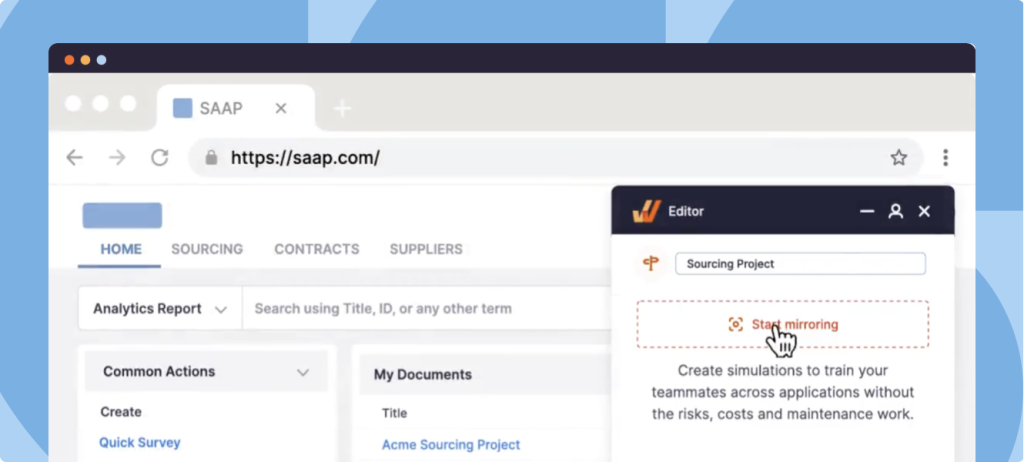
Employees can practice role-specific tasks, complete guided scenarios, and build proficiency in a controlled environment without affecting live ERP data. Teams can assess employee performance, identify readiness gaps, and target additional training before go-live.
2. Guide Employees and Reinforce SAP Workflow Governance With Whatfix DAP
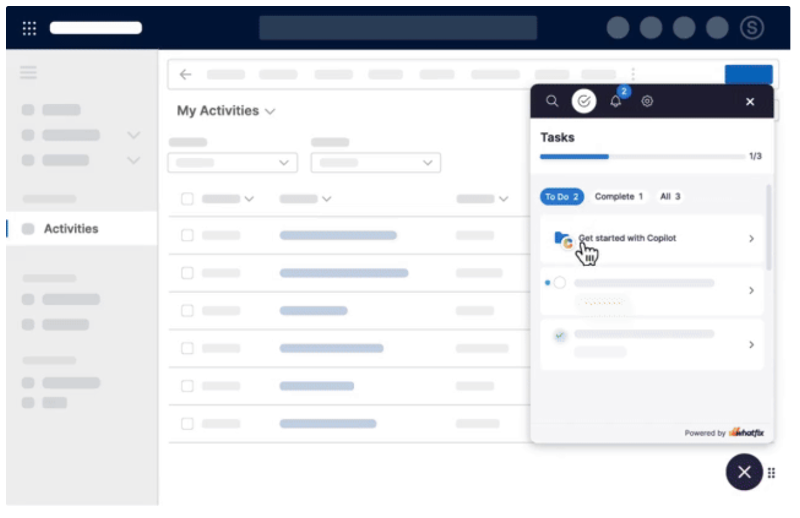
Whatfix DAP provides contextual guidance within supported SAP application workflows, helping employees navigate unfamiliar interfaces and execute tasks correctly.
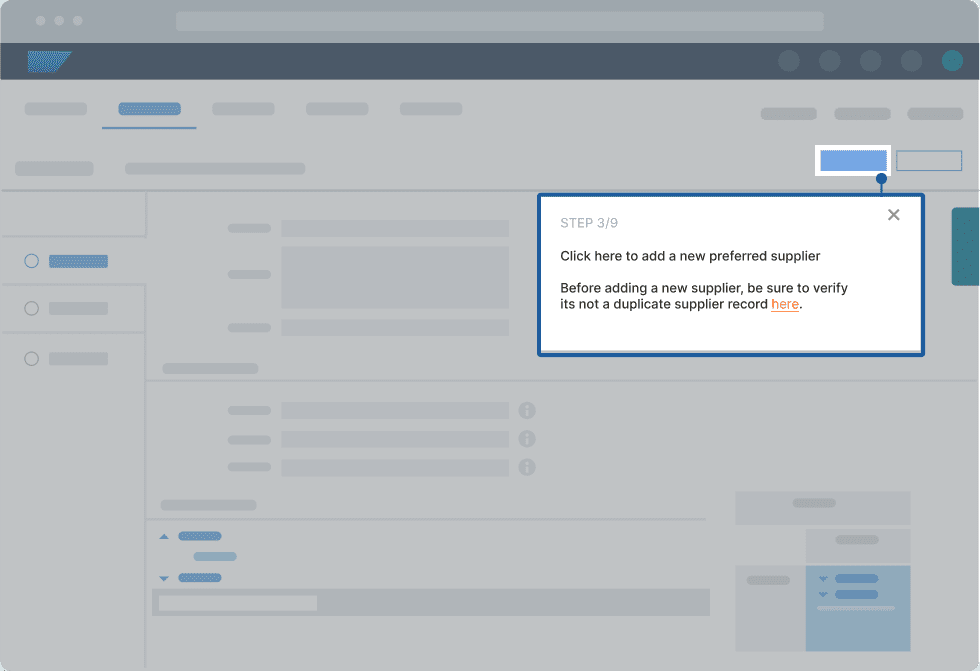
Use interactive Flows, Smart Tips, Task Lists, and Field Validations to support onboarding, reinforce approved procedures, reduce data entry errors, and guide employees through critical transactions. Target assistance by role and workflow to support consistent execution across departments.
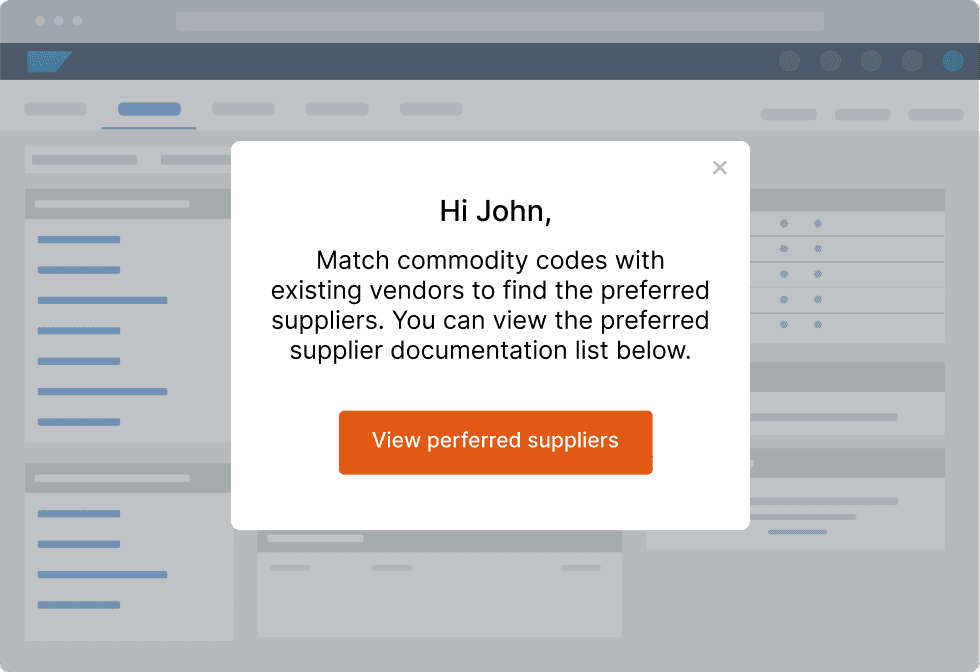
3. Provide Contextual Self-Service Support During Hypercare and Beyond
Whatfix DAP’s Self Help gives employees access to relevant instructions, process documentation, and troubleshooting resources directly within their applications. Self Help is powered by AI, allowing users to use natural-language queries to resolve issues at the moment of friction.
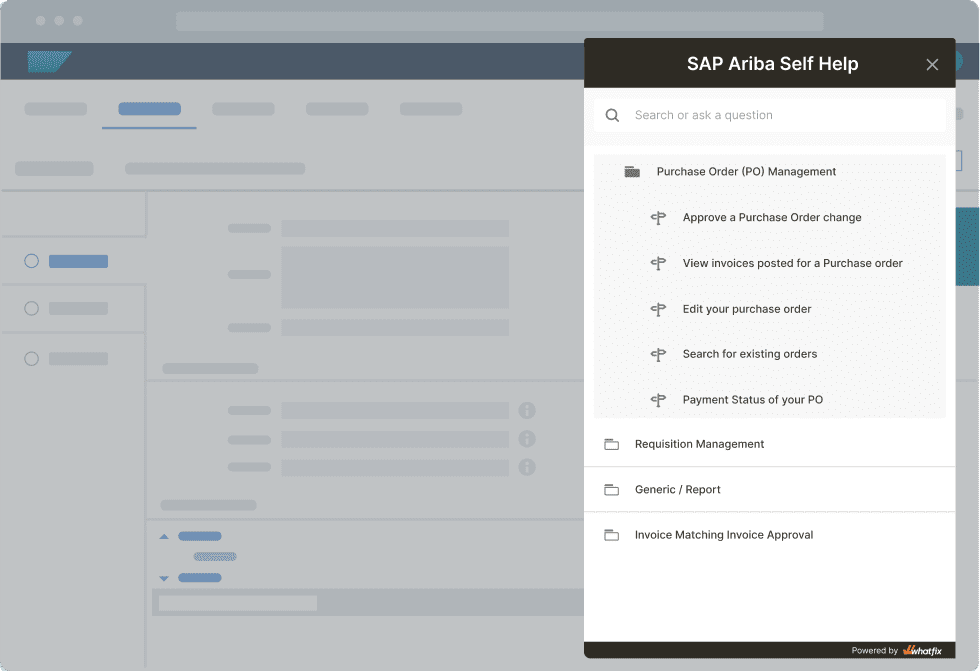
During hypercare, this enables users to find assistance while performing unfamiliar SAP tasks, reducing dependence on external training materials and helping support teams address recurring questions. As operations stabilize, contextual support remains available for infrequent workflows, new hires, and future process changes.
4. Track SAP Adoption and Continuously Optimize Workflows With Product Analytics
Whatfix Product Analytics helps application owners analyze user journeys, workflow funnels, feature adoption, and behavioral patterns to identify where employees struggle.
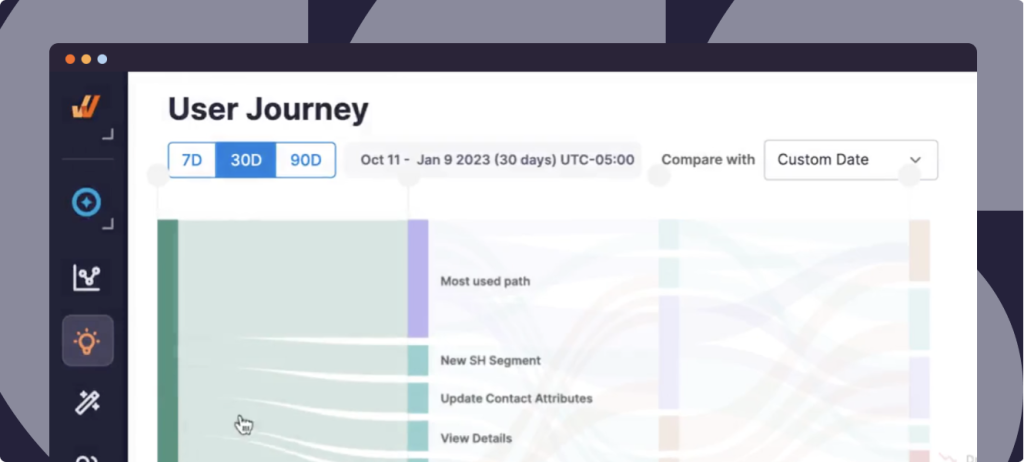
Compare adoption across roles, departments, and rollout cohorts to investigate errors, workflow drop-offs, and underutilized capabilities. Use these findings to introduce targeted DAP guidance, refine training, and monitor subsequent changes in user behavior.
Combined with operational KPIs, these insights help application owners prioritize workflow improvements and evaluate progress toward SAP transformation objectives.
SAP Modernization Case Study: How B. Braun Supports SAP Adoption With Whatfix
See how the global biotech and pharma giant B. Braun supports its SAP modernization by enabling employees at critical stages of its transformation rollout, from user readiness and system onboarding to in-workflow guidance, ongoing change management, and continuous workflow optimization.
Request a Whatfix demo to explore how Whatfix helps enterprises prepare employees, support ERP workflows, and improve SAP transformation outcomes.