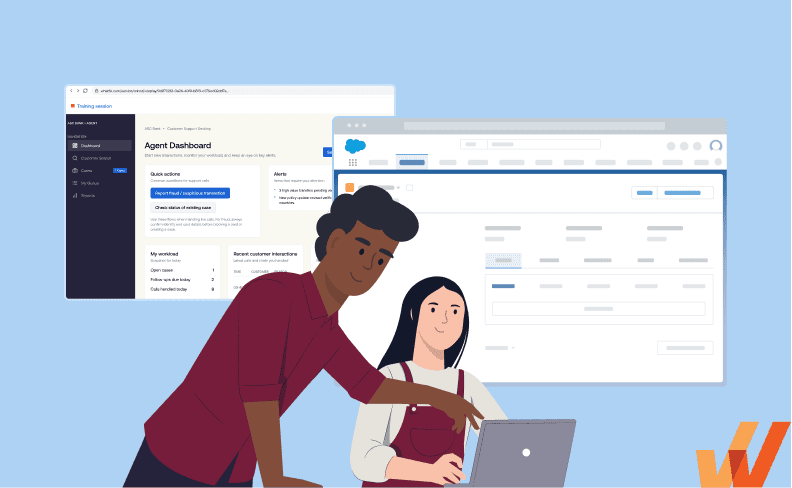


If you’re comparing application simulation software with a traditional training sandbox, you’re probably trying to solve a common enterprise software training challenge: employees need hands-on experience with SAP, Salesforce, Oracle, Microsoft Dynamics, or another business-critical application to help ready and prepare them for real work.
Both approaches provide a safe environment to practice, which makes the comparison understandable. But they are built around different requirements:
- If users need access to a functioning version of the application, including real system behavior, configuration, and unrestricted exploration, a traditional sandbox or training tenant may be a better fit.
- If training teams need a controlled, repeatable simulation practice environment built around specific workflows, with guided scenarios, assessments, proficiency measurement, and reduced dependence on maintaining a functioning application environment, application simulation software is designed for that job.
For many enterprise transformation programs, both can have a role. The right choice depends on whether the primary requirement is to recreate the system itself or to create a training experience around the work users need to perform.
Application Simulation Software vs. Traditional Sandbox at a Glance
A traditional training sandbox is a separate, non-production instance of an application that allows users to interact with the software in a functional environment without affecting the live production environment. This typically lacks real-system configuration, metadata, integrations, and or production-like data. Platforms such as Salesforce explicitly support sandboxes for development, testing, and user training.
Application simulation software recreates selected application experiences and workflows inside a controlled training environment. Instead of providing unrestricted access to a functioning system instance, simulations are designed around specific tasks, scenarios, and learning objectives, allowing users to practice repeatedly without affecting production systems or shared training data.
In short, a traditional sandbox can create a staging-like software environment. Application simulation recreates the user experience required to learn and practice the work.
Where Application Simulation and Traditional Sandboxes Overlap
Application simulation software and traditional training sandboxes overlap because both provide employees with a safe environment to gain hands-on experience with software before performing real-world work in live systems.
Both can support:
- New-hire software training and onboarding
- Pre-go-live system readiness
- Testing and training for ERP, CRM, HCM, EHR, and other enterprise application rollouts
- Role-based workflow practice
- Process and system-change training
- Practice without affecting production systems or live data
That shared purpose can make the two approaches appear interchangeable. The distinction becomes clearer when you look at what each environment is designed to provide:
- A traditional training sandbox provides access to a functioning, non-production version of the application where users can explore and practice workflows.
- Application simulation software recreates selected workflows and scenarios inside a training environment designed for structured, repeatable practice.
The biggest difference is that the training infrastructure is the underlying environment. A traditional sandbox primarily provides a safe, simple environment for using software. Application simulation platforms can integrate guided scenarios, role-based training paths, learner feedback, assessments, user acceptance and validation workflows, and readiness measurement into a single experience.
This makes sandboxes well-suited to straightforward practice and open exploration, while application simulation software supports organizations that need to manage, scale, and measure software training across larger user populations and transformation programs.
Where Application Simulation and Traditional Sandboxes Differ
Traditional sandboxes and application simulation software both provide safe environments for hands-on practice, but they are designed around different training models.
Their biggest differences show up in the type of environment they provide, how training is structured, the operational work required to manage it, and how learner readiness is measured. Let’s explore the core differences between them:
1. Actual system environment vs. purpose-built simulation
A traditional sandbox is an actual non-production instance of the application. Users can navigate available functionality, interact with preconfigured data, explore paths, and experience application behavior that may closely resemble production behavior.
Its primary value is access to that functioning environment. Training teams typically need to build the learning experience around it, using documentation, instructors, exercises, assessments, and other tools.
Application simulation software recreates selected screens, workflows, and user interactions specifically for training. Teams can focus the experience on the processes employees need to learn without maintaining a complete functioning copy of the underlying application.
This gives simulation software greater flexibility in creating training environments tailored to specific roles, workflows, and learning objectives.
2. Open-ended practice vs. structured, repeatable training
Traditional sandboxes are well-suited to open exploration. Learners can navigate beyond predefined paths, experiment with available functionality, and practice different ways of completing tasks.
Application simulations are designed for more controlled practice. Training teams can define the exact workflows users should complete, create role-based scenarios, provide guidance, and ensure learners encounter consistent training conditions.
For example, a team rolling out a new CRM could create separate simulations for creating an opportunity, advancing a deal stage, requesting a discount, and closing an opportunity. Every learner can practice the same workflows without relying on the state of a shared sandbox.
Sandboxes are particularly useful when exploration matters. Simulation software is better suited to programs that require consistent, repeatable training across larger groups of users.
3. Environment administration vs. scalable training management
Traditional sandboxes often require many of the same operational considerations as other application environments. Teams may need to provision access, maintain configurations, manage test data, refresh environments, coordinate integrations, and reset records so learners can continue practicing.
Those requirements may be manageable for a small training population or an organization that already maintains dedicated environments. They become more complex when hundreds or thousands of employees need to practice different workflows across roles, regions, or deployment waves.
Application simulation software shifts the administrative model toward training content. Teams create and maintain simulated workflows, scenarios, and learner experiences rather than maintaining a fully functioning application instance for every training need.
This can make simulation software easier to scale across large transformation programs, where training must remain consistent for many learners and across repeated practice sessions.
4. Practice access vs. feedback, assessment, and readiness validation
A sandbox gives users somewhere to practice. Determining whether they performed a workflow correctly, where they struggled, and whether they are ready for production often requires additional instructors, assessments, observation, or analytics.
Application simulation software can make those capabilities part of the training experience. Depending on the platform, teams can provide learner feedback, evaluate workflow completion, assess proficiency, identify common failure points, and measure user readiness before users enter production.
More advanced platforms like Whatfix Mirror can also support structured testing and feedback workflows, allowing users to document issues or provide feedback as they complete simulated scenarios.
For organizations running major software transformations, this changes the role of the training environment, becoming a way to validate whether employees are prepared to execute critical workflows successfully before go-live.
Application Simulation vs. Traditional Sandbox: Head-to-Head Comparison
| Traditional Training Sandbox | Application Simulation Software | |
| Core purpose | Provide users with safe access to a functioning, non-production application environment. | Provide a structured simulation training environment for practicing specific application workflows. |
| Learner experience | Users explore and practice independently within the available application environment. | Users complete guided, role-based scenarios with defined workflows, instructions, and practice paths. |
| Training structure | Training content, exercises, feedback, and assessments typically need to be created or managed separately. | Guidance, practice scenarios, feedback, assessments, and readiness validation can be built into the training experience. |
| Administration | Requires managing environment access, test data, resets, refreshes, configuration, and other sandbox dependencies. | Training teams primarily manage simulated workflows, learner experiences, and training content. |
| Measurement | Typically provides limited visibility into learner proficiency without separate assessment or analytics tools. | Can measure workflow completion, learner performance, proficiency, and readiness within the training experience. |
| Best fit | Simple or small-scale training, limited budgets, independent practice, or scenarios requiring actual system behavior. | Scalable role-based training, repeatable practice, structured feedback, and measurable user readiness. |
When Should You Choose a Traditional Sandbox?
A traditional sandbox makes the most sense when your primary requirement is simplicity. They’re often the better fit when you simply need to give users a safe, non-production environment to explore and practice without adding a dedicated training platform.
Common scenarios include:
- You only need a basic practice environment. If users simply need access to a non-production version of the application and do not require structured training paths, guided scenarios, built-in feedback, assessments, or readiness analytics, a sandbox may be sufficient.
- You already have a sandbox and budget is limited. If your organization already maintains a usable training or test environment, extending that environment for training may be more economical than introducing another platform. This is especially true when learner volume is relatively small and the additional administration is manageable.
- Learners can practice independently. Sandboxes work well for experienced users, administrators, SMEs, or technical teams that already understand what they need to practice and do not require step-by-step walkthroughs, in-app guidance, or other structured exercises.
- Your training program is relatively simple or small-scale. If you are training a limited number of users on a small set of stable workflows, the operational overhead of coordinating access, resetting data, and managing shared environments may be acceptable.
A sandbox can be adequate when the requirement is simply to provide a safe place to explore. Organizations typically consider application simulation software when they need to turn their environment into a structured training program with repeatable scenarios, learner guidance, feedback, assessments, and measurable readiness.
When Should You Choose Application Simulation Software?
Application simulation software makes the most sense when the primary challenge involves preparing large groups of end users to perform specific workflows consistently and confidently before they enter production.
Common scenarios include:
- You need a repeatable, role-based workflow practice program. Training teams can create controlled scenarios around the exact tasks different user groups need to perform, ensuring employees practice the same critical workflows before go-live.
- Training environments are limited, expensive, or difficult to maintain. Simulations can reduce reliance on dedicated application instances, environment refreshes, test-data management, and other infrastructure required to keep large-scale training environments usable.
- You need to train employees before the production environment is ready. Teams can create simulations around future-state workflows and begin building proficiency earlier in an implementation or transformation program.
- You need to measure readiness before users enter production. Assessments can test whether employees can independently complete critical workflows and identify where additional coaching or practice is required.
- You need a testing environment with built in feedback loops. Application simulation software come packaged with in-app feedback mechanisms to log bugs, friction, and general feedback that centralized user acceptance testing pre-release rollout.
- Large groups need isolated practice without affecting shared training data. Each learner can repeatedly practice the same scenario without changing records, exhausting test data, or altering the experience for other learners.
- The workflow carries significant operational or compliance risk. Employees can practice high-risk, infrequent, or complex tasks repeatedly before mistakes can affect customers, transactions, regulated processes, or production data.
For enterprise software rollouts focused on pre-rollout readiness, application simulation software gives enablement teams greater control over how users practice and how readiness is validated.
See Whatfix in Action
If your primary challenge is preparing employees to confidently execute software workflows before they enter production, Whatfix Mirror provides an application simulation environment specifically designed around hands-on practice and user readiness.
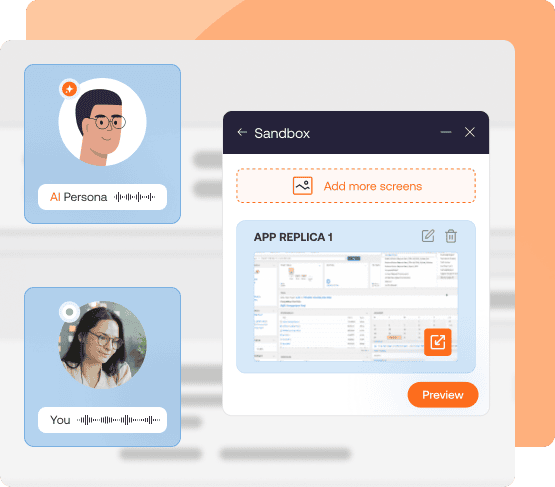
Whatfix Mirror creates interactive replicas of enterprise application workflows where users can practice tasks without affecting production systems or data. Teams can build simulations without coding, add step-by-step guidance, create role-specific scenarios, and allow learners to repeat workflows until they are comfortable performing them independently.
Mirror also extends beyond traditional application practice. AI Roleplay combines simulated workflows with realistic voice and chat scenarios for customer-facing roles, while Assessments and training analytics help organizations evaluate proficiency, identify failure points, and validate readiness before users begin live work.
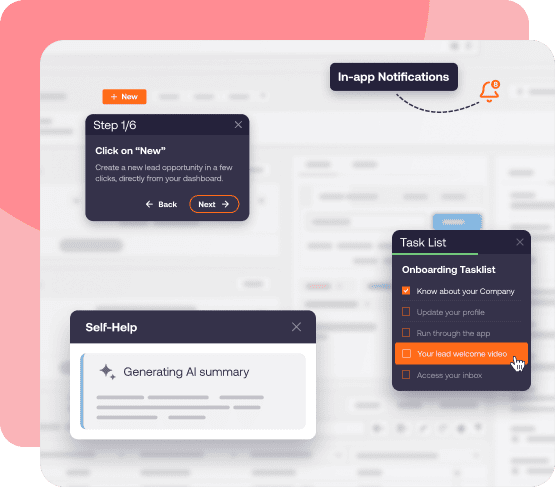
With Whatfix DAP, application owners can continue to support their users in live production workflows, in the flow of work. Acting as an enablement layer, guide users through preferred workflow paths, alert them for data entry errors, and nudge them to take action with Smart Tips.
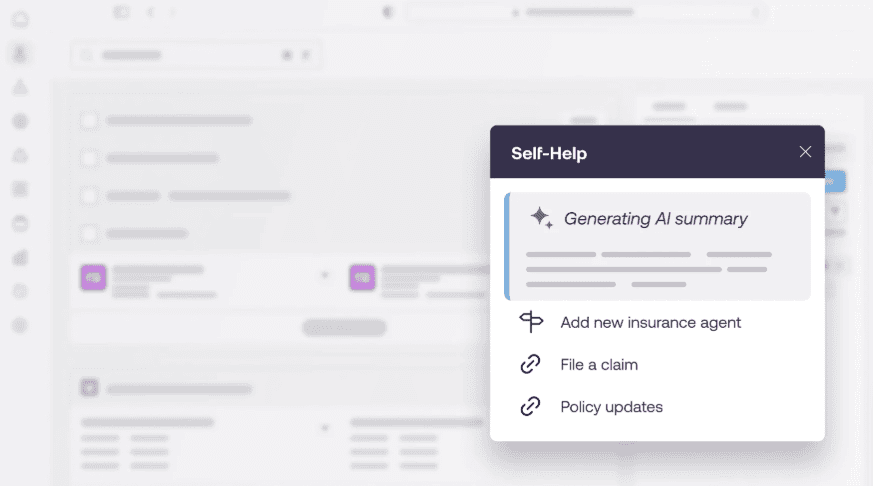
Self Help integrates with your knowledge repositories, such as your process docs, SOPs, knowledge base, and training materials, providing users with an on-demand AI assistant overlaying your enterprise software. Users can ask natural language questions, and Self Help uses its AI to identify their problem, find relevant documentation, summarizes answers, and recommends next steps.
Whatfix closes the feedback loop by identifying workflow friction, surfacing Self Help support query trends, and analyzing user behavior data, and then recommends new interventions, whether that’s creating a new simulation training workflow or AI scenario, launching new in-app guidance on live systems, or publishing a new process document in Self Help.
Ready to get started with application simulation and digital adoption? Schedule time with a Whatfix expert today!