


Process documentation gives employees a standardized reference for completing tasks, following policies, handling exceptions, and navigating business workflows. For large organizations, process documentation challenges arise, from keeping process knowledge aligned with how work changes, making it accessible at the moment of need, and ensuring documented workflows translate into correct execution.
To complicate matters, modern business processes stretch across applications, roles, departments, regions, approval paths, and regulatory requirements. As a result, many process documentation problems are delivery, governance, and execution-level problems.
This article explores common process documentation challenges, as well as practical ways organizations can overcome common issues across documentation access, governance, usability, and process execution.
| Process Documentation Challenges | The Solutions |
| 1. Documentation becomes outdated as workflows change | Establish clear documentation ownership, version control, review cadences, and update triggers tied to application, policy, and workflow changes. |
| 2. Organizations document ideal processes instead of how work actually happens | Build documentation around real workflow execution using employee observation, SME interviews, support data, exceptions, and behavioral analytics. |
| 3. Employees cannot find process documentation at the moment of need | Surface searchable process knowledge directly within enterprise applications and the employee’s flow of work. |
| 4. Static documentation forces employees to translate instructions into action | Convert application-based procedures into in-app guided workflows that provide step-by-step support during execution. |
| 5. One process document cannot account for context and scenarios | Deliver contextual and role-based guidance based on factors such as role, location, permissions, transaction type, and workflow state. |
| 6. Employees often consult documentation only after something goes wrong | Reinforce policies, requirements, process changes, and validation rules at critical points within the workflow. |
| 7. Traditional workflow training does not prepare employees for real work | Combine process documentation with hands-on simulation training so employees can practice complex workflows before using production systems. |
| 8. Inability to tie documentation to workflow performance | Measure workflow completion, friction, errors, support demand, and process adherence, then continuously improve documentation and guidance using behavioral data. |
1. Process Documentation Becomes Outdated as Workflows Change
Enterprise processes rarely stay fixed for long, from application releases changing field requirements, policies that introduce new controls, approval threshold change, or new local regulations creating new requirements. An SOP that accurately reflected a workflow six months ago may now contain an outdated screenshot, incorrect approval path, or missing process step.
The problem grows when several versions of the same process exist across SharePoint sites, knowledge bases, PDFs, training materials, departmental drives, or local files. Documentation teams then have to find every affected asset and manually keep them synchronized. Employees may have no way to know whether the version they found is still authoritative. These conditions create user errors, rework, support demand, and process compliance risk.
The Solution: Establish clear documentation ownership and change governance
Every critical business process should have a named process owner and a clear documentation owner. Organizations should define review cadences, maintain version histories, create approval workflows, and establish one approved source for each process.
More importantly, documentation updates should be tied to operational change.Treating documentation maintenance as part of change governance keeps process knowledge connected to the systems and policies it supports.
2. Organizations Document the Ideal Process Instead of How Work Happens
One of the most consequential process documentation mistakes happens before anyone begins writing: the organization assumes the official process accurately represents the executed process.
SMEs and process owners naturally describe how work is designed to happen. Employees encounter something messier. They face permission restrictions, missing information, unexpected approval paths, application errors, regional differences, edge cases, and situations the original process designer never anticipated. Over time, employees create shortcuts and workarounds that may become an unofficial parallel process.
How to overcome it: Build documentation around real workflow execution
Document processes using evidence from the people and systems executing them. Observe representative employees completing the workflow, interview SMEs, analyze recurring support tickets, and capture exceptions, escalation paths, handoffs, and recovery steps.
For enterprise processes, behavioral and workflow analytics add another layer of evidence. Application owners can analyze which paths users actually take, where users abandon processes, which steps consume disproportionate time, and which cohorts struggle more than others.
This matters because process variation is often invisible in an SOP. Process-analysis platforms explicitly distinguish between designed processes and observed execution variants so organizations can identify deviations and assess their effect on performance or compliance.
3. Employees Cannot Find Documentation at the Moment of Need
Process knowledge is often distributed across SharePoint, Confluence, Google Drive, an LMS, internal knowledge bases, PDFs, intranets, and departmental folders. Employees have to know that a resource exists, know which repository contains it, and search using terminology that matches the way the documentation was written.
That search creates friction at precisely the wrong moment. Microsoft found that 62% of respondents said they spent too much time searching for information during their workday.
How to overcome it: Surface process knowledge within the flow of work
Bring process support closer to execution. For application-based workflows, employees should be able to access relevant digital SOPs, FAQs, videos, knowledge articles, and troubleshooting resources without navigating away from the task they are completing.
Whatfix Self Help embeds searchable support inside enterprise applications, allowing organizations to bring existing knowledge resources into the employee’s current application experience. Guidance can be targeted according to application context so employees have a shorter path from encountering a question to finding an answer.

Search behavior can also become a documentation signal. Repeated searches for the same process, unsuccessful queries, or high demand for a specific help resource can reveal areas where documentation is missing, difficult to understand, or poorly aligned with the terminology employees use.
4. Static Documentation Forces Employees to Translate Instructions Into Action
Traditional documentation describes what an employee needs to do, but the employee is responsible for translating those instructions into action.
Consider an employee completing an unfamiliar procurement workflow. They may read step seven in an SOP, switch back to their procurement application, locate the corresponding field, remember the instruction, enter the correct value, then return to the documentation for step eight. Repeat that pattern across a 20-step workflow involving unfamiliar fields and approval logic, and the documentation itself starts adding cognitive overhead.
This is where workflow drift rears its ugly head, ie. where real execution gradually diverges from the intended process. Some deviations are legitimate responses to real edge cases and variants, while others are more damaging and introduce errors, compliance exposure, or downstream rework.
How to overcome it: Turn procedural documentation into guided execution
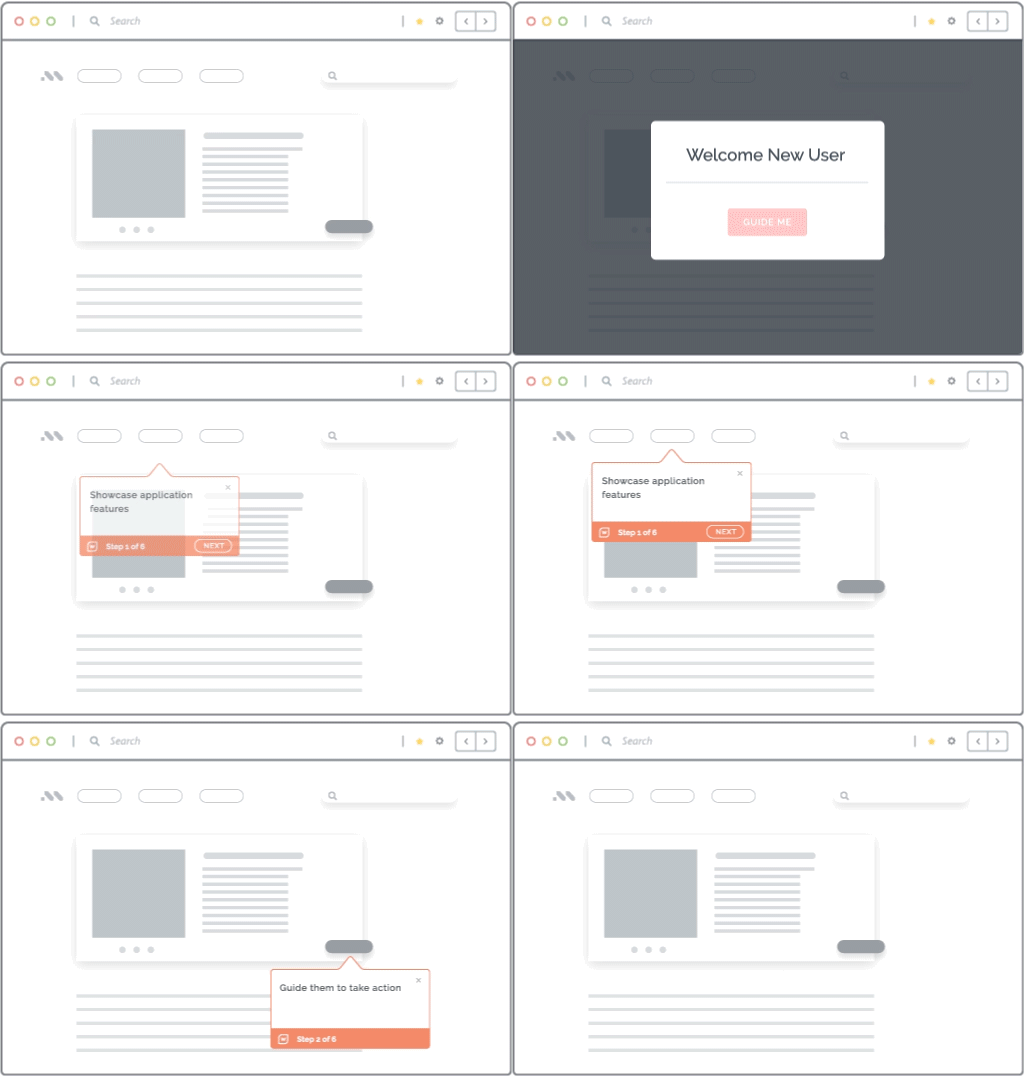
For application-based tasks, transform procedural documentation into in-app guidance that lives inside the software where the process occurs. The original SOP can remain the authoritative process record. In-app guidance becomes its execution layer.
Whatfix Flows can guide employees step by step through workflows inside enterprise applications, while Smart Tips provide contextual instructions around individual fields or decisions. Instead of requiring an employee to repeatedly interpret a separate reference document, guidance appears alongside the task being performed.
5. One Process Document Cannot Account for Context and Unique Scenarios
Enterprise processes frequently vary by job role, geography, business unit, transaction type, permissions, spend threshold, customer type, or regulatory environment (and so on, and so on.) A procurement manager may see different options than a requester. A US employee may follow different HR requirements than an employee in Germany. A $5,000 purchase may trigger a different approval path than a $500,000 purchase.
Organizations often respond by expanding the SOP. More exceptions become more sections, decision trees, footnotes, tables, and conditional instructions. Eventually, users have to determine which parts of a lengthy document actually apply to their situation.
How to overcome it: Deliver contextual and role-based process guidance
Start by identifying the variables that materially change execution: role, region, workflow stage, permissions, application state, transaction value, or business unit. Document those variations explicitly rather than treating them as edge cases discovered by employees during execution.
Within enterprise applications, contextual guidance can then expose the relevant instruction for the user’s current scenario. Whatfix supports targeted in-app experiences across workflows, while Smart Tips can reinforce field requirements, definitions, validation rules, or policy requirements at specific interaction points.
This model also simplifies documentation maintenance. Teams can preserve a common process foundation while delivering different execution guidance where genuine process variants exist, reducing the need to maintain sprawling copies of nearly identical SOPs.
6. Employees Often Consult Documentation Only After Something Goes Wrong
Most employees are unlikely to reread an SOP before every familiar task. Once a process becomes routine, people rely on memory and habit. Process documentation gradually becomes recovery material: employees open it after they encounter an unfamiliar field, receive an error, get an approval rejected, or discover that a process has changed.
That behavior creates a problem for controls that matter before the mistake happens. Policy reminders, required fields, deadlines, validation rules, and process changes have little value when the employee discovers them after submitting incorrect information.
How to overcome it: Reinforce process requirements at critical moments
Identify steps where an error creates disproportionate downstream impact and move essential guidance to those decision points.
For example, Whatifx Smart Tips can reinforce required data or explain a policy beside a field. Pop-Ups can communicate important process changes or upcoming deadlines to affected employees. Task Lists can organize required activities for onboarding, system rollouts, or multi-step change programs. Current Whatfix guidance supports these content types across live enterprise workflows and simulated environments.
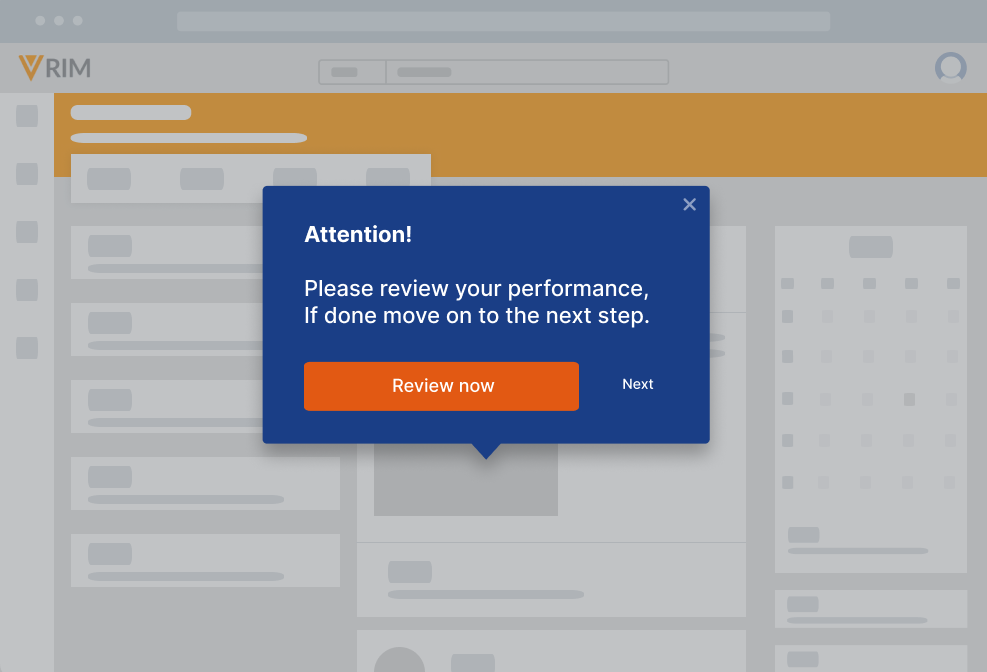
This approach turns process documentation into a form of preventative process control. The goal is to help the employee make the correct decision before an avoidable error enters the system and moves downstream.
7. Traditional Process Training Does Not Prepare Employees for Real Work
Employees often encounter process documentation during onboarding, instructor-led training, or an application rollout. The actual workflow may happen days or weeks later. By then, the employee has to recall the process while simultaneously navigating an unfamiliar enterprise application.
Reading an SOP or watching a demonstration can establish awareness, but neither provides much evidence that an employee can independently perform a complex process. This becomes especially important for uncommon, regulated, customer-facing, or high-risk workflows where experimenting in a production system carries consequences.
How to overcome it: Combine process documentation with hands-on simulation training
Convert critical documented processes into realistic hands-on practice and training scenarios. Employees can then apply the process before they are responsible for executing it in a live environment.
Whatfix Mirror provides application simulation and sandbox training that allows users to practice real workflows away from production. Organizations can create structured software training simulations, add guidance to individual steps, and analyze where learners struggle or abandon workflows before they encounter the process during live work.

8. Process Owners Cannot Connect Documentation to Workflow Performance
Traditional documentation analytics provide limited visibility into process execution. A process owner may know that an article received 2,000 views, an SOP was downloaded 500 times, or employees searched for a specific topic. None of those metrics confirms that users successfully completed the corresponding business process.
That measurement gap encourages teams to optimize documentation around content consumption rather than operational performance. The stronger question is whether employees are completing the intended workflow accurately, efficiently, and consistently. Your original brief correctly positions this as the closing challenge because it connects process documentation to continuous process improvement.
How to overcome it: Measure workflow performance, then improve the guidance
Application and process owners need behavioral evidence alongside documentation analytics. That means tracking leading and lagging indicators such as:
- Workflow completion rates
- Funnel drop-offs
- Time spent on critical tasks
- Repeated or skipped steps
- Error and rework rates
- Process adherence
- Differences between roles or user cohorts
- Support demand associated with a workflow
- Searches for contextual help
- Engagement with in-app guidance
Whatfix Product Analytics allows application owners to analyze user behavior and identify workflow friction using capabilities such as Funnels, Journeys, and Cohorts. Teams can then pair those insights with DAP interventions designed to address the specific point of friction.

This creates a closed improvement cycle: observe how work is performed, identify friction or deviation, improve the process or its guidance, and measure whether execution changes.
Transform Workflow Documentation & Overcome Process Challenges With Whatfix
Enterprises rely on policies, SOPs, process docs, workflow controls, decision logic, and reference material to govern work. Large organizations face process-related challenges when documentation is treated as the final step for user enablement.
Modern process documentation programs therefore need several connected layers, across workflow accessibility, governance, readiness, support, and performance.
Whatfix connects these layers across its Digital Adoption Platform, Mirror, and Product Analytics to improve employee readiness, support teams in the flow of work, and drive better workflow outcomes.
Build Process Readiness With Whatfix Mirror
Whatfix Mirror gives employees a safe environment to practice critical application workflows before performing them in production. Teams can turn documented processes into realistic simulations for new employee onboarding, system rollouts, process changes, and high-risk workflows, helping employees build proficiency before mistakes affect live systems or business data.

Support Employees in the Flow of Work With Whatfix DAP
Whatfix DAP brings process guidance directly into enterprise applications, reducing the need for employees to leave their workflow to search for instructions. Flows, Smart Tips, Self Help, Pop-Ups, and Task Lists provide contextual guidance, reinforce process requirements, and help users complete unfamiliar or complex tasks at the moment of need.

Identify Workflow Friction and Launch Targeted Interventions With Product Analytics
Whatfix Product Analytics helps application managers and process owners identify where users struggle, abandon workflows, or deviate from expected process paths. Teams can use these behavioral insights to pinpoint friction and deploy targeted in-app guidance, then measure whether those interventions improve completion, adoption, and process execution.
Scale Process Adoption and Documentation Maintenance With AI Agents
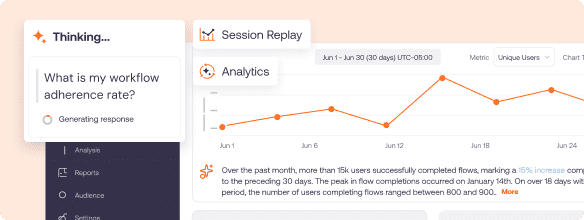
Whatfix AI agents can extend process enablement by helping teams maintain documentation, respond to employee questions, and deliver process knowledge at scale. They can help identify knowledge gaps, surface relevant guidance based on user context, and reduce the manual effort required to keep process support aligned with changing applications and workflows.
Together, these capabilities connect process documentation with readiness, execution, measurement, and continuous improvement.
Ready to get started? Request a Whatfix demo now!