


Learn how workflow drift causes approved processes to diverge from actual execution across teams, roles, and enterprise applications. Discover why drift occurs, how to distinguish useful adaptations from harmful deviations, detect emerging patterns, reinforce approved paths, and continuously improve workflow execution.
What Is Workflow Drift?
Workflow drift (also known as task drift) is the gradual divergence between an organization’s approved workflow and the way users actually execute that workflow across enterprise applications, teams, and operating environments. It develops as processes, systems, requirements, and frontline practices change over time.
Workflow drift is difficult to eliminate completely because enterprise work continually changes, turnover happens, and technology evolves. The goal is to keep deviations visible, distinguish beneficial adaptations from harmful behavior, and intervene before unmanaged variations become established practice.
Key Concepts Related to Workflow Drift
These concepts explain how workflow drift begins, develops, and becomes embedded in everyday execution.
The gap between work-as-imagined and work-as-done
Work-as-imagined describes how process owners expect a workflow to operate. It is represented in process maps, SOPs, training materials, policies, controls, etc.
Work-as-done describes how employees execute tasks under actual workflow conditions. Their decisions are shaped by customer exceptions, competing priorities, missing information, application limitations, workload, and frontline judgment.
The gap between these two versions may reveal outdated process assumptions, unsupported exceptions, or friction within the approved workflow.
Workflow drift vs. process drift and procedural drift
- Workflow drift is a broad enterprise concept describing how actual execution moves away from an approved workflow across applications, teams, roles, or regions.
- Process drift refers to changes in process behavior over time. It is commonly used in process mining and analytics to describe changes in activity sequences, execution patterns, and process versions.
- Procedural drift is the gradual departure from formal procedures, SOPs, policies, controls, or regulatory requirements. It is especially relevant to high-risk and regulated workflows.
Sudden vs. gradual process drift
- Sudden workflow drift occurs when the existing workflow is replaced and users begin following a different path immediately. This creates a clear break between previous and current execution patterns, such as when an urgent policy or system change causes a team to bypass the established process.
- Gradual workflow drift occurs over a transition period during which the approved and emerging workflow versions coexist. Some users continue following the existing path while others adopt a workaround or local variation. As the alternative spreads, a growing share of workflow instances follows the new path until it becomes the standard way of working.
Workflow drift vs. isolated process deviation
An isolated process deviation is a single instance in which a user completes a task outside the approved workflow. Workflow drift occurs when similar deviations recur, spread across users or teams, and become an established pattern of execution.
For example, one invoice approval completed out of sequence may be an isolated deviation. If an entire regional finance team begins using that sequence, it represents workflow drift.
What Risks Does Workflow Drift Create for Organizations?
Workflow drift creates operational, compliance, data, and application ROI risks. Here are the key risks associated with workflow and task drift:
Inconsistent process execution
Workflow drift causes teams, roles, and regions to complete the same process through different paths.
This might lead to consequences like:
- Unpredictable cycle times
- Uneven service quality
- Inconsistent handoffs
- Difficulty scaling best practices
- Higher manager intervention
Compliance and control exposure
Workflow drift creates compliance exposure when users bypass approvals, validation steps, documentation requirements, or segregation-of-duty controls.
A study across high-risk industries describes normalization of deviance as the gradual acceptance of departures from standard methods of procedures when repeated deviations produce no immediate negative consequences. Production pressure, workplace culture, and the absence of visible harm can allow control failures to become accepted practice.
Errors, rework, and workflow delays
As users skip steps, backtrack, repeat tasks, or hand off incomplete work, errors move downstream and become more expensive to correct.
This leads to returned requests, duplicate work, delayed approvals, escalations, and extra time spent investigating process failures.
Poor data quality and unreliable reporting
Workflow drift changes what information users enter, when they enter it, and where they store it. Required data may remain incomplete, appear in unstructured notes, or move into spreadsheets and other external tools.
This weakens forecast accuracy, audit evidence, process reporting, customer and employee records, and downstream integrations. AI systems and automations trained or triggered using incomplete workflow data may also produce unreliable outputs.
Higher support volume and manager dependency
Employees seek help when actual workflows no longer align with what they were trained on, or when process documentation is outdated. They may rely on colleagues, managers, or support teams to answer recurring questions like:
- “Which approval path should I use?”
- “Where do I enter this information?”
- “The instructions show an old screen.”
- “I was told to complete this in a spreadsheet.”
These questions and support tickets indicate that the approved workflow no longer provides sufficient clarity during execution. As informal answers spread, they can create additional process variants and deepen the drift.
Erosion of technology value realization
Enterprise applications are implemented around a target operating model and a set of standardized workflows. When users rely on local variants, legacy systems, or external workarounds, the organization receives less value from its technology investment.
Potential impact includes:
- Low adoption of standardized workflows.
- Continued dependence on legacy tools.
- Poor advanced feature adoption.
- Inability to automate unstable processes.
- Reduced ROI from core enterprise software investments (think CRM, ERP, etc.)Root Causes of Workflow Drift
Workflow drift develops when approved processes become difficult to follow and organizations lack the enablement or visibility needed to identify emerging alternatives.
Approved workflows do not reflect operating reality
Approved workflows may not account for missing information, urgent requests, customer exceptions, regional requirements, cross-application dependencies, or system limitations. When the prescribed path cannot accommodate these conditions, users create alternatives that may eventually become standard team practice.
Performance incentives encourage local optimization
Targets for speed, revenue, resolution time, or customer satisfaction may encourage employees to optimize their immediate task at the expense of the wider process.
For example, a sales representative may omit CRM fields to advance an opportunity faster, while a claims adjuster may skip a review step to meet a handling-time target.
Application and policy changes outpace process enablement
Drift develops when application, policy, or control changes are not reflected in guidance and user training. Faced with outdated SOPs, unfamiliar fields, or changed approval logic, users may continue following the previous process or interpret the new requirements themselves.
Peer knowledge spreads informal workarounds
Employees often turn to experienced colleagues when formal guidance is incomplete or difficult to access. Shortcuts can spread through coaching, internal chat, shared spreadsheets, and informal onboarding until an individual workaround becomes an undocumented team process.
Training and support are disconnected from workflow execution
Users are more likely to improvise when they cannot practice realistic workflows before production or when they do not have access to support during the task, at the moment of need. Leaving the application to search documentation, open a ticket, or ask a manager encourages reliance on memory and peer advice, and erodes user productivity.
Fragmented ownership and limited visibility allow drift to persist
Responsibility for a workflow may be divided across operations, IT, application teams, compliance, enablement, and support. Without a single owner who can see the entire process and its execution data, recurring deviations can become established before the organization identifies them.
Examples of Workflow Drift
Workflow drift appears differently across enterprise applications, but each example involves a recurring gap between the approved process and actual execution.
Procurement purchase request workflow drift
- Approved workflow: An employee creates a purchase request before committing spend, selects the correct category, attaches the required documentation, and routes the request through the appropriate approval levels.
- How it drifts: Users submit incomplete requests, divide purchases to avoid approval thresholds, contact approvers through email, or create requests after the purchase has already occurred.
- Business impact: Maverick spending, delayed approvals, incomplete audit trails, poor spend visibility, and compliance exposure.
Sales CRM workflow drift
- Approved workflow: A sales representative qualifies an opportunity, completes the required CRM fields, advances the opportunity through defined stages, and initiates quote approval.
- How it drifts: Representatives skip qualification fields, update stages in bulk, store important details in unstructured notes, or generate quotes outside the approved process.
- Business impact: Inaccurate forecasts, incomplete pipeline data, delayed approvals, and inconsistent selling practices.
Insurance claims processing drift
- Approved workflow: An adjuster completes claim intake, verifies coverage, documents supporting evidence, applies the appropriate policy, and routes the claim for review when required.
- How it drifts: Adjusters use local checklists, omit documentation, apply inconsistent codes, or bypass review steps during high-volume periods.
- Business impact: Inaccurate claim decisions, regulatory exposure, additional rework, inconsistent claimant experiences, and limited auditability.
HR service delivery workflow drift
- Approved workflow: A manager initiates an employee change in the HCM system, completes the required fields, provides supporting information, and routes the request through HR and payroll.
- How it drifts: Managers submit requests through email, HR resolves missing information offline, and teams update the HCM system retrospectively.
- Business impact: Payroll errors, incomplete employee records, privacy concerns, delayed service, and limited visibility into request status.
How Process Owners Can Identify Workflow Drift
Process owners can identify workflow drift by comparing actual execution with a governed baseline and evaluating deviations using workflow data, business outcomes, support evidence, and frontline feedback.
1. Define the approved workflow and acceptable exceptions
Workflow governance establishes how the process should operate and provides the baseline for measuring drift. Document:
- Scope: Starting conditions, expected outcome, completion time, and owner
- Execution: Required sequence, decisions, mandatory fields, and system handoffs
- Controls and exceptions: Approvals, control requirements, permitted alternatives, and exception criteria
2. Instrument the complete workflow across applications
Capture behavior across the full business process instead of measuring isolated feature usage. Examples include:
- Opportunity creation through quote approval
- Purchase request through purchase-order creation
- Claims intake through adjudication
Use a shared case identifier where possible to connect steps across systems. Capture each activity, timestamp, user role, decision, handoff, and outcome. Include offline and external handoffs, as drift may occur when users move work to email, chat, or spreadsheets.
3. Compare actual journeys with the approved path
Conformance checking research describes how recorded process events can be compared with a defined process model to identify differences between expected and actual execution.
Process owners can apply this approach using event data, user journeys, funnels, and workflow analytics to look for:
- Skipped, reordered, or unexpected steps
- Repeated actions and backtracking
- Workflow abandonment and long dwell times
- Excessive retries
- Unapproved application switching
- Recurring process variants
4. Segment drift by cohort and operating context
Analyze deviations by role, region, department, manager, tenure, training cohort, application version, workflow volume, customer type, and time period.
A deviation concentrated within one team may indicate a local coaching, management, or enablement issue. The same deviation appearing across multiple cohorts may point to a broader problem with the workflow, policy, or application design.
5. Correlate behavioral signals with business outcomes
Connect workflow patterns to operational measures such as:
- Completion time
- Error rates
- Approval delays
- Data quality
- Support tickets
- Rework
- Customer satisfaction
- Revenue conversion
- Compliance incidents
- SLA achievement
This helps process owners prioritize high-impact deviations, including less frequent patterns that create serious compliance, financial, or customer risk.
6. Review support data and frontline feedback
Workflow analytics reveal what users do, while support and frontline evidence help explain why they do it. Review:
- Support ticket categories and manager escalations
- Self-service and failed knowledge searches
- Common training questions and survey comments
- Employee interviews and workflow observations
- Session replays for high-friction steps
Ask users what they were trying to accomplish, why the approved path was difficult to follow, and which alternative they used. Repeated questions and similar workarounds can reveal where the workflow no longer supports actual operating needs.
7. Classify and prioritize each deviation
Not every deviation requires the same response. The Process Deviation Analysis Framework distinguishes acceptable exceptions that provide necessary flexibility from anomalies that produce undesirable business outcomes.
Evaluate each recurring deviation using four questions:
- How frequently does it occur?
- Which users, teams, or operating conditions are affected?
- What operational, compliance, financial, or customer outcome does it create?
- Does it improve execution, or does it weaken the workflow or its controls?
Use the findings to determine the appropriate response:
- Permit: Recognize the deviation as a valid, controlled exception
- Formalize: Incorporate a beneficial adaptation into the approved workflow
- Correct: Address behavior that creates errors, delays, rework, or inconsistent outcomes
- Escalate: Send control, policy, or regulatory violations for governance review
Record the deviation, affected cohort, likely cause, business impact, assigned owner, and governance decision. Prioritize systemic and high-impact deviations while preserving adaptations that improve outcomes without weakening required controls.
Technology to Prevent and Minimize Workflow Drift
Technology helps process owners manage workflow drift through a continuous control loop: prepare users, reinforce the approved path, resolve uncertainty, observe actual execution, correct deviations, and measure whether the intervention worked.
Application simulation prepares users before live execution
Application simulation software reduces workflow drift by allowing employees to practice approved processes before working with live systems, data, or customers. Process owners can use simulations to:
- Reproduce complex workflows across industry applications
- Reinforce the correct sequence of steps
- Introduce common exceptions and decision points
- Assess workflow accuracy and user readiness
- Identify steps that cause errors before production
- Assign targeted practice based on performance
Whatfix Mirror enables simulation training by creating interactive replicas of enterprise applications where employees can practice role-specific workflows safely. This gives process owners an opportunity to address execution gaps before they become production workarounds.

AI roleplay prepares users for judgment-driven workflows
AI roleplay prepares employees for workflows that require them to manage human interaction and an application process simultaneously. Examples include claims conversations, sales discovery, contact center escalations, etc.
When AI roleplay is combined with application simulation, employees can practice both the conversation and the corresponding system actions. Whatfix Mirror supports this approach through simulated applications, AI roleplay, guided practice, and assessments.
Digital adoption platforms reinforce approved workflows
A digital adoption platform reduces workflow drift by embedding contextual guidance directly into live applications. Process owners can use it to:
- Guide users through required steps and decisions
- Explain mandatory fields and process controls
- Reinforce workflow, policy, and application changes
- Deliver role-specific guidance across applications
- Reduce incomplete or incorrect submissions
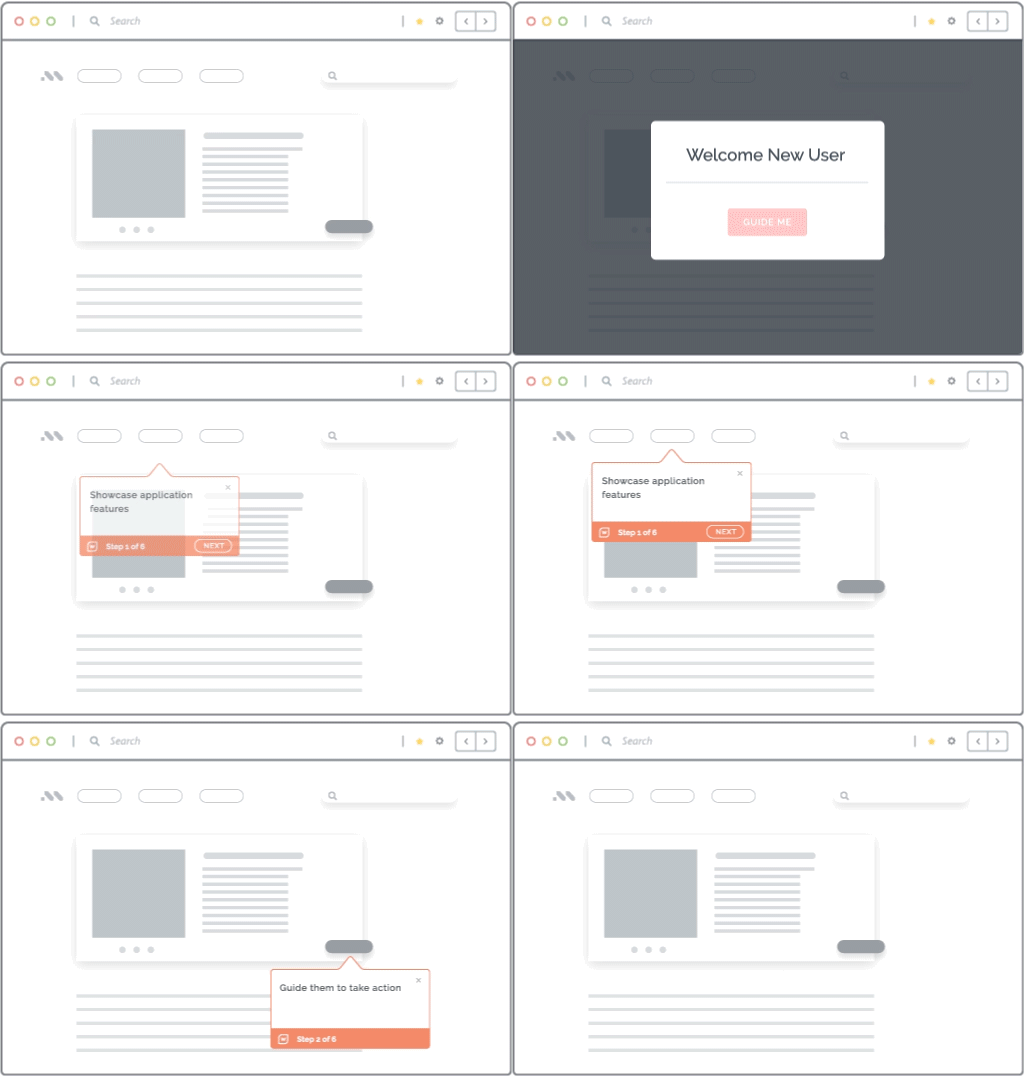
Whatfix DAP uses Flows, Smart Tips, Task Lists, Pop-Ups, and other forms of in-app guidance to translate governed workflows into instructions users can follow while completing the task.
Embedded self-help resolves uncertainty inside the workflow
Embedded self-help reduces drift by giving users access to approved SOPs, policies, articles, videos, and escalation paths without leaving the application.
Whatfix Self Help surfaces content from connected knowledge repositories, answers questions, summarizes relevant documentation, and launches step-by-step guidance. This keeps workflow support accessible and aligned with current process requirements.

Workflow analytics reveal where drift occurs
Workflow analytics helps process owners identify where actual execution diverges from the approved path. Use:
- Journeys to identify common paths and variants
- Funnels to locate abandonment and delays
- Cohorts to compare teams, roles, and regions
- Session replay to investigate friction and errors
- Guidance analytics to measure intervention use
Whatfix Product Analytics provides these insights, while Productivity Funnels highlight bottlenecks, excessive completion times, and potential workarounds.

Targeted remediation corrects specific workflow deviations
Targeted remediation connects an observed deviation with an intervention designed for the affected users and workflow step. Depending on the cause, process owners can:
- Add guidance to a misunderstood step
- Trigger an interactive walkthrough for users skipping requirements
- Create simulations or AI roleplay for recurring errors
- Update Self Help for common questions
- Redesign steps causing backtracking
- Formalize beneficial adaptations
- Escalate control failures for review
Whatfix Insights Agent surfaces friction and behavioral patterns and recommends potential actions. Process owners can then measure whether the intervention improves adherence, accuracy, or completion time.
Predictive analytics can prevent deviations
Predictive analytics uses in-progress workflow data to identify cases likely to deviate before completion. Research on proactive conformance checking shows how machine learning can predict deviation patterns and potential causes, helping process owners trigger guidance or escalate high-risk cases before required steps are missed.
Control Workflow Drift With Whatfix
Workflow drift emerges wherever employees, processes, and enterprise applications interact. Whatfix gives process and application owners a connected way to:
- Prepare and assess users through application simulation and AI roleplay
- Reinforce approved workflows inside live applications
- Resolve uncertainty through contextual, embedded support
- Analyze actual user journeys, friction, and process variants
- Deliver targeted interventions and measure their impact
Together, Whatfix Mirror, DAP, and Product Analytics create a continuous control loop around the workflows that influence operational performance, compliance, and application value.
See how Whatfix can help your organization identify, correct, and control workflow drift across critical enterprise applications. Request a demo!