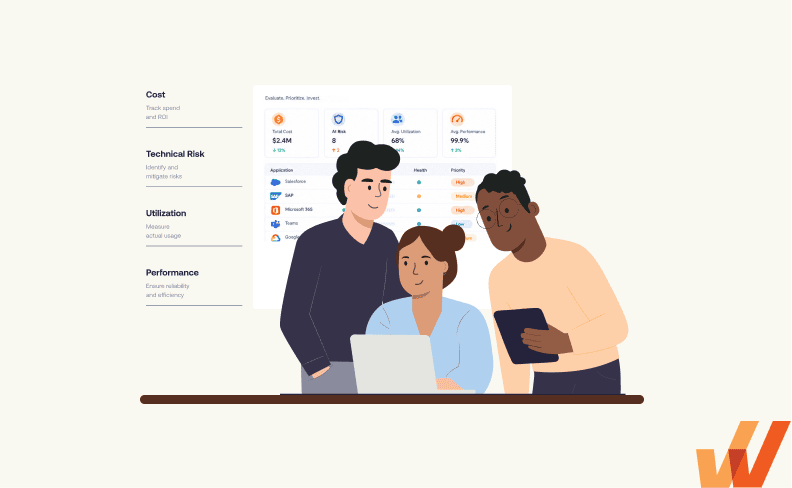


Large enterprises depend on mission-critical applications to support complex business operations, but determining where to invest limited IT resources and budgets is increasingly difficult. Legacy systems require modernization, business units require new capabilities, overlapping applications create unnecessary costs, and existing software investments may fail to deliver their expected value.
Application portfolio management (APM) provides enterprise IT and application leaders a structured approach to evaluating these competing priorities. By connecting application inventory, technology costs, business criticality, technical risks, software utilization, and operational performance, organizations can make more informed decisions about resource allocation and prioritize improvements.
This guide explains how enterprise application portfolio management works, what to measure, and how to build a portfolio prioritization framework that aligns technology investments with business outcomes.
What Is Application Portfolio Management?
Application portfolio management (APM) is the ongoing process of evaluating and governing an organization’s software application portfolio to align technology investments, costs, risks, and resources with business priorities. It provides enterprise leaders with a consolidated view of their application landscape, the business capabilities each system supports, and the investments required to maintain and improve the value realization of their software stack.
For large enterprises, APM requires collaboration between IT leaders, enterprise architects, application owners, business process owners, finance, and other stakeholders. Together, these teams evaluate application health, dependencies, utilization, and operational requirements to prioritize investments and determine which applications warrant additional assessment.
What are different application portfolio management subpillars?
Application portfolio management supports several related disciplines, including application rationalization, software asset management, application modernization, and software value realization. APM establishes portfolio-level priorities and governance, while specialized assessments determine the appropriate disposition or improvement strategy for individual applications.
What Does Enterprise Application Portfolio Management Evaluate?
Effective application portfolio management requires a consistent set of information about the applications an organization owns, the business operations they support, and the costs and risks associated with maintaining them.
The following criteria help enterprise leaders establish a comprehensive portfolio assessment.
| Assessment Area | What to Evaluate | Why It Matters |
| Business criticality and strategic alignment | Supported business capabilities, operational dependencies, and alignment with enterprise priorities | Identifies applications essential to business continuity and strategic objectives |
| Application lifecycle and technical health | Vendor support status, security risks, technical debt, architecture, and modernization requirements | Identifies technical risks and upcoming investment obligations |
| Total cost of ownership | Licensing, infrastructure, maintenance, integration, internal IT resources, and ongoing support | Provides visibility into full application expenditure and opportunities to optimize spending |
| Software utilization and adoption | Active users, role-based usage, feature adoption, and application engagement | Identifies opportunities to investigate underutilization or digital adoption gaps |
| Workflow and business performance | Task completion, user errors, processing times, support demand, and operational KPIs | Helps determine whether applications support efficient business execution |
| Application dependencies and delivery capacity | Integrations, shared workflows, connected systems, and required technical resources | Reveals implementation dependencies and constraints affecting investment decisions |
Application usage requires dedicated attention
Low utilization may reflect redundant software, a need for more training or enablement, or underadoption of an application. Similarly, high utilization does not necessarily mean employees are correctly completing its workflows, accurately entering data, or that the application delivers sufficient business value.
Combining behavioral evidence with technical, financial, and operational data helps application owners distinguish where investment is justified, identify where further investigation is necessary, and where opportunities for improvement exist.
How to Prioritize Enterprise Application Portfolio Investments
Application portfolio prioritization helps IT and business leaders determine which applications and initiatives warrant funding, technical resources, and management attention.
Follow these seven steps to evaluate competing priorities and build an actionable IT roadmap for your enterprise application portfolio.
1. Build an Application Inventory
Begin with a reliable inventory of enterprise applications, including the business capabilities and critical workflows each system supports.
For every application, document its purpose, business and technical owners, lifecycle status, primary user groups, costs, and relevant dependencies. Prioritize business-critical systems such as ERP, CRM, HCM, and industry-specific platforms before expanding the assessment across the full portfolio.
2. Map applications to business capabilities
Map applications to the business capabilities they enable, including those shared across departments and systems.
For example, an enterprise’s supplier-payment capability may depend on its ERP for invoice processing, a procurement platform for purchase orders, and another application for approvals. These systems support a single business capability despite differing owners, costs, and investment requirements.
This mapping helps portfolio leaders:
- Identify applications supporting critical business operations.
- Understand where multiple applications support the same capability.
- Establish ownership for shared business processes.
- Evaluate investment requests within the broader application landscape.
- Flag overlapping applications that may warrant a rationalization assessment.
3. Assess Application Costs, Technical Health, and Business Risk
Evaluate the financial and technical requirements associated with maintaining each application. Application portfolio decisions should account for current operating costs, future investment commitments, and risks that could disrupt business operations.
Assess the following:
- Total cost of technology investment: Include software licensing, infrastructure, support contracts, internal IT administration, integration maintenance, as well as internal IT resource requirements, user training, hypercare support, change enablement, post-launch optimization, and general system maintenance.
- Application lifecycle: Identify vendor support deadlines, aging infrastructure, outdated technology, and planned application replacements.
- Technical and security risks: Evaluate architecture limitations, technical debt, known vulnerabilities, compliance obligations, and business continuity requirements.
- Business criticality: Determine the operational and financial consequences of an application becoming unavailable or failing to meet essential requirements.
- Investment urgency: Identify mandatory work, upcoming contractual deadlines, and risks that could become more expensive if left unresolved.
Separate mandatory continuity and compliance requirements from discretionary improvements.
For example, a payroll application approaching the end of vendor support may require immediate investment even if adoption is healthy and operational KPIs meet expectations. The risk of disruption can justify prioritizing the upgrade ahead of enhancements to other enterprise applications.
4. Map Cross-Application Workflows and Investment Dependencies
Enterprise business processes frequently span multiple applications, departments, integrations, and data sources. Portfolio leaders must understand these dependencies before approving or sequencing investments.
Map the critical workflows affected by each proposed change, including system handoffs, data exchanges, approval requirements, integration dependencies, and shared technical resources.
For each investment request, determine:
- Which applications and business workflows will be affected.
- Whether prerequisite migrations, integrations, or configuration changes are required.
- Which teams and technical specialists must participate.
- Whether other approved projects compete for the same delivery resources.
- How application changes could affect operational continuity or employee workflows.
For example, resolving invoice approval delays may require changes to the procurement platform, ERP configuration, or integration between the two systems. Funding improvements to one application before identifying the underlying dependency could create additional costs without resolving the operational problem.
Mapping these dependencies helps portfolio leaders sequence investments, coordinate cross-functional delivery, and avoid approving work that cannot proceed independently.
5. Evaluate Software Utilization, Workflow Performance, and Business Value
Traditional portfolio assessments emphasize application costs, technical health, and business requirements. Enterprise teams should also evaluate how employees use applications and whether that usage translates into better operational performance.
Combine software utilization and user behavior data with workflow-level KPIs, service desk trends, and business outcomes.
Key areas to investigate include:
- Application and feature adoption: Which employee roles use the software, how frequently they access critical capabilities, and whether intended features are adopted.
- Workflow execution: Whether employees complete essential tasks, where they abandon workflows, and which steps introduce repeated errors or delays.
- Employee proficiency and support needs: Whether users can execute workflows independently and where recurring training or assistance is required.
- Operational business outcomes: Whether application usage contributes to measurable improvements in productivity, processing time, accuracy, or service quality.
- Value realization gaps: Whether the application is delivering the business outcomes originally expected from the investment.
For example, a Salesforce application may have high login activity while sales representatives continue entering incomplete opportunity records or maintaining forecasts in spreadsheets. Application usage alone would conceal the underlying workflow and data quality problems.
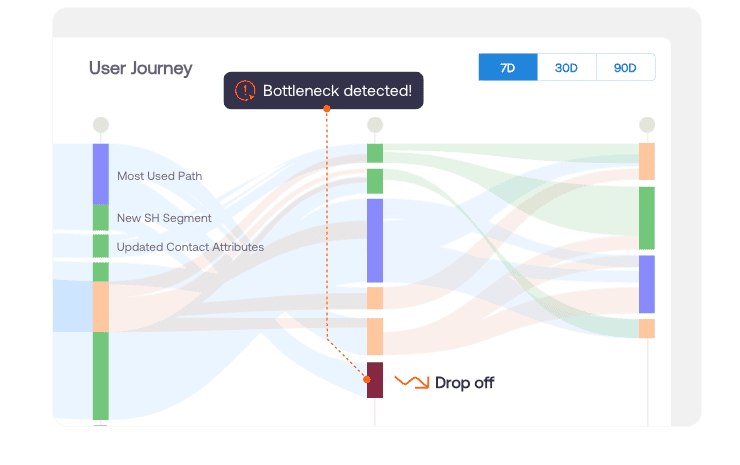
Whatfix Product Analytics helps application owners investigate user journeys, workflow drop-offs, and adoption patterns to identify where employees encounter friction. These insights can be combined with CRM operational data to evaluate whether improvements to user enablement, system configuration, or process design are necessary.
Interpret application usage in the context of business criticality and workflow outcomes. An infrequently used compliance application may provide substantial operational value, while a heavily used application may still require investment to address errors, workarounds, or inefficient processes.
6. Prioritize Investments Based on Business Impact, Evidence, and Delivery Capacity
Once portfolio assessments are complete, evaluate competing investments together to determine which should proceed, which require further investigation, and which can be deferred.
Portfolio leaders should balance several considerations:
- Mandatory requirements: Business continuity, security, compliance, or vendor support obligations that require timely action.
- Business impact: The operational or strategic value expected from addressing an application requirement or performance gap.
- Supporting evidence: The reliability of technical findings, user behavior data, adoption KPIs, operational outcomes, and financial assumptions.
- Implementation effort and dependencies: Required funding, delivery capacity, technical prerequisites, and potential disruption.
- Expected value realization: Whether the proposed investment has measurable outcomes and a credible path to achieving them.
Avoid treating every request as a comparable financial ROI calculation. Mandatory risk remediation may warrant investment even without a directly attributable return, whereas discretionary enhancements should be supported by evidence of their expected business impact.
For issues with unclear causes, prioritize a focused investigation before committing resources to a solution.
For example, an elevated ERP invoice rejection rate may be confirmed by operational reporting, but the cause could be data quality issues, user errors, application configuration, or integration failures. A short diagnostic effort may be more defensible than immediately funding a significant system enhancement.
7. Document Portfolio Decisions, Owners, and Review Triggers
Translate portfolio assessments into an actionable investment roadmap.
For every priority, record the business capability, affected applications, supporting evidence, decision rationale, accountable owner, resource requirements, and next action.
Common portfolio-level actions include:
- Fund or schedule: Approve required maintenance, modernization, risk remediation, or validated improvement initiatives.
- Investigate: Assign targeted analysis when performance issues or their causes remain uncertain.
- Initiate a rationalization assessment: Evaluate applications with overlapping capabilities, rising costs, or unclear business value.
- Defer or monitor: Revisit discretionary requests when business requirements, evidence, risks, or delivery capacity change.
Assign application owners responsibility for progressing approved actions, while enterprise portfolio leaders maintain accountability for overall priorities, funding trade-offs, and resource allocation.
Review the roadmap when major application releases, security risks, vendor deadlines, business requirements, or operational findings materially change investment priorities.
Application Portfolio Management Example: Build a Portfolio Priority View
A portfolio priority view consolidates application assessments into a practical decision-making tool. It helps enterprise leaders compare investment requests across business criticality, cost, technical risk, supporting evidence, and delivery capacity.
Consider a hypothetical enterprise evaluating five competing application requirements.
| Business Capability | Application and Performance Evidence | Portfolio Assessment | Priority and Next Action |
| Employee payroll | HCM and payroll applications meet processing targets, but a critical component is approaching end of vendor support. | High continuity risk despite healthy application performance. | High: Scope required modernization and secure delivery resources. |
| Supplier payments | ERP and procurement systems show elevated invoice rejection rates; root cause remains uncertain. | Operational performance gap requiring cross-application investigation. | High: Diagnose workflow and integration issues before funding remediation. |
| Sales operations | CRM adoption is high, but users experience repeated errors and incomplete opportunity data. | Opportunity to improve workflow execution and data quality. | Medium: Evaluate targeted guidance, configuration, and process improvements. |
| Regional approvals | Several applications support similar approval capabilities across business units. | Potential application overlap, with consolidation benefits and dependencies unverified. | Medium: Initiate a focused rationalization assessment. |
| Internal reporting | Reporting performance meets requirements; a proposed feature enhancement has limited supporting evidence. | Lower urgency and uncertain incremental business value. | Low: Defer pending stronger justification or available capacity. |
These examples are illustrative. Portfolio priorities depend on each organization’s operating environment, financial commitments, and risk tolerance.
The example demonstrates why application portfolio decisions require more than software usage or financial ROI estimates.
Payroll modernization warrants attention because of a confirmed continuity risk. Supplier-payment problems require investigation before selecting an intervention. CRM issues may be addressed through targeted workflow improvements, while overlapping approval applications warrant a separate rationalization assessment.
Portfolio leaders should document these distinctions and use the priority view to make funding and sequencing decisions. Each decision should have a named owner, next action, and trigger for reassessment.
How to Maintain an Enterprise Application Portfolio Management Program
Application portfolio management requires ongoing governance as business priorities, technology requirements, and application performance evolve.
Establish a recurring portfolio review process to keep assessments current and connect investment decisions to enterprise strategy.
- Maintain the application inventory: Assign owners to update application costs, lifecycle status, technical dependencies, and relevant business capabilities.
- Review changes in risk and business priorities: Identify upcoming renewals, support deadlines, security requirements, and new operational needs.
- Evaluate application performance and realized value: Incorporate workflow analytics, business KPIs, and outcomes from previously approved improvements.
- Update investment priorities: Reassess the relative urgency, expected impact, and delivery capacity of competing requests.
- Track approved actions: Verify that funded initiatives progress and that application or process owners report meaningful results.
For large enterprise portfolios, quarterly reviews may provide a useful baseline, supported by event-driven assessments for material risks, releases, renewals, and transformation milestones.
Application owners can use recurring software value realization reviews to evaluate performance within individual applications and provide evidence to inform the broader portfolio investment process.
How Whatfix Helps Maximize the Value of Priority Enterprise Applications
Application portfolio management helps enterprise leaders determine where technology investment and resources should be prioritized. For business-critical applications with adoption, proficiency, or workflow performance gaps, Whatfix helps application owners investigate those issues and implement targeted improvements.
Whatfix connects behavioral analytics, in-app guidance, and application simulation training to support software adoption and value realization across the application lifecycle.
Identify Underutilization and Workflow Friction With Product Analytics
Whatfix Product Analytics provides visibility into how employees interact with enterprise applications, which features they adopt, and where they encounter friction completing critical workflows.
Application owners can use user journeys, funnels, and behavioral insights to investigate adoption gaps and prioritize improvements. Combining this evidence with operational KPIs helps teams evaluate whether underperformance requires additional enablement, workflow redesign, or technical changes.
Improve Workflow Execution and User Adoption With Whatfix DAP
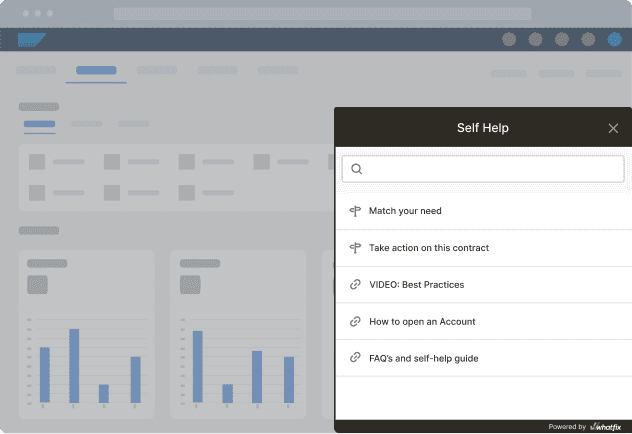
Whatfix Digital Adoption Platform provides contextual guidance and self-service support directly within enterprise applications.
Interactive Flows, Smart Tips, Field Validations, and Self Help help employees complete complex workflows, follow standardized procedures, and resolve common questions while working. These capabilities support application owners seeking to improve adoption and execution before committing to more extensive changes.
Prepare Employees for Application Modernization With Whatfix Mirror
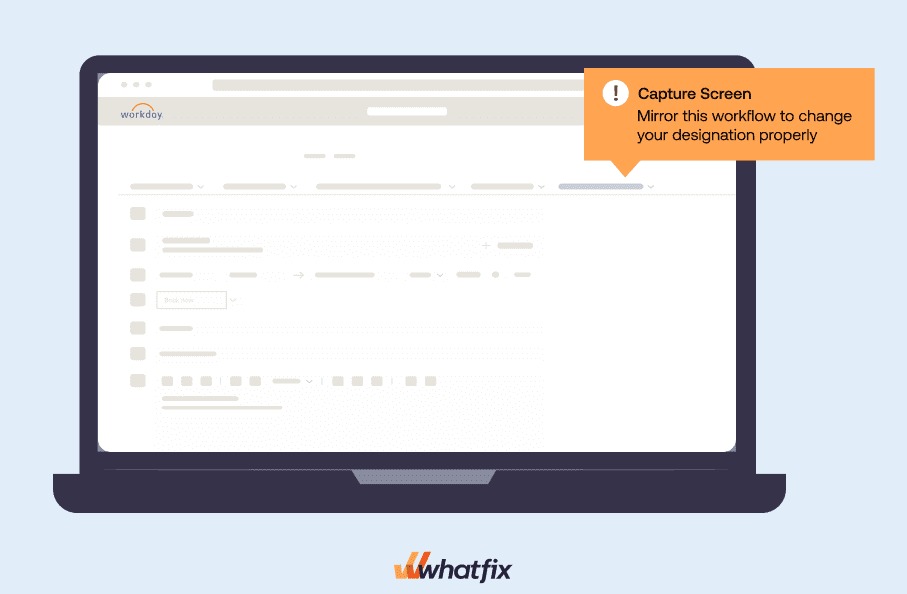
Whatfix Mirror enables employees to practice enterprise application workflows in simulated environments before production deployment.
Role-based simulations and proficiency assessments help application owners and enablement teams prepare users for modernization initiatives, software migrations, new functionality, and changes to critical business processes.
Together, Whatfix’s capabilities help enterprises improve application adoption, address workflow friction, and provide additional evidence of business value as portfolio investments mature.
Request a Whatfix demo to explore how Whatfix can help maximize the value of your enterprise software investments.