


An employee is halfway through submitting a purchase order when an unfamiliar exception appears. They can search through lengthy process documentation, seek help from a subject-matter expert, or make a guess that leads to a workflow error. Across dozens of enterprise applications, moments like this compound into lost productivity, increased support demand, process errors, and inconsistent task execution.
Just-in-time learning addresses this gap by surfacing real-time in-app guidance within the workflow, helping employees move forward without interrupting work or relying on memory alone. This guide explains how JIT learning works, where it adds value, and how to implement it at enterprise scale.
What Is Just-in-Time Learning?
Just-in-time (JIT) learning is a workplace learning approach that provides employees with targeted knowledge, instructions, or support at the moment they need it to perform a task or make a decision. Unlike scheduled training delivered in advance, JIT learning is accessed during or immediately before work, allowing employees to apply the information straight away.
How Does Just-in-Time Learning Work?
JIT learning connects a specific moment of need with immediate, relevant support:
- A need arises: An employee encounters an unfamiliar task, problem, or decision.
- Guidance is delivered: Relevant instructions or resources are surfaced or quickly accessed.
- Knowledge is applied: The employee uses the guidance to continue the task immediately.
- Support improves: Performance data and employee feedback help teams refine future guidance.
Traditional Training vs. On-the-Job Learning vs. Just-in-Time Learning
Traditional training builds foundational knowledge, on-the-job learning develops proficiency through practice, and JIT learning provides targeted guidance when a specific task, problem, or decision arises.
| Dimension | Traditional Training Methods | On-the-Job Learning | Just-in-Time Learning |
| Primary purpose | Build foundational knowledge and competencies | Develop proficiency through experience and feedback | Address an immediate task, problem, or decision |
| Timing | Scheduled before work or at defined milestones | Occurs gradually while performing the job | Available at the exact moment of need |
| Delivery | Courses, workshops, webinars, or LMS modules | Hands-on practice, coaching, shadowing, or peer support | Contextual guidance, checklists, short videos, job aids, or AI assistance |
| Consistency and scalability | Standardized and scalable, but less contextual | Quality may vary by manager, coach, or team | Scalable when guidance is governed and targeted by role and context |
| Measurement | Completion rates and assessment scores | Manager observations and job performance | Task completion, errors, time on task, and support requests |
Benefits of Just-in-Time Learning
For enterprise teams, JIT learning makes approved, contextual guidance available at the point of execution.
Standardizes Workflow Execution
JIT learning embeds approved instructions at critical workflow steps, helping employees follow consistent, standardized processes across roles, teams, regions, and applications.
Reduces Errors and Rework
Contextual prompts, validation checks, and decision support help prevent incorrect actions and workflow errors before they create data-quality issues, correction cycles, or downstream delays.
Reinforces Process Governance and Compliance
JIT learning surfaces policies, mandatory steps, and control requirements within regulated workflows, reducing reliance on memory during high-risk tasks and decisions. This reduces organizational risk by improving process governance across teams, regions, and roles.
Accelerates Application Adoption and User Proficiency
When workflows, policies, or application interfaces change, JIT guidance helps employees apply the new process immediately, reduces the need for repeated retraining, and drives digital adoption.
Reduces Operational Support Demand
Just-in-time support provides a level of hypercare that allows employees to resolve routine questions and workflow issues without leaving the application or escalating to managers, subject-matter experts, or support teams.
Examples of JIT Learning Across Enterprise Functions
JIT learning is most valuable in workflows where employees must apply complex, changing, or controlled processes accurately without interrupting work to search for help.
Guiding HR Teams Through Complex Employee Transactions
When an HR operations specialist processes a role, leave, benefits, or payroll change, contextual guidance can surface required fields, approval rules, and region-specific policies. This standardizes execution across teams and reduces transaction rework.
Preventing Errors in Finance and Procurement Workflows
When an employee encounters a nonstandard purchase request or invoice exception, JIT guidance can present approval thresholds, documentation requirements, and the correct escalation path before submission. This prevents avoidable errors and approval delays.
Standardizing Sales Processes in CRM Systems
JIT learning can prompt sales representatives to capture required data, follow opportunity-stage criteria, and use the latest pricing or discount-approval process. This improves CRM data quality, process consistency, and forecast reliability.
Helping IT and Support Teams Resolve Issues Faster
When a support agent receives an unfamiliar request, contextual knowledge articles, decision trees, or troubleshooting guides can be surfaced based on the issue type. Agents can resolve cases faster without relying on subject-matter experts or inconsistent peer guidance.
Reinforcing Compliance in Regulated Workflows
Within quality, healthcare, financial services, or manufacturing systems, JIT guidance can surface approved procedures, controls, and documentation requirements at the relevant workflow step. This supports compliant execution and reduces reliance on memory during high-risk tasks.
How to Implement Just-in-Time Learning Across Enterprise Workflows
Implement JIT learning by identifying where workflow execution breaks down, delivering approved support at those moments, and measuring whether it improves performance.
1. Identify Real Moments of Need
Start with evidence of where users hesitate, abandon tasks, make errors, or request help. Review:
- Workflow analytics and error logs
- Support tickets and knowledge searches
- Employee interviews and observations
- Manager and process-owner feedback
For each moment, document the user role, task, trigger, current workaround, operational consequence, and expected behavior. Define a specific problem such as “buyers cannot resolve blocked supplier exceptions,” rather than “users need ERP training.”
2. Prioritize High-Impact Workflows
Evaluate each moment of need based on:
- Frequency and transaction volume
- Time and productivity lost
- Support demand
- Error and rework risk
- Compliance or financial impact
- Rate of process or application change
Prioritize repeatable workflows where incorrect execution has a measurable consequence. Begin with one high-impact workflow before scaling across applications or teams.
3. Diagnose the Performance Gap
Classify the performance gap before selecting an intervention. Different causes require different interventions. For instance:
- Formal training or hands-on practice for a lack of foundational knowledge.
- A checklist, or quick-reference guide for an infrequent or easily forgotten step.
- A decision tree, policy prompt, or approved recommendation when employees are unsure which action applies.
- Contextual, step-by-step guidance when employees understand the process but struggle to execute it.
- Workflow redesign or a system, data, or access fix when guidance cannot resolve the underlying issue.
4. Design the Minimum Effective Intervention
Create the smallest resource that enables the correct next action. Each intervention should:
- Address one task, decision, or outcome
- Use employees’ language
- Draw from an approved source
- Exclude information that is unnecessary during execution
- Link to deeper policies or user training when required
Test the intervention with representative users to confirm that it resolves the issue without creating additional friction.
5. Deliver Guidance at the Point of Need
Match the delivery method to the workflow and work environment:
- Enterprise applications: Contextual in-app guidance
- Frontline work: Mobile or QR-accessible resources
- Unpredictable questions: Searchable knowledge or AI assistance
- High-risk tasks: Pre-task checklists and validation prompts
Target guidance by role, region, workflow step, and user behavior.
6. Establish Ownership and Governance
Assign clear responsibility for each JIT resource:
- Process owner: Approves the workflow and guidance
- Content owner: Maintains the resource
- Platform owner: Manages targeting and delivery
- Subject-matter or compliance owner: Validates specialized or regulated content
Connect each JIT resource to an authoritative source and define its approval workflow, review triggers, version history, and expiration criteria. This prevents outdated or conflicting guidance from remaining active when policies, processes, or applications change.
7. Measure Performance and Improve
Establish a baseline before deployment, then measure impact across:
- Access: Search success, time to find an answer, usage, and helpfulness
- Workflow performance: Task completion, time on task, errors, rework, abandonment, and escalations
- Business outcomes: Time-to-proficiency, compliance performance, support costs, productivity, and application adoption
Compare results before and after deployment, or between supported and unsupported user groups where practical. Improve, reposition, or retire guidance based on performance outcomes rather than content views alone.
Technology for Delivering Just-in-Time Learning at Scale
Different technologies support different moments of need. The right choice depends on where employees work, how predictable the question is, and how much context, control, and measurement the workflow requires.
LMS and LXP
Learning management systems and learning experience platforms organize, assign, and track structured learning content. They are best suited for foundational training, certifications, learning paths, and searchable microlearning that employees can access outside the immediate workflow.
Knowledge Bases
Knowledge bases provide a governed source for policies, procedures, troubleshooting guides, and reference content. They work well when employees know what they need and can describe it clearly enough to find the correct resource.
Mobile Learning Tools
Mobile tools deliver checklists, short videos, job aids, and procedural guidance to frontline and field employees. They are most appropriate when work happens away from a desktop and access must be fast, location-independent, or available offline.
Collaboration Platforms
Platforms such as Microsoft Teams and Slack can distribute updates, answer questions, and connect employees with peers or subject-matter experts. They are useful for reinforcing changes and supporting collaboration, but less reliable for controlled workflows where guidance must be approved, consistent, and available at a specific step.
AI Assistants
AI assistants help employees ask questions in natural language, summarize information, and retrieve relevant answers from enterprise knowledge sources. They are effective for unpredictable questions, provided the organization controls source access, validates responses, and routes high-risk decisions to approved guidance or human experts.
Digital Adoption Platforms
Digital adoption platforms deliver contextual guidance directly inside enterprise applications. They are best suited for workflow standardization, reducing user errors, supporting application changes, and targeting guidance by role, behavior, or workflow step.
Choose technology based on the performance need. Use an LMS or LXP for structured learning, a knowledge base or AI assistant for searchable answers, mobile tools for frontline access, collaboration platforms for reinforcement, and a DAP when employees need contextual guidance inside a live application. Most enterprises will use a combination rather than relying on one system.
How Whatfix Operationalizes Just-in-Time Learning and Support
Whatfix connects workflow analytics, hands-on preparation, contextual guidance, embedded support, and performance measurement in a continuous JIT enablement cycle.
Identify Moments of Friction With Product Analytics
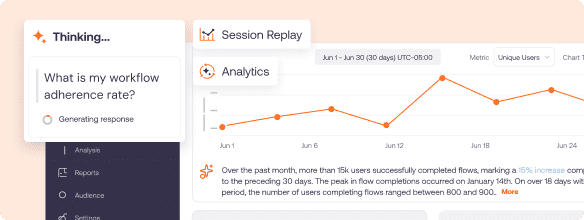
Whatfix Product Analytics shows how users move through applications and where they abandon tasks, repeat actions, encounter errors, or struggle to complete workflows. Process owners can use these behavioral insights to prioritize high-impact moments of need instead of creating guidance based on assumptions.
Prepare Users Through Hands-On Practice With Whatfix Mirror
Whatfix Mirror replicates enterprise applications for guided simulations, practice, and readiness assessments without exposing live systems or production data. This gives employees foundational experience with complex or high-risk workflows before JIT guidance reinforces correct execution during live work.

Guide Live Task Execution With Contextual In-App Guidance
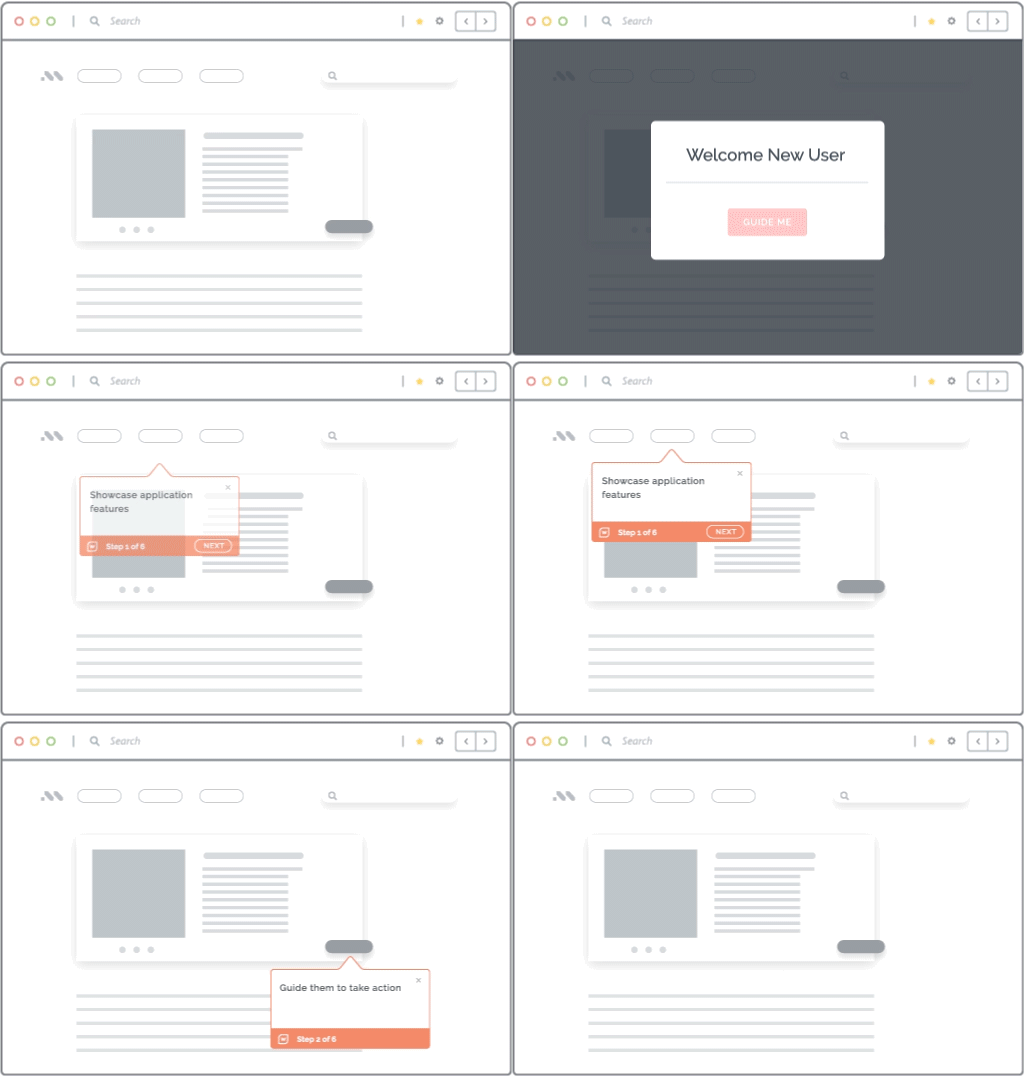
Whatfix Flows, Smart Tips, Pop-Ups, and Task Lists provide step-by-step instructions, validation prompts, and process reminders inside enterprise applications. Guidance appears within the relevant workflow, helping employees follow approved procedures without switching applications or searching through documentation.
Provide Searchable and AI-Powered Support at the Moment of Need
Whatfix Self Help brings approved knowledge articles, videos, documents, and guided Flows into a searchable in-app resource center. AI-powered user guidance can summarize relevant knowledge and guide employees through tasks, helping them resolve routine questions without submitting a support ticket or waiting for a subject-matter expert.

Personalize Guidance by Role, Behavior, and Workflow Context
Whatfix can target guidance based on factors such as role, region, application, workflow stage, and user behavior. Employees receive support relevant to their responsibilities and current task, while experienced users avoid unnecessary prompts and interruptions.
Customer example: Windward Risk Managers
Windward embedded Whatfix Flows, Smart Tips, Pop-Ups, and Self Help into Duck Creek to support 5,500 agents during claims and policy workflows. By providing guidance and searchable support inside the application, the company reported an 87% reduction in claims and policy-related support queries with Self Help in two months. Read the Windward Risk Managers case study.
Request a Whatfix demo to see how contextual JIT learning can standardize enterprise workflows, reduce errors, and support employees at the point of execution.