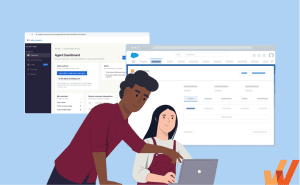












Enterprise software is central to how employees perform their jobs, yet traditional training methods for new employees often leave a gap between learning an application and executing real business processes.
New employees are expected to quickly become proficient in complex systems while navigating unfamiliar workflows, business rules, and policy exceptions. Mistakes can create processing delays, rework, compliance exposure, and dissatisfied customers.
Effective new-hire training combines realistic hands-on practice with critical tasks, measurable readiness assessments, and in-workflow performance support to help new employees execute critical processes accurately and independently.
For enterprise IT, operations, and L&D leaders, this creates a repeatable new-hire training approach that accelerates team member proficiency, maintains operational standards, eliminates risks associated with new hires, and reduces time-to-productivity.
What Is New Hire Training?
New hire training is the structured process of preparing newly hired employees to perform the tasks, workflows, and decisions required for their roles. It combines job-specific knowledge, hands-on practice, software user onboarding, proficiency assessments, and ongoing support to help employees become productive and independent.
The Challenge of New Hire Training in Large Organizations
In large organizations, new hire training often involves learning workflows and tasks that span multiple interconnected software applications.
For example, training a new insurance claims adjuster may involve claims intake, policy verification, document management, and approval workflows across several applications. The new employee must understand how those systems work together and demonstrate the ability to complete required processes accurately.
This job-specific training is only one part of the broader employee onboarding experience, which also includes other types of training, such as organizational orientation, administrative tasks, company policies, and workplace integration.
For employees in business-critical roles, training success ultimately depends on their ability to execute required workflows correctly, consistently, and with an appropriate level of independence.
Why New Hire Training Is Critical for Enterprise Software Proficiency
New employees face distinct challenges when learning the applications and processes that support enterprise operations.
Complex, Cross-Application Workflows
Business processes frequently span multiple applications, each with different interfaces, data requirements, and approval rules.
A new sales representative may need to update opportunities in Salesforce, generate quotes in a different CPQ software like DealHub, initiate contract approvals in DocuSign, and coordinate fulfillment through an ERP system like Netsuite.
Role-specific new hire training must account for the end-to-end workflow, including how information moves between applications, which steps are required, the approved workflow path, data input formats, and how to handle exceptions.
High-Stakes Decisions and Compliance Requirements
In regulated industries, new employees must follow precise SOPs and procedures, maintain accurate records, and recognize situations requiring additional review.
A banking representative must understand customer verification requirements. A healthcare employee must follow approved EHR documentation procedures. A pharmaceutical quality specialist must maintain accurate records throughout deviation investigations.
Training errors can carry operational and compliance consequences. These roles require practical experience, demonstrated proficiency, and clear escalation procedures before employees assume independent responsibility.
Continuous Hiring, Turnover, and Training Scalability
Organizations with distributed or high-turnover workforces must deliver consistent training as employees join throughout the year.
A company operating hundreds of retail locations, for example, cannot rely exclusively on individual store managers to demonstrate every application workflow and procedural requirement.
Standardized, role-based training helps organizations deliver consistent experiences across locations, reduce dependence on subject matter experts, and maintain proficiency standards as applications and processes change.
How to Build a New Hire Training Program That Accelerates Proficiency
An effective enterprise new-hire training program should prepare employees for the specific workflows they will perform, ensure they are ready for production, and provide ongoing support as they gain experience.
The following six steps connect initial learning to measurable job performance.
1. Map Critical Workflows by Employee Role
Begin by identifying the applications, tasks, workflows, transactions, and decisions employees must perform to fulfill their responsibilities.
Work with business process owners, application administrators, and frontline managers to prioritize workflows based on frequency, complexity, operational impact, and risk.
For each role, define:
- Required applications, tasks, and workflows: The systems and end-to-end processes employees must execute.
- Decision points and exceptions: Business rules, approvals, and situations requiring escalation.
- Process requirements: Required fields, documentation, procedural steps, and controls.
- Proficiency criteria: The accuracy, efficiency, and independence expected from a team member to meet your ‘ready for real work’ criteria.
For example, a new recruiter will need to create candidate records, manage job requisitions, advance placements, and follow approved data-entry procedures within an applicant tracking system. These workflows become the foundation for new recruiter training scenarios, assessments, and ongoing support.
2. Provide Hands-On Training With Application Simulations
New employees need opportunities to practice business-critical workflows before entering production.
Application simulation training replicates enterprise application interfaces and workflows in controlled environments, allowing employees to gain experience without affecting live transactions or sensitive records.
A new claims adjuster, for example, could practice processing a first notice of loss, verifying documentation, and routing a claim for approval.
Effective simulations should include realistic AI roleplay and business scenarios, required decisions, common errors, and opportunities for independent execution.
An effective approach starts with guided walkthroughs and progresses to unassisted scenarios, where employees must demonstrate their ability to complete critical tasks without step-by-step prompts.
For customer-facing roles, AI roleplay extends training to cover conversations and situations that require judgment, such as responding to policy questions or handling customer objections.
Simulations are particularly valuable when production access is restricted, sandbox environments are difficult to maintain, or mistakes could create operational risk.
Recommended readings: Application Simulation vs. Training Sandboxes
3. Assess Readiness Before Employees Enter Production
Organizations should use user readiness assessments to evaluate whether employees meet the proficiency standards defined for their roles. The objective is to establish evidence of proficiency before employees assume responsibility for live business processes.
Assessments should measure task accuracy, required procedural steps, exception handling, and the level of assistance needed to complete a workflow.
Readiness standards should distinguish routine tasks from higher-risk responsibilities.
Employees may qualify for supervised production work before they are authorized to complete certain transactions independently. Managers and process owners should define those thresholds based on operational requirements.
Example of a new hire readiness assessment scorecard
To see this in practice, let’s take an example of a fictional organization called Harborline Insurance.
Harborline’s core operations team is responsible for policyholder services and service delivery, with its main focus being claims operations (first notice of loss, approvals, denials, adjusters, appraisers, etc.) and policy administration (like underwriting, billing, policyholder services, etc).
Each responsibility area has its own team and individuals who are responsible for each process, workflow, and task — and each requires its own role-based training and readiness assessment to ensure every new hire is ready to field live policyholder service calls and claims intakes before real situations.
Below you can see an example Harborline’s new hire readiness scorecard across four core roles, including its claims intake agents, claims adjusters, policy underwriters, and field appraisers – as well as the four most critical workflows each role is responsible for completing, paired with regulated workflow steps, company policies, and standard procedures for each:
4. Reinforce Training With In-App Guidance During Live Work
Even well-prepared employees encounter unfamiliar tasks, infrequently used features, and exceptions after entering production.
In-app performance support provides contextual assistance directly within enterprise applications.
Types of in-app guidance to support new hire performance
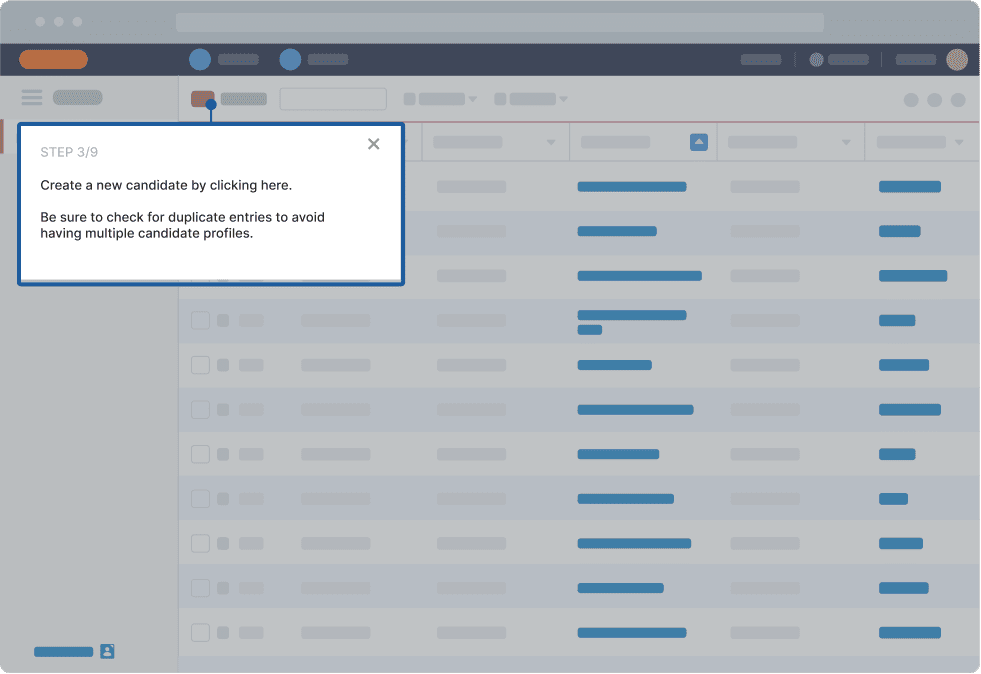
- Interactive walkthroughs guide employees through multistep transactions.
- Smart Tips explain unfamiliar fields and procedural requirements.
- Field-level guidance and validation can identify invalid or incomplete entries.
- Task Lists reinforce required activities.
- Self Help provides in-app access to knowledge resources, SOPs, and troubleshooting content.
Acorn by Synergie cut new recruiter time-to-proficiency by 8 weeks with in-app guidance
Acorn by Synergie reduced the time required for new recruiters to become proficient in Bullhorn ATS from 10 weeks to two using role-based, in-app training and support with Whatfix.
Below you can how different types of in-app performance support drove new hire outcomes for Acorn:
- Task Lists provided a checklist for each new hire to gain familiarity with core processes and Flows guided new recruiters through critical incoming applicant tasks, cutting time-to-proficiency for new recruiters from 10 weeks to 2 weeks.
- Field-level guidance and Smart Tips corrected incompliant steps or invalid field responses, eliminating errors, reducing rework, and improving compliance.
- Self Help provided in-app reinforcement training and embedded performance support within live workflows, deflecting 98% of support tickets and helping to save over 2,400 hours in annual training, support, and rework costs.
Read the entire Acorn by Synergie digital adoption case study here
5. Provide On-Demand Help With AI-Powered Self-Service Support
New employees will encounter situations that their initial training did not cover.
These may involve unusual customer requests, application errors, changes to policies or procedures, or tasks they rarely perform.
When instructions are distributed across learning platforms, SharePoint, knowledge bases, and support documentation, finding the correct answer can interrupt workflow execution.
Embedded Self Help makes relevant resources accessible inside the application. AI-powered assistance can further help employees retrieve information, understand procedures, and resolve questions using natural language.
For example, a frontline associate could ask how to handle a rental billing exception, how to apply a discount, or how to refund a customer, and then receive guidance linked to the relevant company policy. Below is an interactive experience of Whatfix Self Help to show you how this looks in action:
6. Measure Proficiency and Continuously Improve Training
Training effectiveness becomes clearer once employees begin performing real tasks.
Behavioral analytics can identify where new hires struggle, which workflows generate repeated errors, and when employees continue to require assistance.
For example, if new recruiters repeatedly abandon the same step while creating job requisitions, application owners can investigate whether the issue reflects insufficient training, unclear field requirements, or an inefficient workflow.
Organizations can use these findings to improve simulations, update in-app guidance, and refine business processes.
Analyzing performance by new-hire cohort also helps determine whether changes to training are associated with faster proficiency and greater independence.
The four stages create a continuous employee enablement model:
- Practice: Build hands-on experience with role-specific workflows in simulated applications.
- Validate: Assess task accuracy, procedural adherence, and readiness for production responsibilities.
- Guide: Reinforce correct execution with contextual guidance, field validation, and AI-powered assistance.
- Optimize: Monitor workflow performance, identify recurring friction, and improve training and support.
New Hire Training Examples Across Enterprise Applications
Effective training should reflect the applications, decisions, and procedural requirements employees will encounter in their roles.
The following examples illustrate how organizations can combine practical training, readiness assessment, and in-workflow support across different industries.
| Industry and role | Critical workflows | Training and support approach |
| Insurance claims adjuster | Claims intake, policy verification, supporting documentation, and approvals | Simulated claims scenarios, readiness assessments, guided Flows, and field validation |
| Banking relationship manager | Customer onboarding, KYC documentation, account servicing, and escalations | Scenario-based practice, procedural guidance, and approved policy resources |
| Healthcare clinician | EHR documentation, scheduling, patient communications, and clinical workflows | EHR simulations, proficiency assessments, contextual guidance, and documentation reminders |
| Frontline store associate | Customer transactions, policy questions, billing, and service exceptions | Guided application training, Task Lists, and AI-powered Self Help |
| Pharmaceutical quality employee | Deviation investigations, CAPA, quality documentation, and controlled procedures | Application simulations, SOP-based guidance, and procedural controls |
| Recruiter or staffing consultant | Candidate records, job requisitions, placements, and ATS data management | Role-specific ATS training, interactive walkthroughs, and embedded Self Help |
Across these environments, training must prepare employees for complete workflows, including the decisions and exceptions that arise during live execution.
How to Measure New Hire Training Effectiveness
Traditional training metrics, such as attendance and course completion, provide visibility into participation. Organizations also need to understand whether new employees can perform their responsibilities accurately and independently.
Time-to-proficiency is a critical measure of new hire training effectiveness. It represents the time required for an employee to demonstrate the knowledge and workflow execution skills necessary to meet defined performance standards.
Organizations should evaluate proficiency across three stages: simulated readiness, supervised production work, and independent task execution.
Examples of new hire training outcomes and performance metrics
| KPI | What it measures |
| Time-to-proficiency | Time required to meet defined workflow performance standards |
| Readiness assessment pass rate | Percentage of new hires demonstrating required proficiency before production |
| First-time task completion rate | Percentage of workflows completed correctly without rework |
| Transaction error rate | Invalid inputs, rejected transactions, or procedural deviations |
| Assisted vs. independent completion | How frequently employees require guidance or human assistance |
| Support requests per new hire | Dependence on managers, SMEs, and IT support |
| Time-to-productivity | Time required to reach expected operational output and quality levels |
These metrics should be evaluated against role-specific expectations.
Measuring training effectiveness and tracking new hire performance across cohorts can reveal where training methods, simulations, or in-app interventions contribute to improved outcomes. The most valuable signal is the progression from guided execution to sustained, independent performance.
How Whatfix Accelerates New Hire Training and Software Proficiency
Whatfix helps enterprises prepare new employees for critical workflows, support execution in production systems, and measure how quickly users develop proficiency.
Its application simulation, digital adoption, AI assistance, and analytics capabilities support three interconnected stages of new-hire training, performance support, and ongoing enablement.
Prepare New Hires With Whatfix Mirror
Whatfix Mirror enables organizations to create realistic application simulations for hands-on training before employees enter production.
New hires can practice role-specific workflows, encounter realistic scenarios, and demonstrate proficiency without affecting live systems.
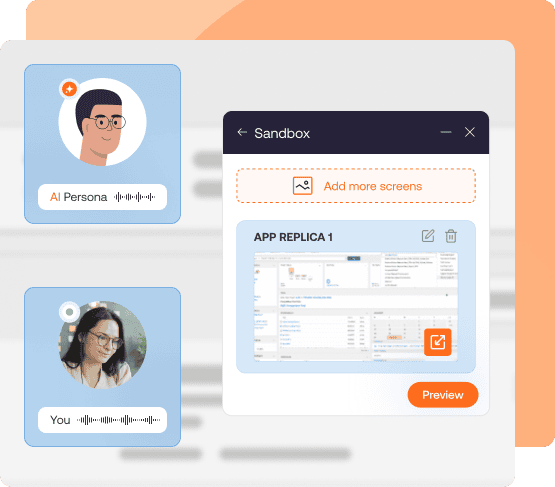
Mirror also supports AI Roleplay for scenario-based training and assessments to identify readiness gaps.
For organizations onboarding employees into complex ERP, EHR, CRM, or industry-specific systems, simulations provide a consistent way to build experience and establish readiness.
Application simulation example: FOX Rehabilitation
FOX Rehabilitation created 39 interactive Raintree EHR simulations to prepare clinicians for critical workflows during an enterprise EHR modernization initiative.
The organization used Whatfix Mirror to provide hands-on practice before clinicians entered the modernized production system, then reinforced those workflows with Whatfix DAP guidance and Self Help.
FOX’s implementation demonstrates how simulated application training and in-workflow support can work together to prepare employees for complex software changes.
Guide New Hires Through Live Work With Whatfix DAP and AI
Whatfix Digital Adoption Platform delivers contextual guidance and self-service support directly within enterprise applications.
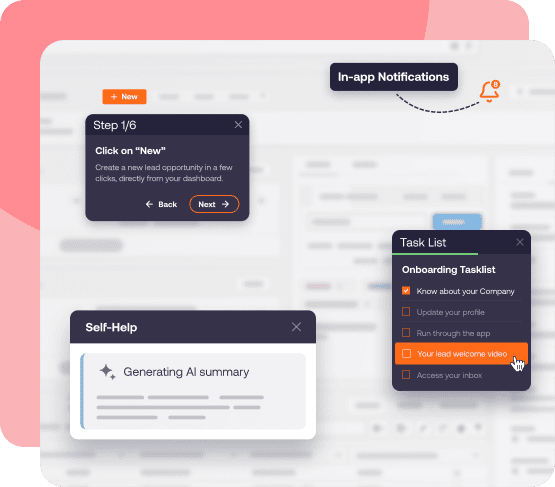
Its capabilities include:
- Flows to guide employees through multistep business processes.
- Task Lists to structure required onboarding activities.
- Smart Tips to explain fields and procedural requirements.
- Field Validation to identify incomplete or invalid inputs.
- Self Help to provide immediate access to relevant knowledge and SOPs.
Whatfix AI extends this support through contextual answers and assistance, helping employees resolve questions without leaving their workflows.
These capabilities reinforce training during live work, helping new employees execute approved processes while reducing reliance on managers and support teams.
Measure Proficiency and Optimize Training With Product Analytics
Whatfix Product Analytics provides visibility into how employees navigate enterprise applications, complete workflows, and encounter friction.
Application owners and enablement teams can use user journeys, funnels, and cohort analysis to identify struggling processes and understand how performance changes over time.
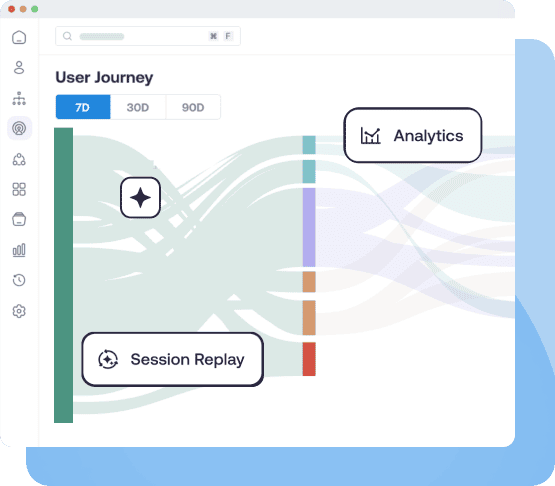
Combined with readiness assessments and operational performance data, these insights help organizations evaluate training effectiveness and identify opportunities for improvement.
Customer Examples: New Hire Training and Performance Support in Action
Whatfix customers have reported measurable improvements in employee onboarding, frontline productivity, and application support.
| Customer | Training and support approach | Reported business outcome |
| Acorn by Synergie | Role-based Flows, Task Lists, and Self Help embedded in Bullhorn ATS to support recruiter onboarding and daily workflows. | 80% reduction in onboarding time, from 10 weeks to two, and a 98% reduction in Bullhorn ATS support tickets. |
| Extra Space Storage | In-app guidance and AI-powered Self Help within Breeze, supporting frontline store associates with customer transactions and procedural questions. | 50% faster rental transactions for new associates and a 95% Self Help resolution rate, with more than 2,500 support tickets eliminated. |
| Sentry Insurance | Contextual onboarding and self-service support across Workday, claims management, policy administration, and other enterprise applications. | $950,000 in annual savings across content creation, support, and productivity, with approximately 100 daily support tickets eliminated. |
Acorn illustrates the impact of role-specific, in-app training on new employee proficiency. Extra Space Storage demonstrates the operational value of contextual assistance for frontline employees. Sentry provides an example of scalable enablement across an enterprise application portfolio.
These outcomes represent the customers’ reported results from their broader Whatfix implementations.
Make New Hire Proficiency a Measurable Business Outcome
Enterprise new hire training influences how quickly employees contribute, how accurately they execute business processes, and how much assistance they require from existing teams.
An effective program combines realistic application practice, measurable readiness standards, and ongoing support within production applications.
Whatfix connects these capabilities through Mirror for hands-on training and readiness, DAP and AI for live workflow guidance, and Product Analytics for behavioral insights and continuous improvement.
This enables organizations to establish a repeatable approach to workforce proficiency as new employees join, change roles, and adapt to evolving enterprise software.
Request a Whatfix demo to explore how application simulation, in-app guidance, and behavioral analytics can accelerate new hire training and improve workforce readiness.